
 LinkedIn
 Instagram
 WhatsApp
 Telegram
 Gmail
Gmail Outlook
 Google Calendar
 Join Slack Community
For CRM, ATS, outreach platforms, and AI-driven software, a reliable Calendar API is no longer a nice-to-have. It is now an essential building block that drives productivity, booking workflows, follow-ups, automated sequences, and team coordination.
Yet implementing calendar synchronization is one of the most complex areas for product and engineering teams. Google Calendar works differently from Outlook 365. Time zones create unexpected conflicts. Recurring events break without warning. Users report missing meetings. And your team ends up maintaining dozens of edge cases instead of building core features.
This article explains what calendar sync really means, why most development teams underestimate it, and how you can integrate a unified, real-time calendar sync layer using Unipile’s Calendar API without carrying the infrastructure burden.
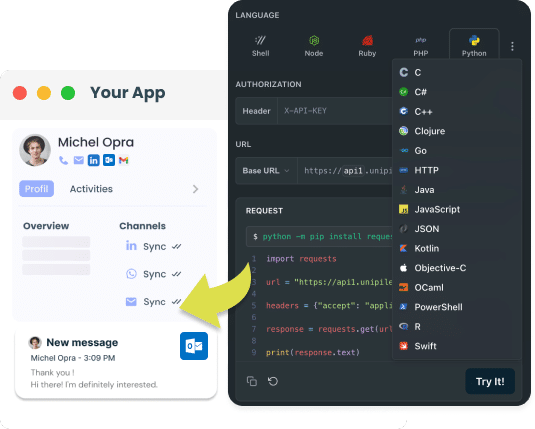
What Calendar Sync Actually Means for Modern SaaS
A reliable calendar sync requires real-time updates, clean availability management, and full event CRUD capabilities. Your software must handle overlaps, shared calendars, and multi-provider logic. A unified sync layer avoids maintaining separate systems for Google and Outlook.
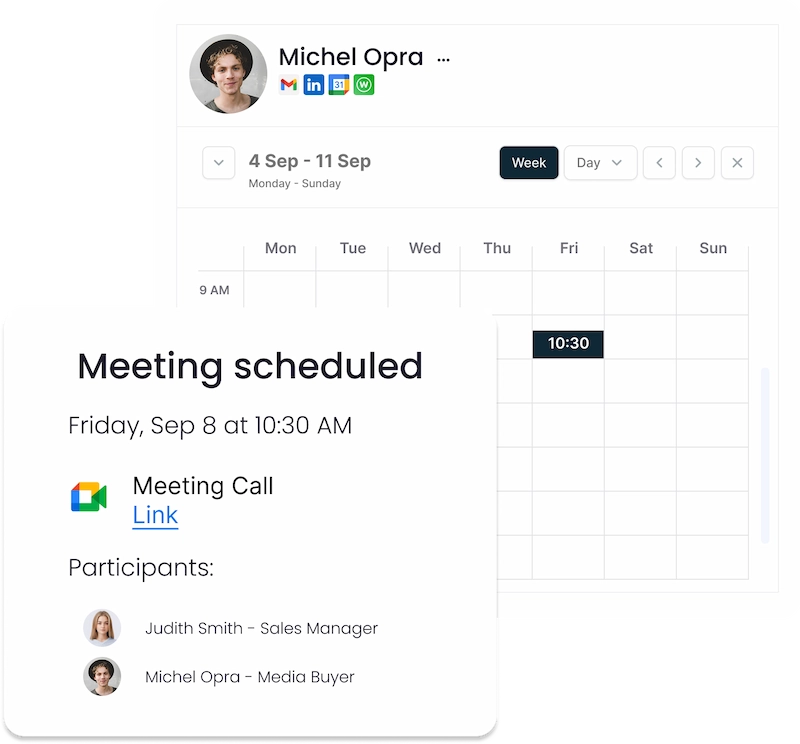
What “Calendar Sync” Really Means in 2025
curl --request GET
     --url https://api1.unipile.com:13111/api/v1/calendars/calendar_id/events
     --header 'accept: application/json'
A real calendar sync does much more than list events. To users, it must feel native, instant, and intelligent. For your product, it must be predictable and consistent across all calendar providers.
True calendar sync involves four essential components:
1. Continuous Real-Time Updates
When a user or external participant creates, updates, or cancels an event, your system must detect and reflect this change instantly.
2. Clean Availability and Conflict Handling
Users may have multiple calendars across multiple providers. Your software must understand:
-
free/busy status
-
overlapping meetings
-
shared vs private calendars
-
personal + work calendars combined
3. Full Event Management (CRUD)
A complete sync requires the ability to:
-
create events
-
modify existing events
-
delete or cancel meetings
-
retrieve all relevant metadata
4. Resilience Across Providers
Google Calendar and Outlook behave very differently.
A unified sync layer must normalize the data so your engineering team doesn’t maintain two (or more) entirely separate systems.
What Is Email API Integration?
Email API Integration simplifies how developers incorporate email functionality from providers like Gmail and Outlook into their applications. By using these APIs, developers can enable their software to send and manage emails, handle templates, and organize inboxes directly, without the need for separate email clients. This streamlines the development workflow and enhances the user’s experience by keeping all email-related tasks within the application’s ecosystem.
Why Internal Calendar Sync Projects Become Expensive
Most development teams start by “just fetching events” through Google or Microsoft’s REST APIs. They quickly discover deeper complications:
Time Zones and DST
Calendars shift automatically depending on daylight saving rules.
Incorrect conversions lead to inconsistent or inaccurate availability.
Recurring Event Chaos
Recurring series include:
-
exceptions
-
edits applied only to one occurrence
-
long-running modifications
-
partial cancellations
These become a constant source of bugs.
Different Provider Behaviors
- Google uses sync tokens.
- Outlook uses delta queries.
- Token expiration patterns differ.
- Rate limits differ.
- Permissions differ.
Your internal sync must constantly adapt.
Webhook Gaps
Google offers decent push notifications.
Microsoft has limited webhook reliability.
Both require fallback polling with intelligent throttling.
Escalating Maintenance
Even if you solve all of the above, providers change behavior silently.
Your team ends up patching sync logic instead of building product features.
This is why more software vendors now choose a unified API instead of maintaining low-level sync complexities.
How Unipile Delivers Reliable Calendar Sync for SaaS
Unipile provides a unified Calendar API that minimizes engineering debt and delivers fully normalized sync across both Google Calendar and Microsoft Outlook Calendar.
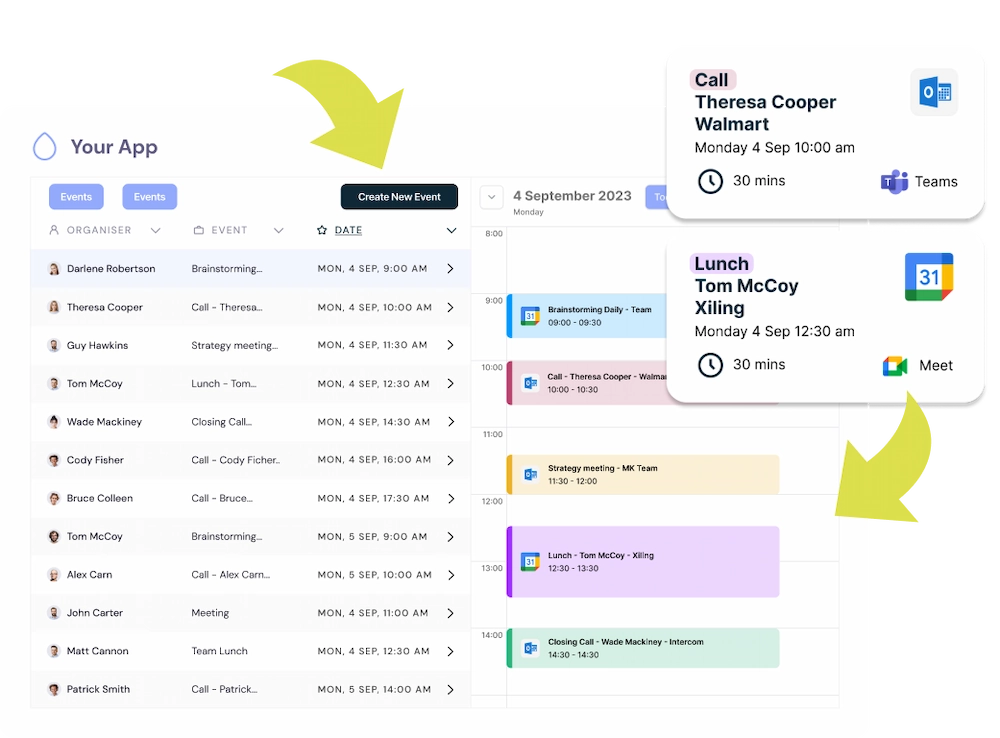
One API for Both Providers
Your product integrates once.
Unipile handles:
-
OAuth
-
provider-specific rules
-
delta tokens
-
sync tokens
-
throttling and rate limits
-
recurring logic
-
metadata normalization
Real-Time Sync From Webhooks
Unipile pushes every change through a shared webhook system so your product stays in perfect alignment with user calendars.
Clean Unified Data Model
All calendar objects follow the same structure across providers.
Full Event CRUD
You can:
-
list calendars
-
retrieve events
-
create new events
-
update existing events
-
delete meetings
Zero-Maintenance Infrastructure
Unipile absorbs all provider updates and edge cases.
Your team focuses on user experience, not protocol edge case management.
Core Calendar Sync Features for Your Application
Enable full calendar sync in your SaaS with unified endpoints to list calendars, retrieve details, fetch events, create or update meetings, and manage deletions. These capabilities let you build reliable scheduling, automation, and real-time availability across Google and Outlook with a single integration.
List calendars (GET /v1/calendar/calendars)
Retrieve all calendars for a connected account. Use this to let users pick their work or personal calendar. Docs
curl -X GET
  https://api.unipile.com/v1/calendar/calendars
  -H "Authorization: Bearer "
Tip: store the returned id and timeZone for later event operations.
Get calendar (GET /v1/calendar/calendars/{calendar_id})
Fetch a single calendar’s details and permissions before writing events. Docs
curl -X GET
  https://api.unipile.com/v1/calendar/calendars/{calendar_id}
  -H "Authorization: Bearer "
List events (GET /v1/calendar/calendars/{calendar_id}/events)
Query events by time window. Use pagination for large agendas. Docs
curl -X GET
  "https://api.unipile.com/v1/calendar/calendars/{calendar_id}/events?start=2025-11-01T00:00:00Z&end=2025-11-30T23:59:59Z&page=1&page_size=200"
  -H "Authorization: Bearer "
- Response includes title, start/end, timeZone, attendees, reminders, recurrence.
- Filter by updated time for incremental sync.
Create event (POST /v1/calendar/calendars/{calendar_id}/events)
Create a meeting with attendees and conferencing details in one request. Docs
curl -X POST
  https://api.unipile.com/v1/calendar/calendars/{calendar_id}/events
  -H "Authorization: Bearer "
  -H "Content-Type: application/json"
  -d '{
    "title": "Product Demo",
    "description": "30-minute walkthrough",
    "start": "2025-11-06T15:00:00Z",
    "end": "2025-11-06T15:30:00Z",
    "timeZone": "Europe/Paris",
    "location": "Google Meet",
    "attendees": [{"email":"alex@example.com","name":"Alex Doe"}],
    "reminders": [{"minutes":10,"method":"popup"}]
  }'
Use idempotency on your server to avoid duplicate events on retry.
Get event (GET /v1/calendar/calendars/{calendar_id}/events/{event_id})
Read a single event with full metadata including attendees and recurrence. Docs
curl -X GET
  https://api.unipile.com/v1/calendar/calendars/{calendar_id}/events/{event_id}
  -H "Authorization: Bearer "
Edit event (PATCH /v1/calendar/calendars/{calendar_id}/events/{event_id})
Update title, time, location or attendees. Supports partial updates. Docs
curl -X PATCH
  https://api.unipile.com/v1/calendar/calendars/{calendar_id}/events/{event_id}
  -H "Authorization: Bearer "
  -H "Content-Type: application/json"
  -d '{ "title": "Product Demo (Rescheduled)", "start": "2025-11-06T16:00:00Z", "end": "2025-11-06T16:30:00Z" }'
Delete event (DELETE /v1/calendar/calendars/{calendar_id}/events/{event_id})
Cancel an event and keep your UI in sync. Docs
curl -X DELETE
  https://api.unipile.com/v1/calendar/calendars/{calendar_id}/events/{event_id}
  -H "Authorization: Bearer "
Real-Time Webhooks to Power Reliable Calendar Sync
To keep your application perfectly aligned with users’ schedules, Unipile provides a full set of calendar webhooks that trigger whenever something changes across Google or Outlook. Your platform receives instant notifications for new calendars, updates, deletions, and every event-related action such as creations, modifications, or cancellations. This real-time layer removes the need for polling and ensures your scheduling, automation flows, and AI agents always operate on fresh, accurate availability data.
Calendar-Level Webhooks
calendar.create
Triggered when a user creates a new calendar. Payload: Full Calendar object.
calendar.update
Triggered when calendar metadata changes.
Payload: Updated Calendar object.
calendar.delete
Triggered when a calendar is deleted.
Payload fields: id — ID of the deleted calendar
Event-Level Webhooks
calendar.event.new
Triggered when a new event is created or the user is invited to an event.
Payload: Full Calendar Event object.
calendar.event.update
Triggered when an existing event is modified.
Includes updates in:
-
time
-
attendees
-
description
-
location
-
recurrence rules
Payload: Updated Calendar Event object.
calendar.event.delete
Triggered when an event is canceled or deleted.
Payload fields:
-
calendar_id
-
id (deleted event ID)
Use Cases: How Software Editors Leverage Calendar Sync
ATS and recruiting platforms rely on calendar sync to schedule interviews instantly between recruiters and candidates, detect conflicts automatically, and embed rescheduling flows directly into their pipelines. With reliable sync, AI assistants can even book interviews autonomously.
CRM and sales tools use calendar synchronization to bring meeting scheduling directly inside contact pages, attach booked appointments to deals, and trigger reminders or next steps whenever meetings change. It turns the CRM into a predictive, real-time sales cockpit.
Outreach platforms enrich their sequences with meeting steps, updating campaigns automatically based on user availability and triggering follow-ups when events are created, modified, or canceled. Calendar sync becomes a key driver of conversion.
AI agents and automation systems depend heavily on a stable calendar layer. They need to book meetings on behalf of users, maintain context-aware availability, reschedule based on incoming signals, and execute actions when events evolve. Calendar sync is the infrastructure that makes these agents reliable and autonomous.
Unified Calendar Sync Across Google and Outlook
Unify all your scheduling workflows with a single calendar sync engine that works seamlessly across Google Calendar and Outlook. With one integration, your SaaS gains real-time updates, consistent event data, and reliable availability management for every user, regardless of their provider.
Google Calendar API Integration for Fast Calendar Sync
Google Calendar is one of the most widely used scheduling tools for professionals. For SaaS platforms, integrating the Google Calendar API is key to delivering a smooth, reliable, and real-time calendar sync experience. With Unipile, you can access Google Calendar through a unified endpoint that abstracts away OAuth complexity, incremental sync tokens, and event-level edge cases.
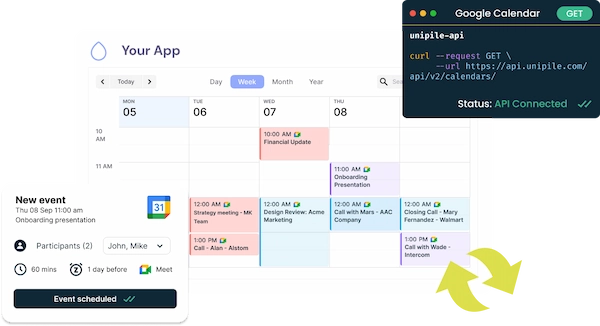

This integration lets your application list user calendars, fetch all events, create meetings programmatically, update schedules automatically, and react instantly to changes through standardized webhooks. Whether your product powers recruiting workflows, sales engagement, or AI-based automations, Google Calendar sync becomes effortless, stable, and scalable. Instead of maintaining your own sync logic or handling Google’s rate limits and schema variations, you rely on a single API that ensures consistency across all user accounts.
Outlook Calendar API Integration for Enterprise-Grade Calendar Sync
Microsoft Outlook Calendar remains the default scheduling solution for thousands of companies worldwide. For SaaS editors building enterprise-ready features, syncing with Outlook Calendar is essential. Unipile’s unified Calendar API gives you a clean, normalized interface to connect any Outlook 365 account, handle delta queries, manage recurring events, and ensure full event CRUD without dealing with Outlook’s unique rules.
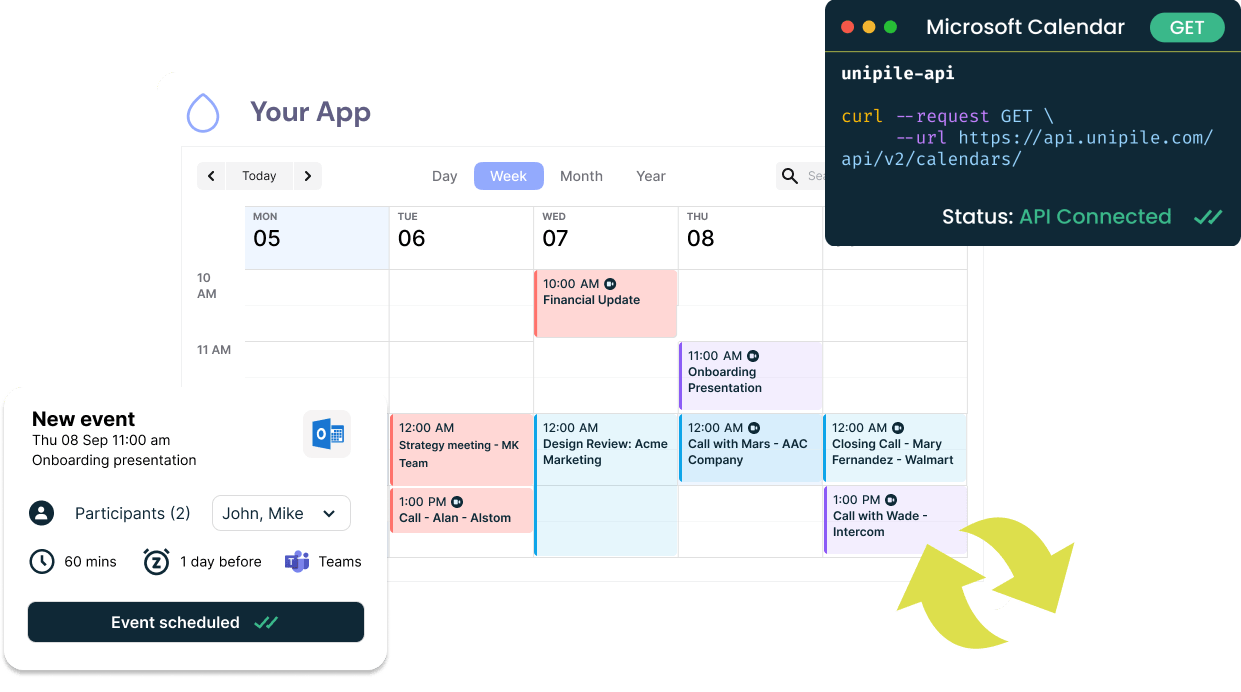
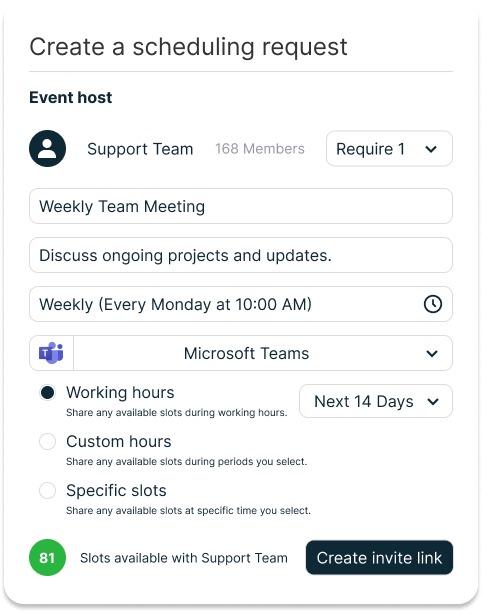
With Unipile, your software receives real-time visibility into event updates, cancellations, and attendee changes across Outlook environments. This allows your CRM, ATS, or automation engine to maintain accurate availability, trigger follow-up tasks, schedule meetings directly from your interface, and react instantly through event-based webhooks. Instead of writing separate logic for Outlook’s APIs, your product benefits from a unified sync layer that keeps data aligned across all providers.
Top Features of Unipile Calendar API
Calendar Features


All Features
List calendars
Get a calendar
Retrieve all events
Create an event
Retrieve an event
Edit an event
Delete an event
Webhook
Build Smart Sequences with Unified Calendar Sync
Enhance your engagement workflows by combining real-time calendar sync with your email and messaging automation. Whether you’re scheduling demos, coordinating interviews, or triggering actions when meetings change, your app can orchestrate entire sequences automatically. Create events, update availability, send confirmations, and run post-meeting follow-ups, all powered by Unipile’s unified API connecting both Google and Outlook Calendars.
Book Demo: Email → Calendar Invite
Send an email with a booking link and create the event once the slot is picked.
- Email CTA opens your booking page with suggested slots
- User picks a time and you create the calendar event
- Automatic confirmation and reminder before the meeting
LinkedIn Follow-up → Schedule Call
If no reply to email, send a short LinkedIn message with two time options.
- Email first, wait 48 hours for a response
- Send LinkedIn DM offering two available slots
- On confirmation, create the event and send invite
WhatsApp Reminder + Reschedule
Send a WhatsApp reminder one hour before and allow reschedule in one tap.
- Create the event with a unique reschedule link
- Send WhatsApp reminder with Join or Reschedule
- If rescheduled, update the event and notify attendees
ATS: Schedule Candidate Interview
Propose slots from panel availability and keep everyone in sync.
- Collect free-busy for interviewers
- Send candidate email with 3 suggested times
- On selection, create event and notify panel
Post-Meeting Follow-up
Send notes by email and a LinkedIn connection request after the call.
- Detect event end and compile notes
- Send email summary with next steps
- Send LinkedIn connection or thank you DM
No-Show Recovery
If a participant misses the meeting, trigger an auto reschedule flow.
- Detect absence from meeting attendance
- Send email plus WhatsApp asking for a new slot
- Update the event and refresh reminders
Round-Robin Team Booking
Distribute bookings across reps based on availability and load.
- Check free-busy for each rep
- Assign the slot to the best match
- Create the event and notify all parties
Pricing: Simple, Predictable, and Developer-Friendly
Unipile follows a pay-as-you-go model, based on the number of connected accounts.
A calendar account = one Google Calendar or one Outlook Calendar.
No request-based fees.
No usage limits (provider limits apply).
-
Up to 10 accounts: 49€/month total
-
11–50 accounts: 5€ / account / month
-
Volume discounts above 50
Includes messaging, email, and calendar channels in one unified platform.
Integrate Faster with the Unipile Dashboard
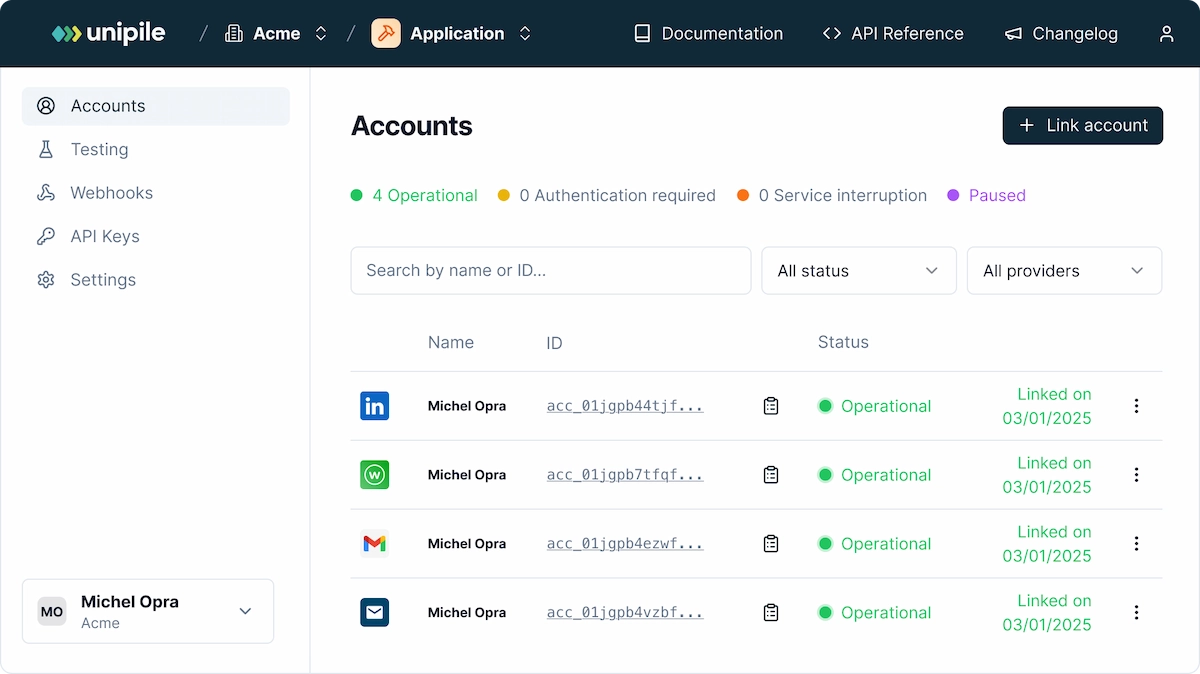
Connecting calendars through Unipile Dashboard starts with a developer experience built for speed. Instead of managing OAuth flows manually or handling provider-specific setup, your team can use the Unipile Dashboard to configure everything in a few clicks. Create your app, generate your API keys, and monitor all connected Google Calendar and Outlook Calendar accounts in real time. Each calendar connection appears instantly with its status, provider type, and sync health, giving your team full visibility as you scale.
The dashboard also lets you test Calendar API routes without writing code, preview webhook payloads, and validate event flows before pushing anything into production. This removes friction for engineering teams and drastically shortens integration time. Whether you’re building scheduling workflows, automated sequences, or AI-driven assistants, the Unipile Dashboard provides a reliable control center to launch, debug, and maintain your calendar sync layer at scale.
Enterprise-Ready Security with SOC 2 Compliance
When your platform manages calendar data, especially across Google and Outlook accounts, security is not optional. Calendar sync touches sensitive information such as meeting details, attendee lists, and scheduling patterns, which makes trust a fundamental requirement for any integration. Unipile is built with enterprise-grade security at its core and is currently progressing through SOC 2 certification to formalize the controls already implemented across its infrastructure.
Our approach ensures strict separation of customer data, encrypted transport and storage, continuous monitoring, and rigorous internal access policies. For your engineering and compliance teams, this means you can integrate scheduling, automation, and real-time calendar sync without inheriting operational or legal risk. Whether you are building for HR, sales, outreach, or AI-driven assistants, Unipile provides the security foundation needed to serve enterprise customers with confidence.
Conclusion
Calendar sync is the backbone of scheduling, engagement workflows, and AI-driven automation across modern SaaS platforms. Yet building and maintaining reliable sync internally is costly, time-consuming, and filled with hidden complexity. Unipile’s unified Calendar API transforms this challenge into a stable, scalable layer that works seamlessly with both Google and Outlook. With real-time webhooks, full event management, enterprise-grade security, and rapid integration through the Unipile Dashboard, your team can ship features faster while staying focused on product innovation. Whether you’re powering CRM, ATS, outreach sequences, or autonomous AI agents, Unipile gives you everything you need to deliver a calendar experience your users can trust.
FAQs
What does calendar sync mean for SaaS platforms?
Calendar sync ensures your app stays fully aligned with users’ real-time schedules across Google and Outlook. It enables consistent availability, instant updates, and reliable workflow automation.
Do I need separate integrations for Google Calendar and Outlook?
No. With Unipile’s unified Calendar API, you integrate once. The API normalizes providers so your engineering team does not manage separate logic for Google and Microsoft.
Can I trigger automations based on calendar changes?
Yes. Calendar webhooks instantly notify your app when events are created, updated, or deleted. This allows you to run workflows, send reminders, reschedule tasks, or trigger AI actions automatically.
Does Unipile support full event management?
Absolutely. You can list calendars, fetch events, create new meetings, update existing ones, and delete events through a single, consistent API structure across both providers.
How does Unipile ensure reliability at scale?
Unipile handles sync tokens, delta logic, rate limits, provider-specific behaviors, and fallback mechanisms. This eliminates common sync failures and reduces long-term maintenance for your team.
Is calendar sync secure with Unipile?
Yes. Unipile applies strict data protection standards, encryption, GDPR compliance, and is progressing through SOC 2 certification to meet enterprise requirements.
You may also like
How do I extract data from Sales Navigator API for my software?
Explore the benefits of extracting key data from Sales Navigator through a dedicated LinkedIn API for streamlined software integration.Leverage the Sales Navigator integration to access powerful LinkedIn data extraction tools, enhancing B2B sales automation and enabling advanced CRM data syncing....
Multi-Provider Email API: Connect Gmail, Outlook and IMAP with One Integration
How the integration works Connecting your first email account with Unipile takes four steps. The same flow works regardless of whether the user has a Gmail, Outlook, or IMAP account - your application code stays identical throughout. This is the practical power of a unified email API: write once,...
LinkedIn DM for Company Pages with Messaging API
Explore the strategic edge LinkedIn’s new DM feature offers to company pages, enhancing direct communication and engagement in the digital business landscape. Discover how LinkedIn Pages messaging API transforms business communication, allowing software publishers to integrate direct messaging...
 EN
EN  FR
FR  ES
ES  DE
DE  IT
IT  BR
BR  NL
NL  PL
PL  TR
TR