
 LinkedIn
 Instagram
 WhatsApp
 Telegram
 Gmail
Gmail Outlook
 Google Calendar
 Join Slack Community
Modern software runs on connections, between people, systems, and time itself. At the heart of this connectivity lies the Calendar API, a vital component enabling apps to read, create, and synchronize calendar events seamlessly.
Whether you’re building a CRM, recruiting platform, or productivity suite, integrating a Calendar API allows you to manage availability, and sync data in real time across Google, Outlook.
This guide will walk you through everything developers need to know, from how Calendar APIs work to how you can unify multiple calendar providers using Unipile’s unified API.
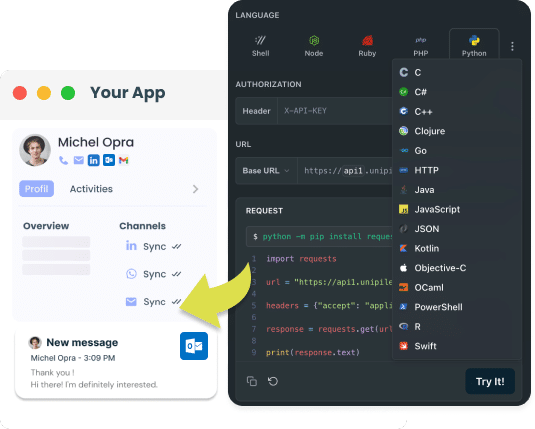
What Is Calendar API Integration?
A Calendar API (Application Programming Interface) allows applications to access, create, and manage calendar events directly through code.
Instead of manually handling iCal or CalDAV formats, developers can rely on a modern RESTful layer that interacts with Google and Outlook calendars using JSON.
It abstracts away complex synchronization logic, giving developers unified access to multiple calendar providers. For example:
GET https://api.unipile.com/v1/calendar/events
Authorization: Bearer access_token
This single API call retrieves all calendar events for a connected user, whether they use Google Calendar, Microsoft Outlook, or another calendar service. In short, a Calendar API transforms calendar management from a manual, fragmented setup into a lightweight, developer-friendly workflow that syncs automatically across providers.
Why Integrate a Calendar API?
curl --request GET \
     --url https://api1.unipile.com:13111/api/v1/calendars/calendar_id/events \
     --header 'accept: application/json'
In today’s connected world, users expect scheduling to “just work.” Meetings, interviews, and events should sync instantly across devices, time zones, and apps, without manual coordination. This seamless experience is powered by Calendar APIs.
A Calendar API integration enables your application to interact directly with a user’s calendar data, retrieving, creating, editing, and deleting events through secure API calls. Instead of relying on manual inputs or email-based scheduling, developers can automate the entire process.
curl --request GET \
     --url https://api1.unipile.com:13111/api/v1/calendars/calendar_id/events \
     --header 'accept: application/json'
What Is Email API Integration?
Email API Integration simplifies how developers incorporate email functionality from providers like Gmail and Outlook into their applications. By using these APIs, developers can enable their software to send and manage emails, handle templates, and organize inboxes directly, without the need for separate email clients. This streamlines the development workflow and enhances the user’s experience by keeping all email-related tasks within the application’s ecosystem.
How Calendar APIs Work
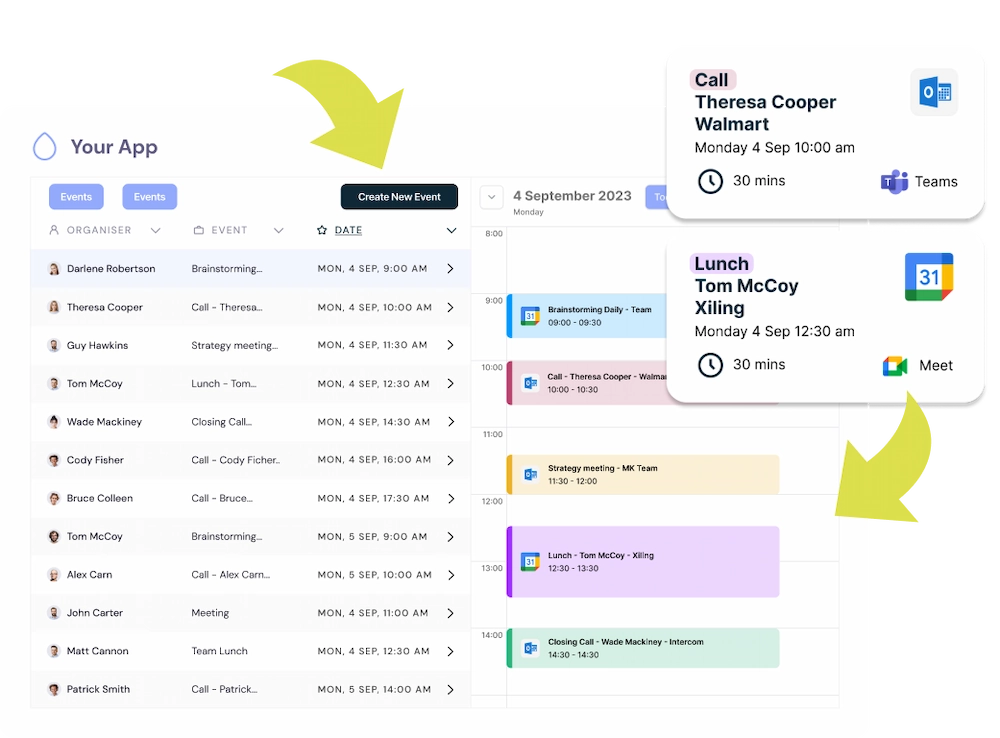
A Calendar API integration follows a predictable, secure flow that lets your app read and write calendar data (events, attendees, reminders) across providers like Google and Outlook, through a single, normalized interface.
1) Authenticate the user (OAuth 2.0)
-
The user connects their Google or Microsoft account via OAuth.
-
Your backend receives an authorization code, exchanges it for an access token, and stores it securely (server-side).
-
Subsequent API calls include “Authorization: Bearer <access_token>”.
Host: api.unipile.com
Authorization: Bearer "access_token"
What you get: a unified list of the user’s calendars (primary, shared, resource calendars), each with a normalized schema (id, name, timeZone, permissions).
3) Read events (with filters for performance)
Fetch events with time-bounded filters and pagination to keep queries fast.
Typical response fields (normalized):
- id, status (confirmed/tentative/canceled)
- title, description, location (room or meeting link)
- start, end, timeZone
- attendees: (email, name, responseStatus)
- recurrence: (RRULE, EXDATE), reminders
- createdAt, updatedAt, provider (google|outlook)
GET /calendars/{calendar_id}/events?start=2025-11-01T00:00:00Z&end=2025-11-30T23:59:59Z&page=1&page_size=200
Host: api.unipile.com
Authorization: Bearer "access_token"
4) Create & update events
Create new events or update existing ones with a consistent JSON structure, Unipile translates it to Google or Outlook automatically.
POST /calendars/{calendar_id}/events
Host: api.unipile.com
Authorization: Bearer "access_token"
Content-Type: application/json

{
  "title": "Product Demo",
  "description": "30-minute walkthrough",
  "start": "2025-11-06T15:00:00Z",
  "end":   "2025-11-06T15:30:00Z",
  "timeZone": "Europe/Paris",
  "location": "Google Meet",
  "attendees": [
    {"email": "alex@example.com", "name": "Alex Doe"}
  ],
  "reminders": [{"minutes": 10, "method": "popup"}]
}
Real-Time Sync
Keep calendars perfectly aligned with webhooks or incremental sync. Webhooks instantly notify your app when an event changes, while incremental sync retrieves only updates since the last check, keeping everything fast and lightweight.
Event Consistency
Respect every event’s context, including recurrence, time zones, and attendees. Store the original time zone, apply recurrence rules, and track RSVP states to ensure accurate, user-specific scheduling across providers.
Why Developers Use a Calendar API
| Feature | What it does | Why it’s useful |
|---|---|---|
| Easy Integration | Connects your app to Google and Outlook calendars through one simple API. | No need to manage multiple systems, one setup works for all users. |
| Automatic Sync | Keeps events, meetings, and reminders up to date across all connected calendars. | Users always see the latest version of their schedules, wherever they are. |
| Smart Event Management | Lets your app create, edit, or delete events directly from your interface. | Simplifies scheduling and keeps everything in one place for better productivity. |
| Real-Time Updates | Notifies your app instantly when a meeting is added or changed. | No need to refresh, your app always stays perfectly in sync. |
| Unified Experience | Handles Google and Outlook data in a consistent, easy-to-read format. | Developers work faster, and users get a smooth, reliable scheduling experience. |
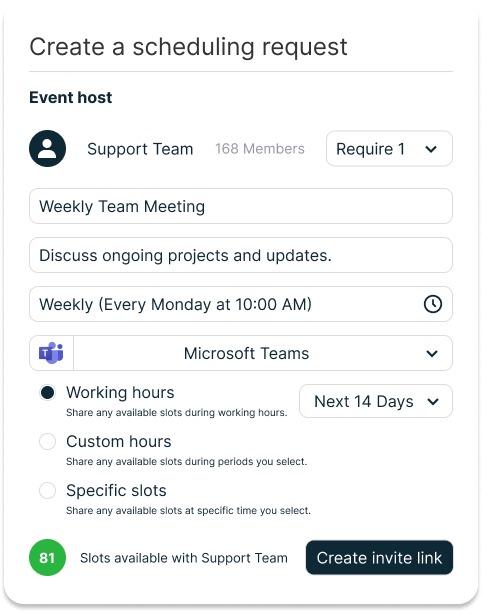
Note: The Scheduling feature for the Calendar API will be available soon.
Core Features of a Modern Calendar API
Essential building blocks for reliable scheduling and real-time event management
Connect and Normalize Calendars
Plug into Google Calendar and Outlook with one unified model. Your app reads and writes the same event schema across providers, so product behavior stays consistent for every user.
List Calendars
Discover all calendars for a connected account, including ownership, read/write scope, color, and default settings. Use this to prefill user preferences and map events to the right container.
Retrieve Events
Query single or multiple calendars by time range, organizer, or status. Responses include attendees, reminders, conferencing links, and extended properties for downstream automation.
Create and Update Events
Programmatically create, edit, or delete events without leaving your UI. Support reschedules, description and location edits, conferencing details, and partial updates for safer changes.
Attendees and RSVP
Add participants, set roles, and track responses. Keep CRM or ATS timelines current by reflecting acceptance, tentative, and decline states in real time.
List calendars (GET /v1/calendar/calendars)
Retrieve all calendars for a connected account. Use this to let users pick their work or personal calendar. Docs
curl -X GET \
  https://api.unipile.com/v1/calendar/calendars \
  -H "Authorization: Bearer "
Tip: store the returned id and timeZone for later event operations.
Get calendar (GET /v1/calendar/calendars/{calendar_id})
Fetch a single calendar’s details and permissions before writing events. Docs
curl -X GET \
  https://api.unipile.com/v1/calendar/calendars/{calendar_id} \
  -H "Authorization: Bearer "
List events (GET /v1/calendar/calendars/{calendar_id}/events)
Query events by time window. Use pagination for large agendas. Docs
curl -X GET \
  "https://api.unipile.com/v1/calendar/calendars/{calendar_id}/events?start=2025-11-01T00:00:00Z&end=2025-11-30T23:59:59Z&page=1&page_size=200" \
  -H "Authorization: Bearer "
- Response includes title, start/end, timeZone, attendees, reminders, recurrence.
- Filter by updated time for incremental sync.
Create event (POST /v1/calendar/calendars/{calendar_id}/events)
Create a meeting with attendees and conferencing details in one request. Docs
curl -X POST \
  https://api.unipile.com/v1/calendar/calendars/{calendar_id}/events \
  -H "Authorization: Bearer " \
  -H "Content-Type: application/json" \
  -d '{
    "title": "Product Demo",
    "description": "30-minute walkthrough",
    "start": "2025-11-06T15:00:00Z",
    "end": "2025-11-06T15:30:00Z",
    "timeZone": "Europe/Paris",
    "location": "Google Meet",
    "attendees": [{"email":"alex@example.com","name":"Alex Doe"}],
    "reminders": [{"minutes":10,"method":"popup"}]
  }'
Use idempotency on your server to avoid duplicate events on retry.
Get event (GET /v1/calendar/calendars/{calendar_id}/events/{event_id})
Read a single event with full metadata including attendees and recurrence. Docs
curl -X GET \
  https://api.unipile.com/v1/calendar/calendars/{calendar_id}/events/{event_id} \
  -H "Authorization: Bearer "
Edit event (PATCH /v1/calendar/calendars/{calendar_id}/events/{event_id})
Update title, time, location or attendees. Supports partial updates. Docs
curl -X PATCH \
  https://api.unipile.com/v1/calendar/calendars/{calendar_id}/events/{event_id} \
  -H "Authorization: Bearer " \
  -H "Content-Type: application/json" \
  -d '{ "title": "Product Demo (Rescheduled)", "start": "2025-11-06T16:00:00Z", "end": "2025-11-06T16:30:00Z" }'
Delete event (DELETE /v1/calendar/calendars/{calendar_id}/events/{event_id})
Cancel an event and keep your UI in sync. Docs
curl -X DELETE \
  https://api.unipile.com/v1/calendar/calendars/{calendar_id}/events/{event_id} \
  -H "Authorization: Bearer "
Integrate Google and Outlook Calendars in Your App
Managing scheduling across different ecosystems can be complex. By connecting both Google Calendar and Outlook Calendar through Unipile’s unified API, your app gains seamless two-way sync, real-time updates, and complete event control, all with a single integration.
Google Calendar API Integration
Connect, sync, and automate scheduling with the most used calendar service worldwide.
The Google Calendar API gives developers direct access to users’ schedules, events, and reminders inside their Google accounts.
It allows your app to create, edit, and sync calendar data in real time, while maintaining full user control through secure OAuth 2.0 authentication.
Through Unipile’s unified API, you can integrate Google Calendar without managing Google’s native SDKs or REST calls yourself, every endpoint is normalized, making the experience consistent across all providers.
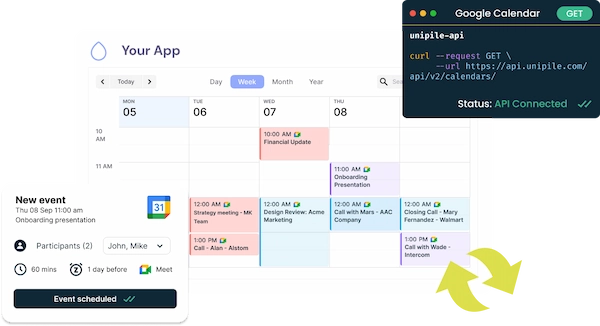

Google Calendar Core Features
-
Two-way synchronization: create or edit an event in your app and see it reflected instantly in Google Calendar (and vice versa).
-
Automatic attendee management: add, remove, or update participants, with RSVP tracking (accepted, declined, tentative).
-
Real-time notifications: receive push updates when events are created, edited, or canceled (no polling required).
-
Recurring events & reminders: handle series creation, single-instance edits, and notifications.
Why developers choose Google Calendar API
The Google Calendar API stands out for its massive global adoption, powering the scheduling needs of over a billion users. Developers value its reliability, consistent uptime, and the flexibility offered by granular OAuth permissions that control access to calendar data with precision. Its deep integration within Google’s ecosystem: Gmail, Drive, and Workspace, allows apps to extend functionality naturally into users’ daily workflows. Combined with Unipile’s unified API, Google Calendar becomes even more powerful, providing cross-platform synchronization through a single, standardized interface.
Outlook Calendar API (Microsoft Graph)
Enterprise-grade scheduling built for productivity and collaboration. The Outlook Calendar API, available through Microsoft Graph, powers event and meeting management inside the Microsoft 365 ecosystem, Outlook.com, Exchange, and Teams.
It’s built for businesses that require enterprise security, shared calendars, and advanced meeting management, and when combined with Unipile, it becomes part of a seamless, unified scheduling layer.
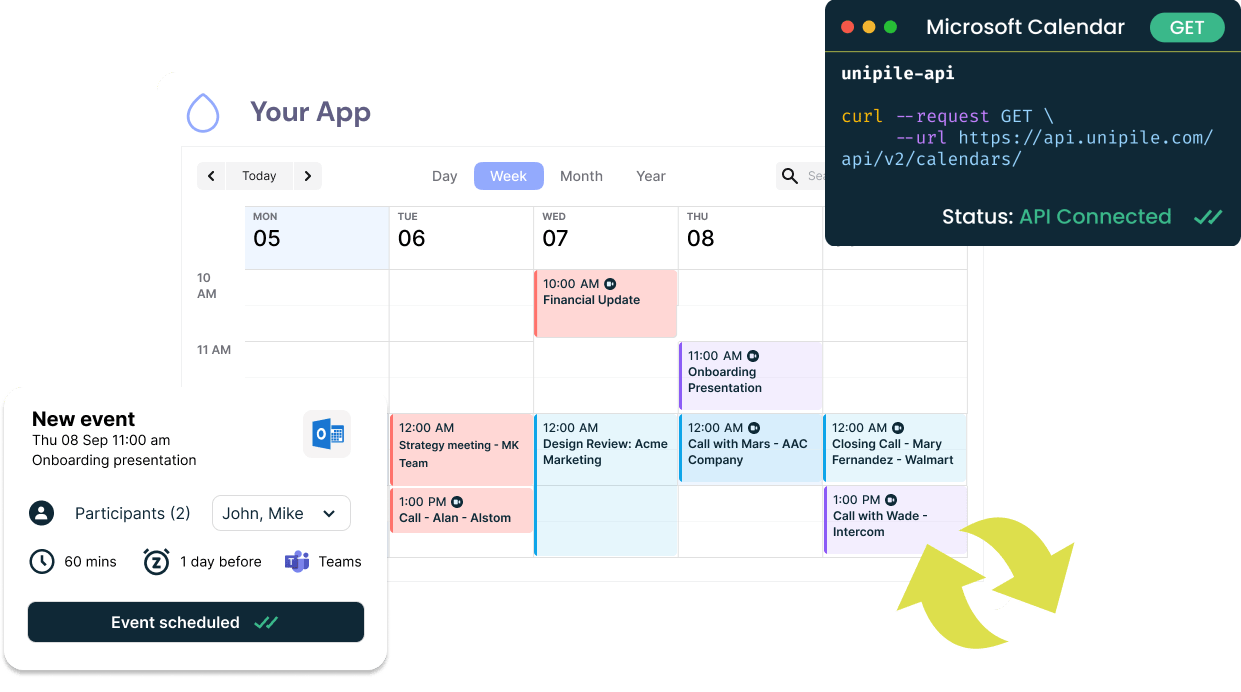
Core Features
-
Cross-account calendar access: manage multiple Outlook or Exchange calendars through a single connection.
-
Event creation and updates: create meetings with participants, rooms, and online conferencing details (Teams links).
-
Shared calendars & resources: access delegated calendars, meeting rooms, or group schedules.
-
Real-time sync with Graph webhooks: instantly reflect updates from Microsoft 365 without delay.
-
Advanced permissions: granular scopes for personal and business accounts.
Why developers choose Outlook Calendar API
The Outlook Calendar API, built on Microsoft Graph, delivers enterprise-grade reliability and integration across Microsoft 365, Exchange, and Teams. Its advanced authentication system, powered by Azure Active Directory and OAuth 2.0, ensures secure and scalable access for both personal and business accounts. Developers benefit from its ability to manage shared resources such as meeting rooms, delegated calendars, and group schedules while maintaining rich metadata for organizers, attendees, and recurring events.
When connected through Unipile’s unified API, Outlook Calendar works seamlessly alongside Gmail, LinkedIn, and WhatsApp integrations, offering a consistent developer experience across all communication and scheduling tools.
Top Features of Unipile Calendar API
Calendar Features


All Features
List calendars
Get a calendar
Retrieve all events
Create an event
Retrieve an event
Edit an event
Delete an event
Webhook
Build Smart Sequences with Calendar + Email Integration
Automate scheduling workflows by combining your Calendar API with Email automation. From booking demos and sending reminders to post-meeting follow-ups, you can orchestrate entire engagement sequences directly from your app. Create events, send confirmations, and trigger personalized messages, all powered by Unipile’s unified API connecting Gmail, Outlook, and Google or Microsoft Calendars.
Book Demo: Email → Calendar Invite
Send an email with a booking link and create the event once the slot is picked.
- Email CTA opens your booking page with suggested slots
- User picks a time and you create the calendar event
- Automatic confirmation and reminder before the meeting
LinkedIn Follow-up → Schedule Call
If no reply to email, send a short LinkedIn message with two time options.
- Email first, wait 48 hours for a response
- Send LinkedIn DM offering two available slots
- On confirmation, create the event and send invite
WhatsApp Reminder + Reschedule
Send a WhatsApp reminder one hour before and allow reschedule in one tap.
- Create the event with a unique reschedule link
- Send WhatsApp reminder with Join or Reschedule
- If rescheduled, update the event and notify attendees
ATS: Schedule Candidate Interview
Propose slots from panel availability and keep everyone in sync.
- Collect free-busy for interviewers
- Send candidate email with 3 suggested times
- On selection, create event and notify panel
Post-Meeting Follow-up
Send notes by email and a LinkedIn connection request after the call.
- Detect event end and compile notes
- Send email summary with next steps
- Send LinkedIn connection or thank you DM
No-Show Recovery
If a participant misses the meeting, trigger an auto reschedule flow.
- Detect absence from meeting attendance
- Send email plus WhatsApp asking for a new slot
- Update the event and refresh reminders
Round-Robin Team Booking
Distribute bookings across reps based on availability and load.
- Check free-busy for each rep
- Assign the slot to the best match
- Create the event and notify all parties
Pricing: Scale Your Calendar Integration with Transparent Plans
Unipile uses a tiered pricing model where the cost per account decreases as your number of connected accounts grows. Each connected account can represent one Google Calendar, Outlook Calendar, LinkedIn, WhatsApp, or email address, all managed through the same unified API.
For example, connecting a Google Calendar and a LinkedIn account counts as two separate accounts.
-
Up to 10 linked accounts: €49 / $55 per month (base plan).
-
11–50 linked accounts: €5.00 / $5.50 per account per month.
-
51–200 linked accounts: €4.50 / $5.00 per account per month.
-
201–1000 linked accounts: €4.00 / $4.50 per account per month.
-
1001–5000 linked accounts: €3.50 / $4.00 per account per month.
-
5001+ linked accounts: €3.00 / $3.50 per account per month.
If, for instance, your application connects 15 accounts, your total monthly cost would be €75 / $82.50 (15 × €5.00 / $5.50 each).
Billing operates on a post-paid model, meaning you’re invoiced at the end of each 30-day cycle based on the total number of linked accounts active during that period.
You can start for free with a 7-day trial — no credit card required, full access to all APIs (Calendar, Email, LinkedIn, WhatsApp), and complete flexibility to test integrations before committing.
Learn more on our official pricing page: Unipile API Pricing
Manage All Your Integrations from the Unipile Dashboard
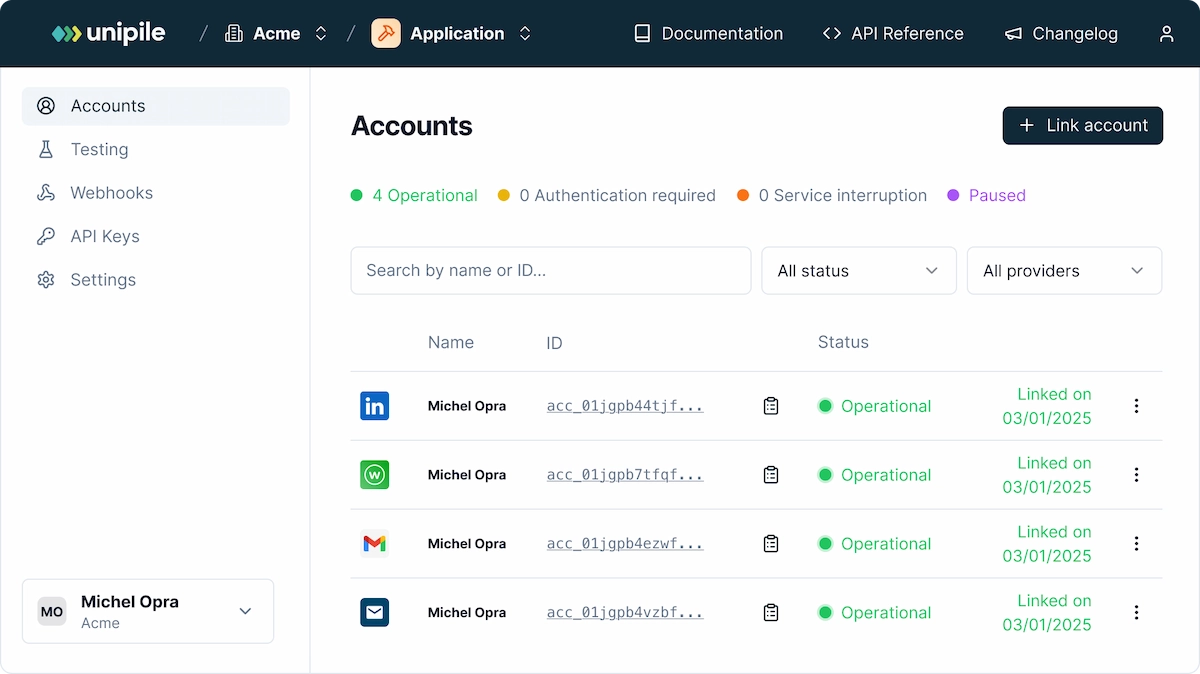
The Unipile Dashboard gives developers and product teams a clear, real-time view of all connected accounts, across messaging, email, and calendar channels. From a single interface, you can monitor connection health, authentication status, and sync activity for every user in your app.
Each linked account: whether it’s Google Calendar, Outlook Calendar, Gmail, LinkedIn, or WhatsApp, appears with detailed operational status indicators. Developers can easily reauthenticate, pause, or remove accounts without any manual API handling.
This dashboard is built for scalability and reliability. It helps your technical team maintain visibility over thousands of integrations while ensuring uptime, smooth synchronization, and full control over authentication tokens.
With Unipile, you don’t just get a unified API, you also get the visibility, stability, and confidence to manage all your integrations effortlessly.
Is the Calendar API Secure and SOC 2 Certified?
Yes, Unipile’s Calendar API is designed with enterprise-grade security and full SOC 2 Type II compliance. All data in transit and at rest is encrypted, OAuth 2.0 ensures secure delegated access, and strict access controls protect every connected account. This means your users’ calendar information: events, attendees, and availability, stays private, compliant, and safely managed within Unipile’s infrastructure.
Conclusion
Integrating a Calendar API unlocks far more than simple event management, it becomes the backbone of intelligent scheduling and automated communication within your product. By connecting Google and Outlook Calendars through Unipile’s unified API, developers can build seamless booking flows, reminders, and post-meeting sequences that tie directly into email, LinkedIn, or WhatsApp.
With real-time synchronization, SOC 2–certified security, and a single integration for all providers, Unipile removes the complexity of handling multiple APIs. Whether you’re building a CRM, an ATS, or an automation platform, Unipile lets you focus on creating better user experiences, while it handles the infrastructure behind every calendar, message, and meeting.
FAQs
What is a Calendar API and why should I integrate it into my app?
A Calendar API allows your application to access, create, and manage user events programmatically. It helps you automate scheduling, reminders, and availability checks directly within your product: no manual setup or calendar switching required.
Which calendar providers are supported by Unipile?
Unipile supports both Google Calendar and Outlook Calendar (Microsoft Graph) through one unified integration. You can connect, read, and write events across both ecosystems using a single set of endpoints.
How does real-time synchronization work?
Unipile uses webhooks and incremental sync to keep all calendars up to date. Whenever an event is created, updated, or canceled, your application receives instant notifications, ensuring perfect two-way synchronization without polling.
Can I combine Calendar with other communication channels?
Yes. You can mix Calendar, Email, LinkedIn, or WhatsApp APIs to build powerful sequences: for example, automatically sending confirmation emails, reminders, or LinkedIn follow-ups after a meeting.
How secure is Unipile’s Calendar API?
Unipile is SOC 2 Type II certified, fully GDPR compliant, and uses OAuth 2.0 for authentication. All calendar data is encrypted in transit and at rest, ensuring enterprise-level protection for every connected account.
How long does it take to integrate the Calendar API?
With Unipile’s unified endpoints and SDKs, developers can integrate Google and Outlook calendars in just a few hours. One connection covers all providers: drastically reducing maintenance and development time.
You may also like
How do I extract data from Sales Navigator API for my software?
Explore the benefits of extracting key data from Sales Navigator through a dedicated LinkedIn API for streamlined software integration.Leverage the Sales Navigator integration to access powerful LinkedIn data extraction tools, enhancing B2B sales automation and enabling advanced CRM data syncing....
Multi-Provider Email API: Connect Gmail, Outlook and IMAP with One Integration
How the integration works Connecting your first email account with Unipile takes four steps. The same flow works regardless of whether the user has a Gmail, Outlook, or IMAP account - your application code stays identical throughout. This is the practical power of a unified email API: write once,...
LinkedIn DM for Company Pages with Messaging API
Explore the strategic edge LinkedIn’s new DM feature offers to company pages, enhancing direct communication and engagement in the digital business landscape. Discover how LinkedIn Pages messaging API transforms business communication, allowing software publishers to integrate direct messaging...
 EN
EN  FR
FR  ES
ES  DE
DE  IT
IT  BR
BR  NL
NL  PL
PL  TR
TR