
 LinkedIn
 WhatsApp
 Telegram
 Gmail
Gmail Outlook
 Google Calendar
 Join Slack Community
DMA
Our solution is built in line with the Digital Markets Act (DMA). User profiles are never stored or scraped, and our API focuses exclusively on enabling messaging interoperability. Clients are expected to comply with the terms of each provider.
The Instagram API opens powerful doors for software publishers building CRM, ATS, or customer engagement tools. With it, your platform can connect directly to Instagram accounts, sync messages, and manage conversations securely and compliantly.
This guide focuses on how to generate, use, and manage your Instagram API token, and why Unipile’s unified API is the best way to do it. Please note that Unipile is not a Meta Partner, and all usage must follow Meta’s rules.
Understanding the Basics of the Instagram API

An Instagram API token is a secure string used to authenticate API requests made by software applications to the Instagram Graph API. Think of it as a digital key that grants permission to access a user’s Instagram account and manage their messaging features, such as reading and replying to DMs, while respecting Meta’s rules.

The Strategic Role of Instagram in Modern SaaS Workflows
Instagram isn’t just a social platform, it’s a customer engagement engine. In 2025, B2B and B2C companies alike use it for outreach, lead qualification, influencer campaigns, and real-time support. CRMs, ATSs, and sales engagement platforms that integrate Instagram allow their users to instantly connect with audiences where attention is highest: DMs, stories, and replies.
With messaging now driving conversions, Unipile enables software editors to deliver seamless user experiences inside their apps, no need to switch tabs or miss critical interactions.
The Pitfalls of Building Directly on Meta’s API
Meta’s documentation is inconsistent. Approval timelines are unpredictable. Managing short-lived tokens, scopes, permissions, and rate limits across multiple Instagram accounts is error-prone and expensive. Most dev teams underestimate the complexity, and overspend on long-term maintenance.
Why Unified APIs Like Unipile Are a Better Path
Unipile consolidates messaging access into a single, scalable layer. With native support for Instagram, LinkedIn, WhatsApp, Gmail, Outlook, and calendars, it removes the need to build and maintain OAuth flows, token storage, or retry logic. SaaS teams get flexibility, stability, and security, without the overhead.
Key Differences Between Access Tokens and Refresh Tokens
Access Token: Grants short-lived access to Instagram resources. Usually valid for 1 hour.
Refresh Token: Used to generate a new access token without re-authentication.
Unipile manages token renewal internally, so you don’t have to deal with manual refresh logic.
Instagram Messaging Features & Unified Inbox Experience
All-in-One Messaging API for Developers
Unipile offers over a dozen Instagram messaging endpoints ready to use out of the box. With a single integration, you can:
-
List all chats (GET /chats)
-
Send new messages with attachments (POST /messages)
-
Receive typing indicators, reactions, and replies
-
Sync sent and received messages in real time
You can also filter messages by sender, timestamp, or keywords, making it easy to build CRM-like experiences directly inside your SaaS platform.

Unified Inbox: Bring Instagram DMs Into One Stream
Unipile combines Instagram conversations with LinkedIn, WhatsApp, email (Gmail, Outlook, IMAP), and calendar reminders into a single inbox. For your users, this means:
-
No more channel-switching
-
Faster response times
-
Centralized history across platforms
Advanced Features to Power Your Product
- Support for media messages (images, voice notes, etc.)
- Outbound message scheduling
- Conversation tagging & labeling
- Webhooks for new messages, replies, reactions
With full access to these capabilities, you can embed modern messaging workflows into any CRM, ATS, or outreach tool—without reinventing the wheel.
Why SaaS Publishers Prefer Unipile’s Unified API for Instagram
Comparative Overview: Unipile vs Meta’s Native API
While Meta’s APIs offer powerful features, the developer experience is often burdened by long setup times, approval barriers, and constant maintenance. In contrast, Unipile’s unified API delivers a streamlined, production-ready alternative that removes friction and accelerates go-to-market.
| Criteria | Meta APIs | Unipile |
|---|---|---|
| Time to integrate | Weeks or months | 2–3 days |
| Dev effort | High | Low (REST + SDKs) |
| Maintenance | Manual | Fully managed |
| Access to features | Partial (after approval) | Full, instantly |
| Support | Self-service only | Dedicated tech team |
| Criteria | Meta APIs | Unipile |
|---|---|---|
| Time to integrate | Weeks/months | 2–3 days |
| Dev effort | High | Low (REST + SDKs) |
| Maintenance | Manual | Fully managed |
| Access to features | Partial (after approval) | Full, now |
| Support | Self-service only | Dedicated tech team |
How to Get an Instagram API Token for Your Application with Unipile
- Create your Unipile account
- Connect the Instagram account via hosted flow
- Use the /chats and /messages endpoints to send/receive DMs
Sign Up to Unipile

Log to Dashboard
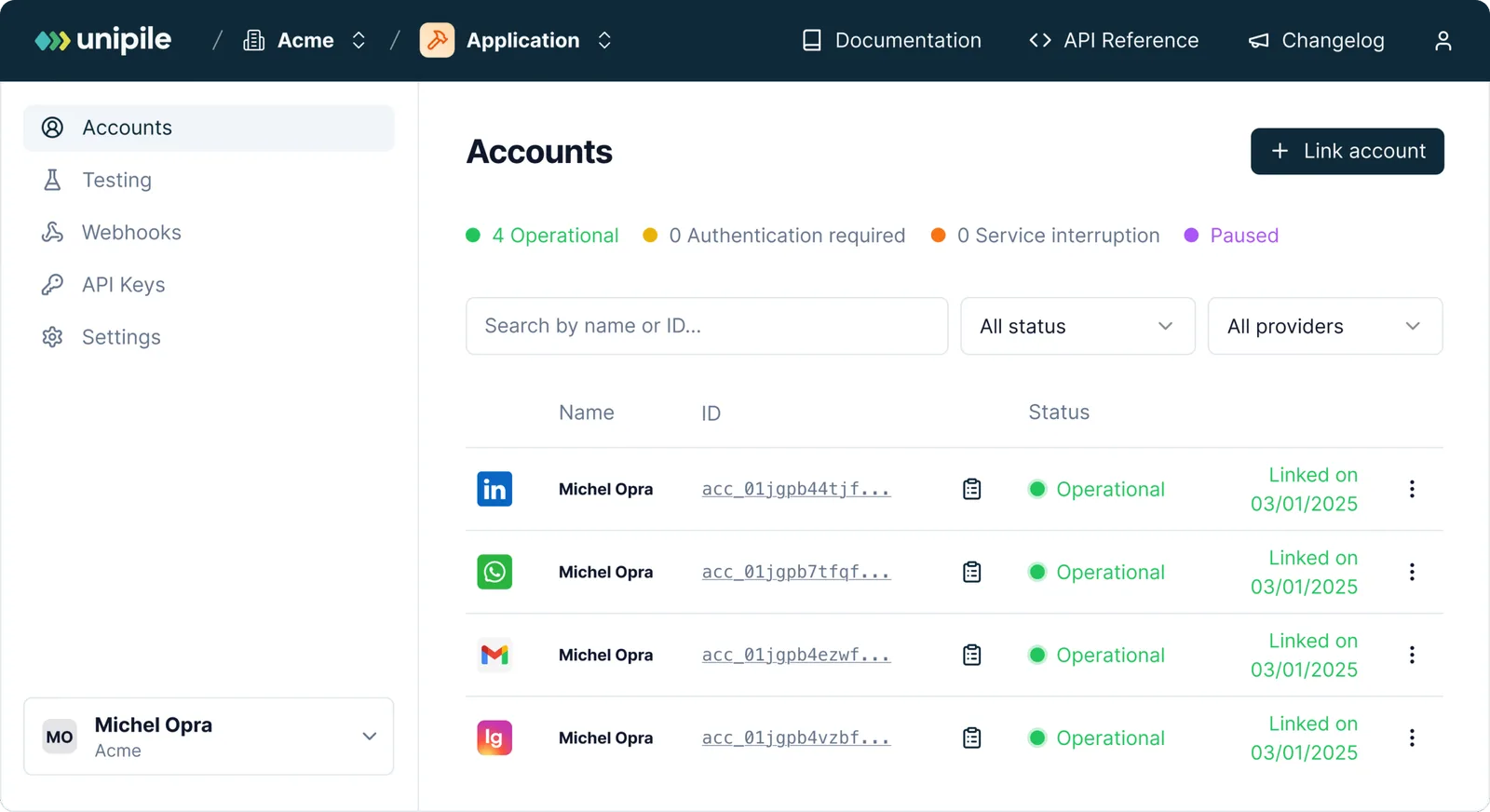
Access your workspace and manage your connected accounts.
Retrieving your Instagram credentials
To perform an authentication for Instagram, a user need its INSTAGRAM username and password. Authentication via Facebook credentials is not supported at the moment.
Authentication
Make a POST request to this Unipile API endpoint or use the appropriate SDK Method.
curl --request POST
     --url https://{YOUR_DSN}/api/v1/accounts
     --header 'X-API-KEY: {YOUR_ACCESS_TOKEN}'
     --header 'accept: application/json'
     --header 'content-type: application/json'
     --data '
{
  "provider": "INSTAGRAM",
  "username": "unipile",
  "password": "********"
}
'
Handle 2FA checkpoint
If an Instagram account has the two-factor authentication activated, you will encounter a checkpoint through a 202 status. Here’s an example of a checkpoint response.
{
  "object": "Checkpoint",
  "account_id": "098dez89d",
  "checkpoint": {
    "type": "2FA"
  }
}
In this case, a new Authentication Intent starts. This intent last 5 minutes and checkpoints must be solved in this time frame.
Solve 2FA checkpoint
To solve the 2FA checkpoint, make a POST request to the Unipile API using the Solve checkpoint endpoint or use an SDK Method by giving the account_id returned by the first request.
curl --request POST
     --url https://{YOUR_DSN}/api/v1/accounts/checkpoint
     --header 'X-API-KEY: {YOUR_ACCESS_TOKEN}'
     --header 'accept: application/json'
     --header 'content-type: application/json'
     --data '
{
  "provider": "INSTAGRAM",
  "account_id": "098dez89d",
  "code": "******"
}
'
Handle Intent Timeout
If the user takes more than 5 minutes to solve the checkpoint, the account will not be connected. Any subsequent request to solve a checkpoint outside a 5 minutes time frame will first respond a 408 – Request Timeout, then a 400 – Bad Request as the Authentication Intent will self destroy.
Instagram API Features for Any App
Instagram Features


Account connection
Hosted Auth: White label to connect your end users
Custom auth: connect user with credentials, cookies, your chrome extension
Messages
Send & Reply Messages
List Messages, Chats & Attendees
Sync History
List Reactions
Read Receipts
Send Files attachments
Receive Files attachments
Webhooks
Account status
New Message
New Reaction / Read / Event
Visualizing Instagram API Integration with Unipile
Unipile offers full transparency and simplicity when managing Instagram tokens and accounts. These visuals highlight how our platform orchestrates Instagram authentication and API usage, abstracting complexity so developers can focus on features.

Merge Instagram DMs with LinkedIn, WhatsApp & Email
This second visual shows Unipile’s unified inbox, where Instagram conversations are listed right next to LinkedIn and WhatsApp threads. Each message is tagged by channel, letting users reply without switching platforms.
Deliver a Real Omnichannel Messaging Experience
No more tab switching. Whether a message comes from Instagram, email, or LinkedIn, it lands in the same UI component in your app. The Instagram API token allows real-time retrieval and sync, while Unipile’s API normalizes formats across channels.

Visual walkthrough: how Unipile manages your Instagram API token
Unipile makes Instagram messaging integration fast and visual. Below are two screenshots from our platform that illustrate exactly how software editors can authenticate accounts and use Instagram messaging in their app, without touching Meta’s native API.
Step 1: Connect an Instagram Account with Hosted Authentication
This screenshot shows the Unipile hosted flow where a user logs into their Instagram Business account securely. The flow handles authentication, permissions, and returns an active Instagram API token, ready to be used with the/chats or /messages endpoints. No manual OAuth config, no refresh logic, and no third-party scripts required.
Step 2: Monitor Messaging Activity in Real Time
Once connected, you get instant access to the full messaging history. This view from the dashboard highlights message threads synced in real time using the Instagram API token generated earlier. Conversations appear alongside LinkedIn, WhatsApp, or email threads thanks to Unipile’s unified inbox model.
Instant API Calls: List Instagram Chats Securely
This snippet shows how easy it is to interact with Instagram messaging using Unipile. With just a valid Instagram API token, developers can:
-
GET /chats: list all active Instagram conversations
-
GET /messages/{id}: read and reply to specific DMs
These endpoints are RESTful, secured, and fully managed — no OAuth maintenance or rate-limit guesswork. Ideal for syncing DMs into CRMs, shared inboxes, or support platforms.
curl --request GET
     --url https://api1.unipile.com:13111/api/v1/chats
     --header 'accept: application/json'
Integration Support and Resources for Instagram API Access


Dedicated Assistance During Integration
Our support team is with you every step of the way, before, during, and after integration, to ensure a seamless experience. We’re here to provide real-time assistance, helping you avoid any hiccups and extra costs.
Comprehensive Developer Resources
Our API comes with detailed documentation and sample code to simplify integration. These resources are designed to enhance your application’s capabilities, making the process of sending messages and others smoother and more efficient.
Ongoing Updates and Maintenance
With proactive updates and regular maintenance, our API remains aligned with Instagram’s latest standards and improvements, ensuring consistent performance and minimizing any potential downtime.
FAQs
What is an Instagram API token?
It’s a credential that allows your software to interact with Instagram on behalf of a user or business account.
How do I refresh my Instagram API token?
Use the refresh_access_token endpoint, or let Unipile do it automatically.
Can I use one token for multiple accounts?
No. Each token is account-specific. But Unipile supports managing multiple tokens per user.
Is it secure to store my token in a front-end app?
Absolutely not. Use server-side storage with encryption.
Is Unipile’s Instagram API DMA compliant?
Yes. Our API is designed in line with the Digital Markets Act (DMA). We only provide interoperability for messaging and do not store or scrape user profiles. Please note that Unipile is not a Meta Partner, and our solution focuses exclusively on secure and compliant messaging use cases.
Are there limits or conditions when using Unipile with Meta platforms?
Yes. Clients must always respect Meta’s Terms of Service. This means avoiding spam, mass automation, or unauthorized scraping. The API should only be used for legitimate messaging scenarios such as customer support, team communication, or user interactions, while acting responsibly and within Meta’s rules.
What can I do if my token stops working?
Check if it’s expired or revoked. Use the Graph API debugger to validate it.
How does Unipile simplify token management?
By offering a fully-managed, unified authentication flow across Instagram, LinkedIn, Gmail, Outlook, and more.


