
 LinkedIn
 WhatsApp
 Telegram
 Gmail
Gmail Outlook
 Google Calendar
 Join Slack Community
DMA
Our solution is built in line with the Digital Markets Act (DMA). User profiles are never stored or scraped, and our API focuses exclusively on enabling messaging interoperability. Clients are expected to comply with the terms of each provider.
Instagram has become much more than a social app, it’s now a key messaging channel where users connect directly with brands. For software editors building CRMs, ATS, or outreach tools, integrating Instagram messages is critical to support real-time conversations and improve engagement. Using Python, you can leverage the Instagram API to read and send DMs, sync chat history, and build seamless messaging workflows inside your product.
But working with Instagram messaging is not straightforward. Meta’s official API comes with restrictions, permissions, and review steps that make development complex.
This is where Unipile helps. With our unified API, you can access Instagram messages securely, handle DMs, replies, and shared inbox scenarios, all through simple Python endpoints. Plus, you integrate LinkedIn, WhatsApp, and Email in the same flow, so your users manage every conversation from one place.
Let’s explore the main Instagram API Python endpoints you need to know, and how to use them effectively.
Whats is Instagram API?
The Instagram API is a set of tools provided by Meta that allows developers to access Instagram features programmatically. For Business and Creator accounts, it enables applications to send and receive messages, organize conversations, and support customer engagement directly inside software platforms. This makes it a vital component for building CRMs, ATS tools, or outreach solutions that rely on integrated, real-time messaging.
import requests

url = "https://api1.unipile.com:13111/api/v1/accounts"

headers = {"accept": "application/json"}

response = requests.get(url, headers=headers)

print(response.text)
Understanding the Instagram API: Types and Limitations
Graph API vs Basic Display API
Instagram offers two main APIs:
- Basic Display API: For profile and media access (but no messaging).
- Graph API: For business accounts only, with access to content publishing, messaging, analytics, and more.
Unipile leverages the Graph API for eligible accounts, and wraps it into a developer-friendly API with a clear structure and Python SDK.
Access Requirements and Permissions
To use the Graph API, you need:
- A Facebook Developer Account
- An Instagram Business Account linked to a Facebook Page
- App Review for messaging or publishing permissions
Unipile handles most of this for you via hosted OAuth flows.

Setting Up: Using Python to Connect to Instagram API
Prerequisites: Python Libraries and API Keys
To get started, you’ll need: pip install requests
Then, get your API key and DSN (data source name) from Unipile Dashboard.
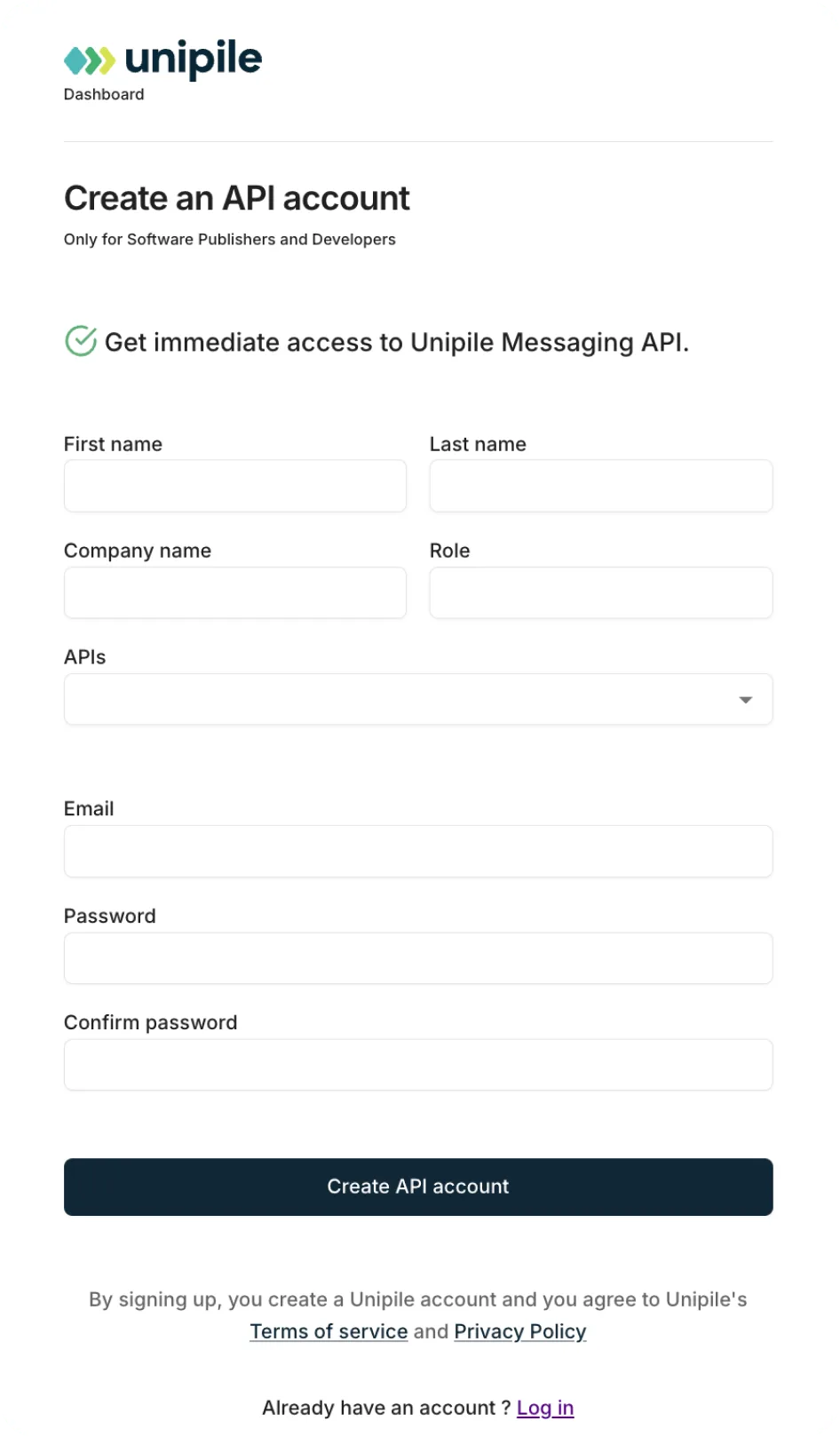
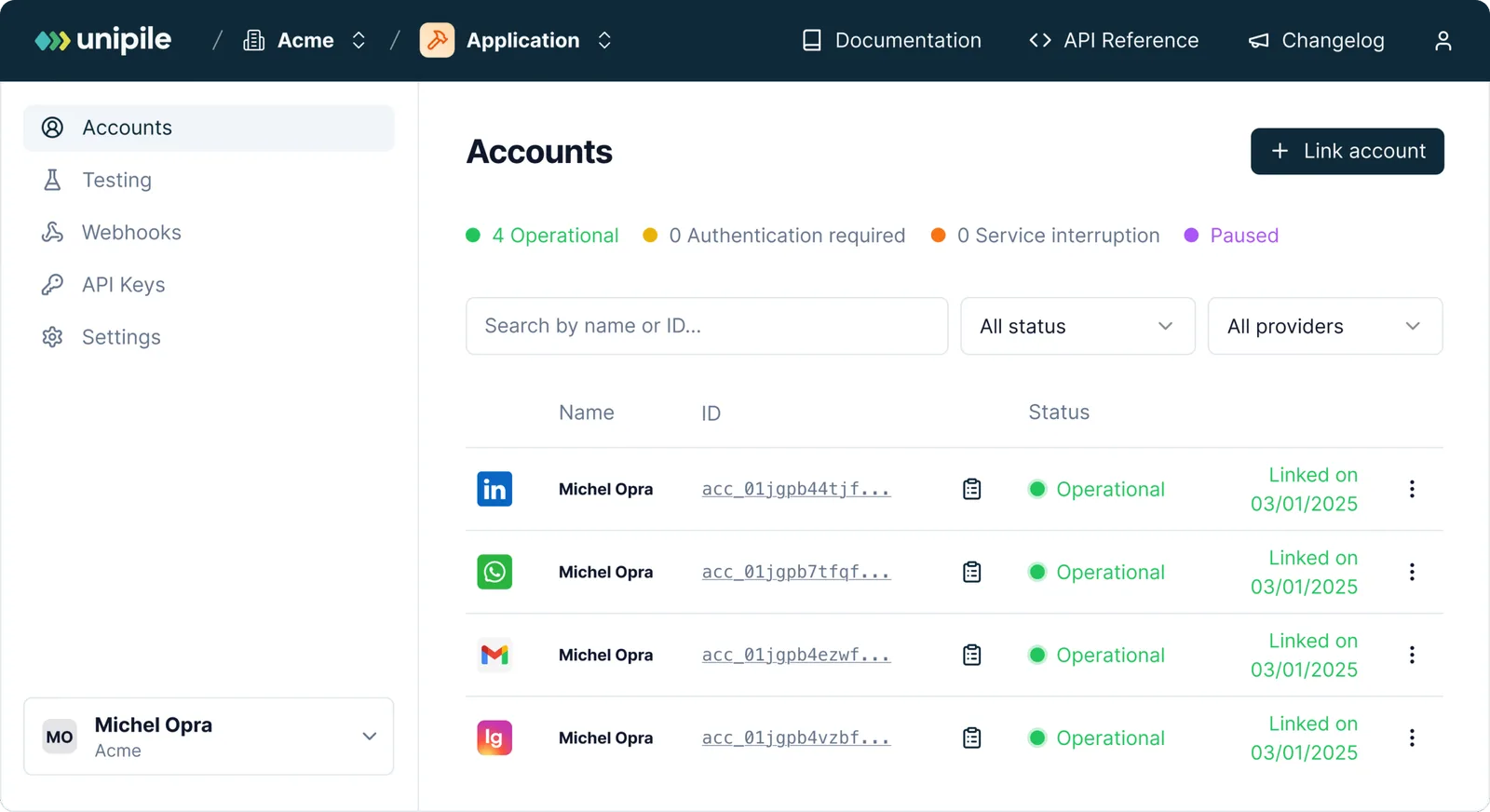
Create an account and app
Copy your API key (X-API-KEY) and DSN URL
Your First Instagram API Request in Python
Once your Instagram account is connected and authenticated via Unipile, your first API request is usually to check recent messages or retrieve basic profile data.

import requests

url = "https://api1.unipile.com:13111/api/v1/accounts"
headers = {"accept": "application/json", "X-API-KEY": "your-api-key"}

response = requests.get(url, headers=headers)
print(response.json())
Core Instagram API Features You Can Use with Python
Once your users have authenticated and connected their Instagram Business accounts, the value of integration really shows. Whether you’re building tools for recruiters, marketing teams, or automation platforms, Python and the Unipile API unlock powerful Instagram features at scale.
With Unipile, you get production-ready Instagram endpoints designed specifically for software editors: fully RESTful, documented, and tested across real-world CRM, ATS, and outreach use cases.
Below, you’ll find a curated set of impactful Instagram API features that can be triggered directly through Python, perfect for accelerating your roadmap while staying developer-friendly.
Send an Instagram Direct Message with Python
To send a direct message (DM) on Instagram using Python, you can use the POST /chats endpoint provided by Unipile. This allows your application to initiate one-to-one conversations programmatically, ideal for outreach automation, post engagement follow-ups, or lead nurturing directly from your app.
All you need is the recipient’s Instagram account ID and your authenticated sender account. This integration fits perfectly inside SaaS platforms such as CRM or ATS tools that embed messaging features.
import requests

url = "https://api1.unipile.com:13111/api/v1/chats"

payload = "-----011000010111000001101001rn-----011000010111000001101001--"
headers = {
    "accept": "application/json",
    "content-type": "multipart/form-data; boundary=---011000010111000001101001"
}

response = requests.post(url, data=payload, headers=headers)

print(response.text)
{
  "object": "ChatStarted",
  "chat_id": "string",
  "message_id": "string"
}
Going Multi-Channel with Python and Unipile
Unipile isn’t just about Instagram. With a single integration, you can instantly enable multi-channel capabilities across Gmail, WhatsApp, LinkedIn, and Calendars.
Through one API key, developers gain access to a fully unified messaging layer that powers:
- Email synchronization across Gmail and Outlook
- Direct messaging via Instagram, LinkedIn, and WhatsApp
- Meeting scheduling through Google Calendar
This means you no longer need to stitch together multiple providers or manage independent tokens. Python developers can focus on building value, while Unipile handles message routing, inbox sync, webhook orchestration, and channel-specific quirks.
Discover all Instagram API Features
Instagram Features


Developer Benefits of Integrating Instagram API with Python


Technical Setup Made Simple
Quickly integrate Instagram messaging features using our fully documented API and Python examples. Whether you’re embedding DMs, scheduling content, or syncing post insights, our tools are designed to help you go live in days, not weeks.
Expert Support for Smooth Deployment
Our technical team works directly with your developers to ensure a flawless onboarding experience. From API token management to debugging real-time messaging flows, Unipile experts are available to guide your integration every step of the way.
Continuous Improvements and Compatibility
We continuously align our Instagram API endpoints with Meta’s latest updates. This ensures your product benefits from every enhancement, without breaking changes or surprise deprecations. You stay up-to-date, with zero maintenance overhead.
FAQs
What is the Instagram API and how does it work with Python?
The Instagram API allows developers to programmatically access direct messaging features on Instagram Business and Creator accounts. When paired with Python, especially through a unified API provider like Unipile, developers can write clean, efficient scripts to send and receive DMs, sync conversations, and build automated messaging sequences, all without dealing directly with the complexity of Meta’s Graph API.
Can I use Python to send Instagram DMs?
Yes, with Unipile’s unified API, you can use Python to send direct messages on Instagram. After authentication, a simple POST request using Python’s requests module lets you send personalized DMs from any authenticated business account, with support for scheduling and automation workflows.
Do I need a Facebook Developer account to use the Instagram API in Python?
Yes, to access Meta’s official Instagram Graph API (which Unipile wraps), a Facebook Developer account is required along with an Instagram Business account linked to a Facebook Page. However, Unipile simplifies this by providing hosted OAuth flows and token management so you can skip manual setup.
How is Unipile different from using Instagram’s Graph API directly?
Unipile acts as a unified API layer, abstracting away the complexity of Meta’s Graph API. Instead of managing multiple endpoints, rate limits, and versioning, you get a consistent Python-friendly interface that works not only with Instagram but also with LinkedIn, WhatsApp, Gmail, and Calendar integrations, all through one API. Please note, Unipile is not a meta partner.
Is Unipile’s Instagram API compliant with the Digital Markets Act (DMA)?
Yes. Our API is designed to align with the DMA by focusing on interoperability and user choice. We don’t scrape data or bypass security layers — instead, we provide a unified interface that makes it easier for software vendors to work with Instagram’s messaging and posting features in a compliant way.
Do I need to respect Meta’s rules when using Unipile’s API?
Absolutely. Even though Unipile simplifies integration, all developers and end-users must follow Meta’s Terms of Service. That means acting responsibly, avoiding spam or bulk automation, and only using the API for legitimate scenarios like customer engagement, support, or publishing. Unipile is not a Meta Partner, so it’s critical to respect Meta’s policies at every stage.
Is it possible to automate Instagram messaging sequences in Python?
Absolutely. With Unipile, you can build advanced Instagram automation sequences—like sending a DM, waiting two days, liking a post, and following up—all scheduled using timestamps in your Python code. It’s perfect for outreach, nurturing leads, or building drip-like messaging experiences across social channels.


