
 LinkedIn
 Instagram
 WhatsApp
 Telegram
 Gmail
Gmail Outlook
 Google Calendar
 Join Slack Community
Introduction to LinkedIn Company Inbox API
The digital transformation of business communication has led to the rise of direct messaging as a crucial tool for engagement. LinkedIn, the world’s largest professional networking platform, has introduced its Company Inbox API, allowing businesses to manage LinkedIn messages efficiently at scale. Learn more about LinkedIn API and how it enables enhanced business communication.
LinkedIn’s Company Messaging System
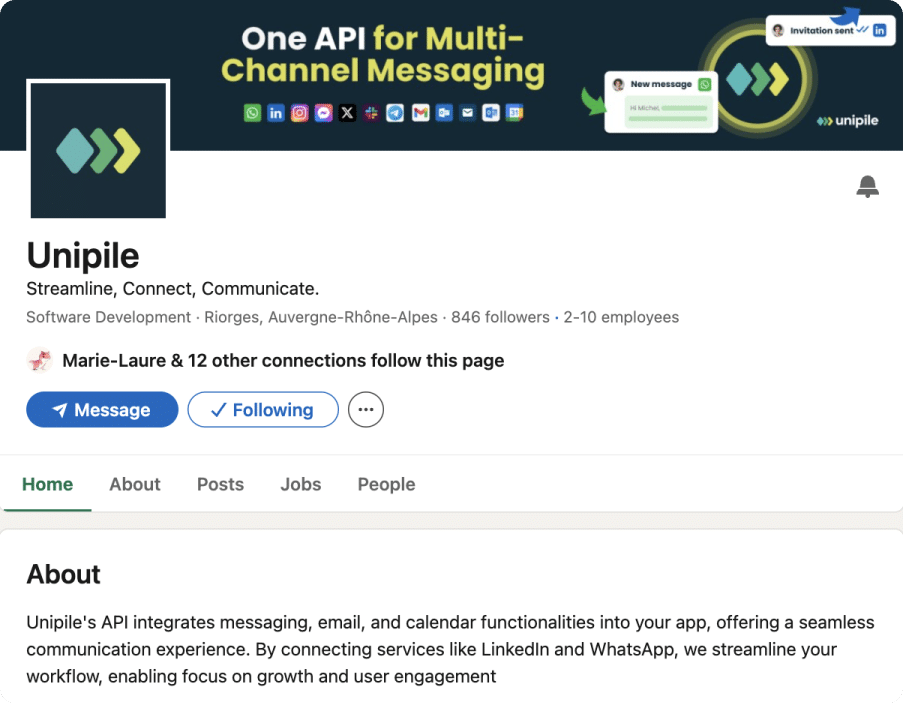
LinkedIn’s Company Inbox API allows businesses to send, receive, and manage messages from their company pages, offering a new level of interaction between brands and their audiences.
Key Features of LinkedIn Company Inbox
Direct Messages from Company Pages: Businesses can now send and receive messages as a company, rather than as an individual.
Inbox Filters and Tags: Organize and categorize messages to improve response times and team efficiency.
Multiple Inbox Management: Admins can access different LinkedIn inboxes, including Sales Navigator, Recruiter, and Classic LinkedIn.
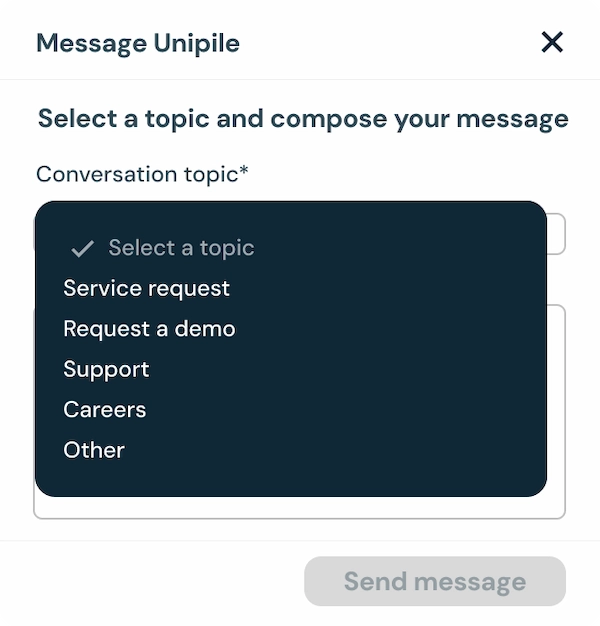
Integrate LinkedIn’s conversation topic selection directly into your software using the LinkedIn Company Inbox API, enabling users to categorize messages like service requests, demos, or support seamlessly within your platform.
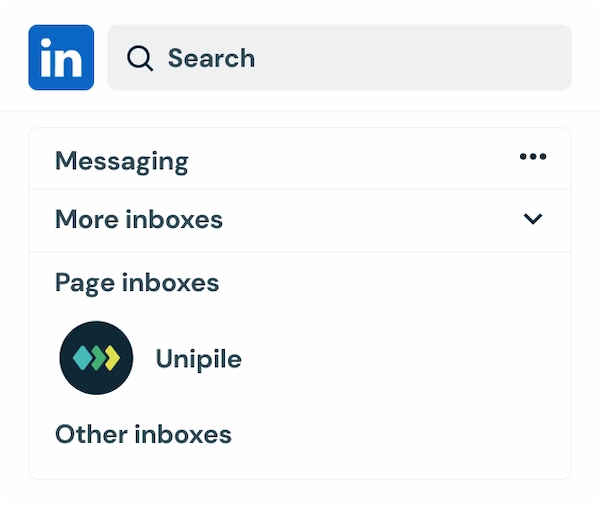
Leverage the LinkedIn Company Inbox API to integrate multiple inbox management into your software, allowing users to seamlessly navigate between LinkedIn Company Pages, Sales Navigator, and other inboxes directly from your platform.
Benefits of LinkedIn Company Inbox API for Businesses
For businesses using LinkedIn for sales, marketing, HR, and customer service, the LinkedIn Company Inbox API unlocks new opportunities for engagement, responsiveness, and automation.
Direct Engagement with Leads and Customers
With the LinkedIn Company Inbox API, companies can engage prospects instantly, nurturing relationships more efficiently.
Improved Customer Service & Support
Businesses can now respond in real-time to inquiries, support requests, and product questions from LinkedIn users.
Enhanced Sales & HR Interactions
Sales teams can manage inbound LinkedIn messages directly in their CRM.
Recruiters can streamline candidate conversations from their LinkedIn Recruiter inbox.
Advantages
Enhanced Customer Interaction
Engage with customers in real time, creating opportunities for direct and meaningful conversations to build relationships.
Improved Response Times
Quickly address inquiries, ensuring a higher level of customer satisfaction by delivering prompt and reliable communication.
Lead Generation Opportunities
Utilize LinkedIn messaging as a direct channel to connect with potential clients, opening up new avenues for acquiring leads.
Strengthened Brand Confidence
Personal, timely responses demonstrate a company’s commitment to customer concerns, fostering trust and credibility.
Disadvantages
Complex Interface
The platform’s user interface can be challenging to navigate, making efficient communication more difficult for some users.
Message Management Issues
Handling multiple inboxes can lead to disorganization, increasing the risk of missed or delayed responses.
Limited Automation Features
The API’s restricted automation options make it hard to scale responses for businesses managing large message volumes.
Integration Challenges
Incorporating LinkedIn messaging into existing CRM or ATS systems may require additional development effort, posing a hurdle for smooth workflows.
Challenges and Limitations of LinkedIn Company Inbox
While LinkedIn’s messaging features are powerful, businesses face several challenges when using the Company Inbox API.
Limited Automation & API Access
Unlike traditional chat tools, LinkedIn’s API has strict automation policies, limiting the ability to send bulk messages or implement chatbots.
Managing Multiple Inboxes
Admins managing LinkedIn Company Pages, Sales Navigator, and Recruiter inboxes may struggle to consolidate messages into a single workflow.
Integration Challenges
Many companies use CRM, ATS, and helpdesk software that lacks native LinkedIn integration, requiring custom API development.
How Unipile Simplifies LinkedIn Company Inbox API Integration

Unipile provides a unified messaging platform that integrates LinkedIn Company Inbox API with CRM, ATS, and outreach tools, eliminating workflow disruptions.
Centralized LinkedIn Inbox
Unipile allows businesses to manage all LinkedIn messages within their existing CRM or ATS, reducing the need for constant LinkedIn logins.
Streamlined Message Organization
Custom Filters & Tags: Categorize LinkedIn messages efficiently.
Multi-Inbox Sync: Connect LinkedIn Classic, Sales Navigator, and Recruiter inboxes.
Real-Time Synchronization & Automation
Instant Message Sync: Never miss a lead or customer inquiry.
Automation: Implement response workflows within your business tools.
Technical Implementation: Integrating Unipile’s API with LinkedIn Company Inbox
1. Authentication & Account Connection
To integrate LinkedIn Company Inbox API, businesses need to authenticate their accounts. Unipile’s API provides a seamless connection process:
Example API Request:
import { UnipileClient } from "unipile-node-sdk"

const BASE_URL = "your_base_url"
const ACCESS_TOKEN = "your_access_token"

const client = new UnipileClient(BASE_URL, ACCESS_TOKEN)

try {
    const response = await client.account.connect({
        provider: "LINKEDIN",
        username: "your_linkedin_username",
        password: "your_linkedin_password"
    })
    console.log(response)
} catch (error) {
    console.log(error)
}
2. Fetching and Managing LinkedIn Messages
Once connected, businesses can retrieve LinkedIn messages, organize them, and implement automated workflows.
Example: Fetching Messages
try {
    const messages = await client.messages.get({
        provider: "LINKEDIN",
        limit: 50
    })
    console.log(messages)
} catch (error) {
    console.log(error)
}
Use Cases: How Businesses Leverage Unipile’s LinkedIn API
Recruiters: Managing LinkedIn InMail in ATS
Recruiters can track candidate conversations, ensuring messages are synced directly with ATS platforms.
Sales Teams: Improving Lead Nurturing
Sales reps can integrate LinkedIn messaging into their CRM, ensuring real-time responses to leads.
Customer Support: Responding to LinkedIn Inquiries
Companies can manage LinkedIn support requests from a centralized helpdesk, ensuring faster issue resolution.
FAQs
How does LinkedIn Company Inbox API differ from standard LinkedIn DMs?
The Company Inbox API allows businesses to send messages from a Company Page, while standard LinkedIn DMs are sent from personal profiles.
Can Unipile integrate LinkedIn messages into my CRM or ATS?
Yes! Unipile connects LinkedIn messages directly into CRM, ATS, and helpdesk platforms.
What are the automation capabilities of Unipile for LinkedIn messaging?
Unipile enables custom filters, automated responses, and workflow integration while adhering to LinkedIn’s policies.
Is LinkedIn Company Inbox API available for all businesses?
Access is limited based on LinkedIn API permissions and Company Page admin rights.
How can I start using Unipile for LinkedIn API integration?
Businesses can sign up for Unipile, connect their LinkedIn account, and start managing messages within their CRM or ATS.
Are there any restrictions when using LinkedIn Company Inbox API with Unipile?
LinkedIn’s API has automation limitations, but Unipile ensures compliance while optimizing message management.
You may also like
How do I extract data from Sales Navigator API for my software?
Explore the benefits of extracting key data from Sales Navigator through a dedicated LinkedIn API for streamlined software integration.Leverage the Sales Navigator integration to access powerful LinkedIn data extraction tools, enhancing B2B sales automation and enabling advanced CRM data syncing....
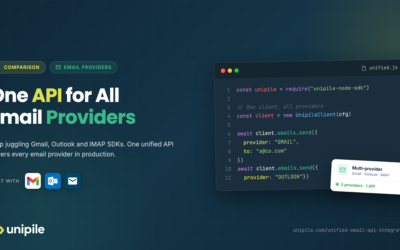
Multi-Provider Email API: Connect Gmail, Outlook and IMAP with One Integration
How the integration works Connecting your first email account with Unipile takes four steps. The same flow works regardless of whether the user has a Gmail, Outlook, or IMAP account - your application code stays identical throughout. This is the practical power of a unified email API: write once,...
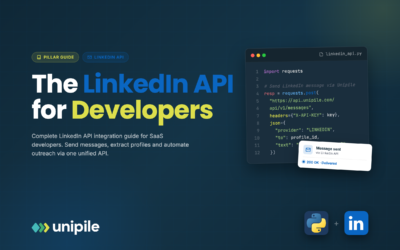
LinkedIn API Guide 2026: Complete Integration Tutorial & Best Practices
What is LinkedIn API? The LinkedIn API (Application Programming Interface) is the essential bridge between your application and LinkedIn, acting on behalf of your authenticated users. Whether you're building recruitment software, CRM systems, or workflow automation tools, understanding LinkedIn...
 EN
EN  FR
FR  ES
ES  DE
DE  IT
IT  BR
BR  NL
NL  PL
PL  TR
TR