
 LinkedIn
 Instagram
 WhatsApp
 Telegram
 Gmail
Gmail Outlook
 Google Calendar
 Join Slack Community
As software developers working in SaaS, CRM, or ATS industries, streamlining communication and automating tasks are crucial to improving user experiences and business efficiency. One way to achieve this is by connecting Gmail to a Cloud API. By following steps to connect Gmail to cloud API, developers can unlock new opportunities for integration. Gmail’s robust API allows developers to interact with user inboxes programmatically, enabling a seamless exchange of information. When paired with a cloud API, this integration enhances data flow, making it easy to centralize email data for various platforms like customer relationship management (CRM) and applicant tracking systems (ATS).
Understanding Gmail API
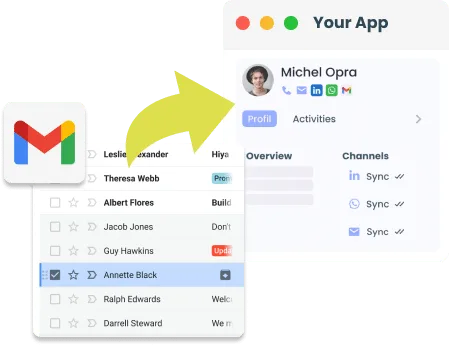

Google Cloud APIs

Google Cloud APIs allow developers to interact with Google Cloud Platform services programmatically. These APIs help integrate powerful functionalities like computing, storage, networking, and machine learning into applications, making them a key tool for modern cloud-based development. If you’re looking to connect Gmail to cloud API, this integration can further enhance your application’s capabilities.
What are Cloud APIs? Cloud APIs are accessible through network endpoints, such as pubsub.googleapis.com, and support both JSON HTTP and gRPC protocols. This flexibility enables easy integration with various applications and environments, including public internet and Virtual Private Cloud (VPC) networks. APIs like Cloud Pub/Sub, for instance, let you manage real-time messaging services at scale.
Accessing Cloud APIs You can interact with Cloud APIs through multiple methods:
- Client libraries in popular programming languages.
- Firebase SDKs for mobile applications.
- Google Cloud CLI tools and Google Cloud Console for direct management.
Security and Performance Google Cloud APIs use TLS encryption for secure data transfer. When you use Google’s client libraries, encryption is handled automatically. Additionally, APIs offer gRPC interfaces for improved performance, especially in high-traffic applications.
Private Access and Usage Monitoring For enterprise-grade security, Private Service Connect allows Cloud APIs to be accessed privately within VPC networks. Developers can also monitor API usage, track traffic, and set custom alerts through Google Cloud’s monitoring tools to ensure optimal performance and cost control.
Rate Limits and Quotas To ensure fair usage, Cloud APIs enforce rate limits and quotas, helping prevent overuse and manage costs. Developers can request quota increases as needed.
Google Cloud APIs provide a scalable, secure, and versatile way to power your applications with cloud services, whether you’re working in SaaS, CRM, or other enterprise applications.
Why Connect Gmail to a Cloud API?

Integrating Gmail with a Cloud API offers several advantages for SaaS, CRM, and ATS developers. When you connect Gmail to cloud API, it opens up new possibilities for streamlining processes:
- Streamlined Communication: Automate email handling across CRM and ATS platforms, ensuring timely communication with clients or job candidates.
- Data Centralization: Store email data within a centralized cloud database, making it accessible across various applications.
- Automation: Automate tasks such as sending follow-up emails, updating user records based on email interactions, or forwarding candidate profiles to recruiters.
By connecting Gmail to a Cloud API, you can create a more cohesive system that boosts productivity and improves overall user experience.
Top 3 Benefits for Software Providers Connecting with Gmail API and Cloud


Initiating API Requests with Gmail API
The Gmail API is a powerful tool that offers numerous benefits for developers looking to enhance their email functionality. By deciding to connect Gmail to cloud API, you can unlock these benefits in a seamless way. Here’s a simplified process for getting started:
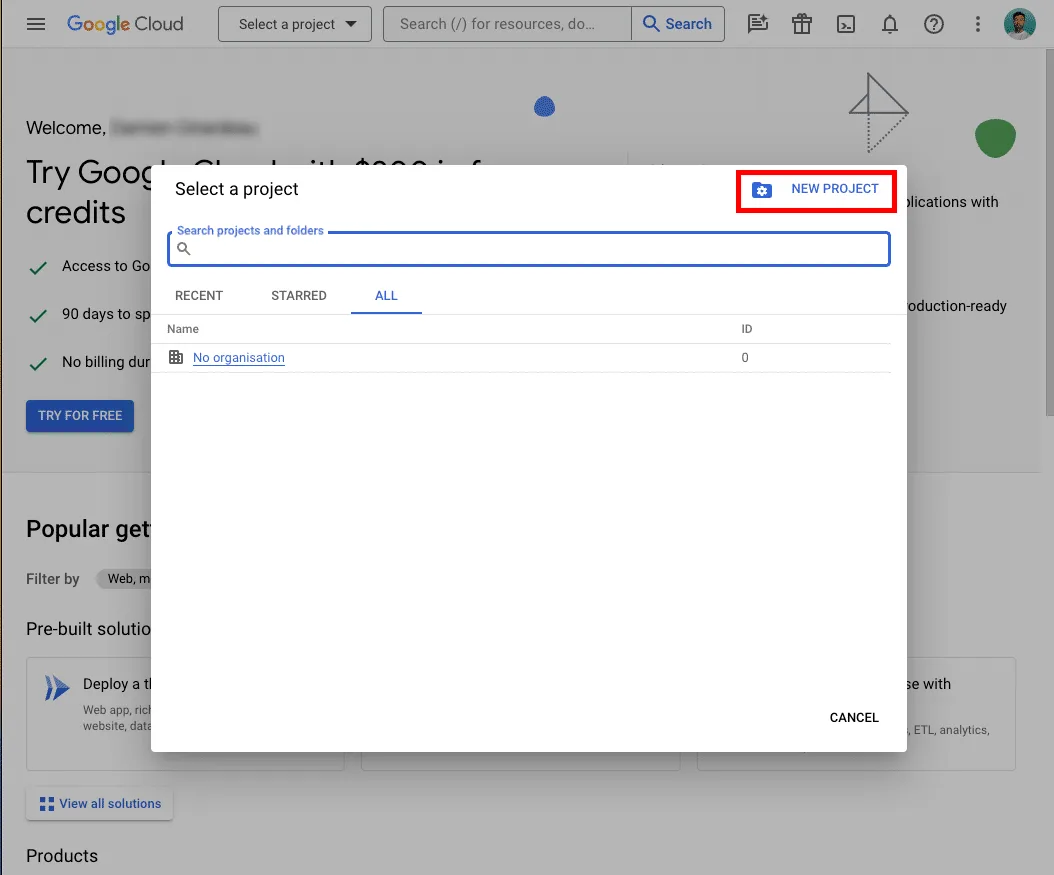
1. Creating a Google Cloud Project
To use the Gmail API, the first step is to create a project in the Google Cloud Console:
- Log into the Google Cloud Console.
- Set up a new project.
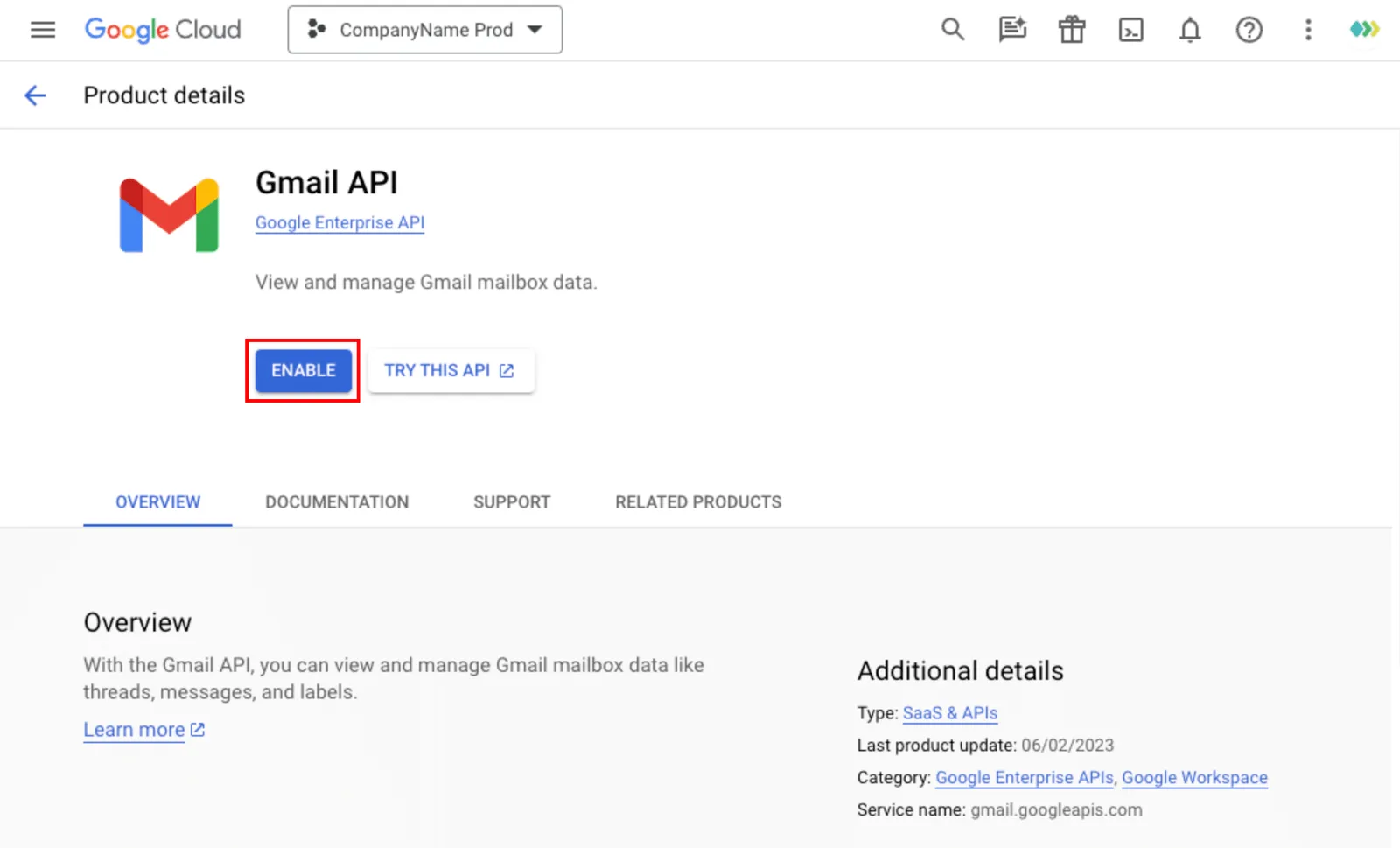
- Activate the Gmail API for this project.
2. Configuring Google OAuth Client ID
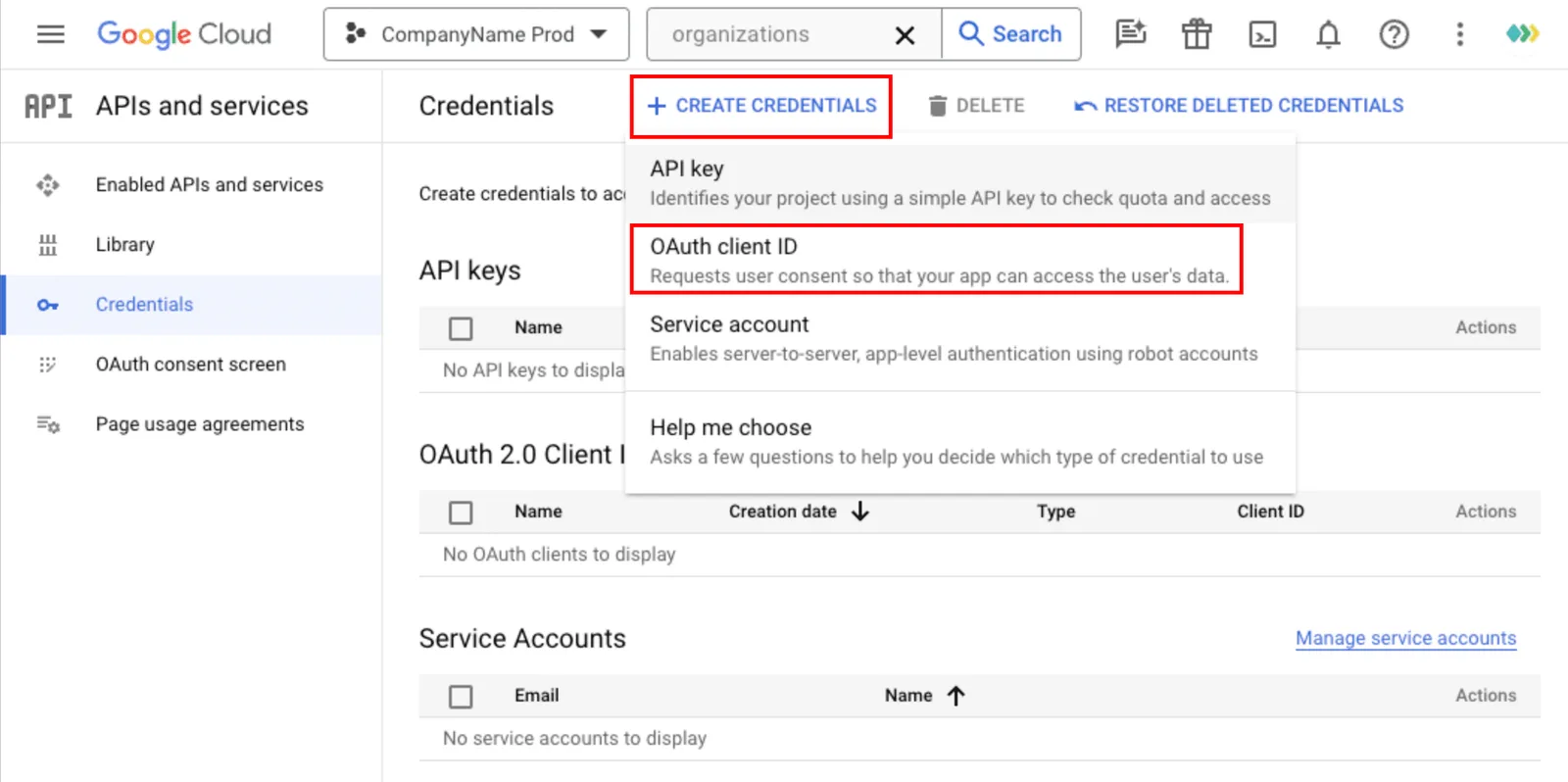
Next, navigate to the ‘Credentials’ section within the Google Developers Console to set up your OAuth credentials:
- Generate an OAuth Client ID for your web app, giving it a unique name.
- Input two authorized redirect URIs based on your platform’s domain settings.
- Once completed, copy the Client ID and Secret and input them into your platform’s OAuth configuration settings.
3. Enabling API Libraries in the Google Developers Console
To finalize the setup, enable the necessary API libraries:
- In the Navigation Menu, go to Library → APIs & Services.
- Search for the Gmail API and activate it, as well as any other APIs your application requires.
1. Setting Up a Google Cloud Project
To use the Gmail API, you need to set up a Google Cloud project:
Go to the Google Cloud Console.
Create a new project.
Enable the Gmail API for your project.
2. Set up Google OAuth Client ID credentials
Go to the ‘Credentials’ section in the Google Developers Console.
Create an OAuth Client ID for a web application, naming it appropriately.
Add two authorized redirect URIs based on your DSN from the Unipile Dashboard.
Once created, enter the Client ID and Client Secret in the Unipile Dashboard under Google OAuth settings.
3. Enable API libraries for your application in the Google Developers Console
Navigate to the ‘Library’ section via the Navigation Menu -> APIs & Services.
Search for and enable the specific API libraries your application requires, such as the Gmail API.
4. Completing Your Gmail API Setup
Continue the Gmail API installation process and refer to the documentation for further guidance.
Streamlining Applicant Communication: Gmail API Integration for ATS Systems

ATS systems benefit greatly from Gmail API integration by automating communication with job applicants and recruiters. Automatic email responses, status updates, and interview scheduling can be triggered seamlessly, providing a smoother recruitment process. Integrating Gmail with cloud platforms also allows ATS tools to store and analyze email communication histories, helping recruiters track correspondence with candidates and quickly retrieve important information. This increases hiring efficiency and ensures candidates remain engaged throughout the process.
How CRM Platforms Benefit from Gmail API and Cloud Integration


For CRM platforms, integrating the Gmail API with Cloud services offers significant advantages, particularly around streamlining customer interactions. CRM software can automatically log emails exchanged between sales teams and clients, providing a comprehensive view of all communications. By centralizing these emails in the cloud, CRMs can enrich customer profiles with relevant email history, enabling better segmentation and personalized follow-ups. Additionally, automatic updates based on email interactions can improve data accuracy and reduce manual entry for sales and support teams.
Boost Sales with Gmail API: Automating Outreach and Email Campaigns

For sales automation and outreach platforms, connect Gmail to cloud API empowers users to automate bulk email campaigns while maintaining a personal touch. Sales teams can send personalized outreach emails at scale, automatically follow up based on triggers, and track email performance (e.g., opens, clicks) using cloud storage and analytics. This integration allows these platforms to provide actionable insights, helping users to fine-tune their messaging strategies, improve engagement rates, and boost conversion rates through better email tracking and automation.
Essential Gmail API Features for Connecting Gmail to Cloud API
The Gmail API offers a suite of features designed to enrich email management, from advanced message filtering and label management to automated responses and email scheduling. These tools provide developers with unprecedented control over email functionality, enabling the creation of more intuitive, responsive, and efficient email experiences within applications.
List All Emails

Start New Email

List and Get Label


Integrating Gmail with Cloud API
Easily connect Gmail to Cloud APIs for streamlined email management, real-time automation, and enhanced application integration.
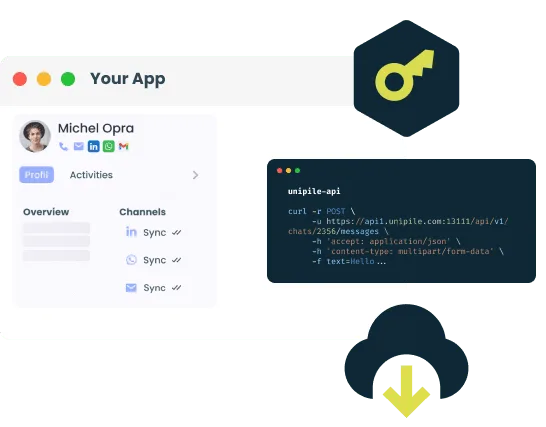


Discover All Email API Features Across Gmail, Outlook, and IMAP Providers
Email Features
|
|
|
|
|
|---|---|---|---|
| Account connection | |||
| Hosted Auth: White label email auth |  |
|
|
| Custom auth: Connect user with credentials | |
||
| Gmail or Microsoft OAuth: Use your App Oauth screen | |
|
|
| Send/Receive | |||
| Send & Reply Email | |
|
|
| List Emails | |
|
|
| Organize | |||
| Delete Email | |
|
|
| Move Email | |
|
|
| List Folders | |
|
|
| Get Folder | |
|
|
| Webhooks | |||
| New Email | |
|
|
| Open and Click tracking | |
|
|

Gmail
| Features |
Gmail
|
|---|---|
| Account connection | |
| Hosted Auth: White label email auth | |
| Custom auth: Connect user with credentials | |
| OAuth: Use your App Oauth screen | |
| Send/Receive | |
| Send & Reply Email | |
| List Emails | |
| Organize | |
| Delete Email | |
| Move Email | |
| List Folder | |
| Get Folder | |
| Webhooks | |
| New Email | |
| Open and click tracking | |
Manual Integration vs. Unipile’s Simplified Integration
Discover the clear advantages of leveraging Unipile’s streamlined email integration solutions compared to manual setups. Utilize Unipile’s Hosted Auth to bolster security through enhanced credential management, ensure smooth and efficient integration across diverse email platforms, and reduce the overhead involved in maintaining system integrations. Experience seamless, efficient, and user-friendly authentication with a single streamlined process.
One Link Hosted Auth vs. Full OAuth Flow

Integrating email services like Gmail or Outlook traditionally requires going through the complex OAuth flow, which involves setting up OAuth credentials, managing redirect URIs, handling token exchanges, and implementing custom authentication flows. While this process ensures secure access, it can be time-consuming, especially for developers working with multiple email providers. To connect Gmail to cloud API, developers often face similar challenges.
Unipile simplifies this process with One Link Hosted Auth, which offers a white-label authentication solution. Instead of building the full OAuth flow manually, developers can use a single hosted authentication link to connect their users’ email accounts. This reduces development time and complexity, allowing software providers to focus on their core features. With just a single link, users can authenticate securely, while Unipile handles the underlying OAuth processes, offering the same security and efficiency as a custom-built solution.
In short, Unipile’s approach cuts down the time and effort needed for email integration, providing a seamless alternative to the traditional, multi-step OAuth integration.


Assistance
Our support team guides you through each phase of the API integration process—from initiation to post-implementation—ensuring a seamless transition at no extra cost. We focus on optimizing your setup for maximum efficiency and ease of use.
On-Demand Technical Support
Engage with our on-demand technical support team during any phase of your integration process. Our experts are dedicated to resolving your challenges promptly and transparently, ensuring your integration experience is smooth and cost-effective.
Consistent Updates and Maintenance
Stay ahead with regular updates and diligent maintenance of your systems. Our Email Sync API is continuously enhanced to deliver peak performance and minimize downtime, ensuring your operations remain streamlined and effective.
Simplifying Email Integration: Gmail, Microsoft, and IMAP Authentication
Microsoft Graph API
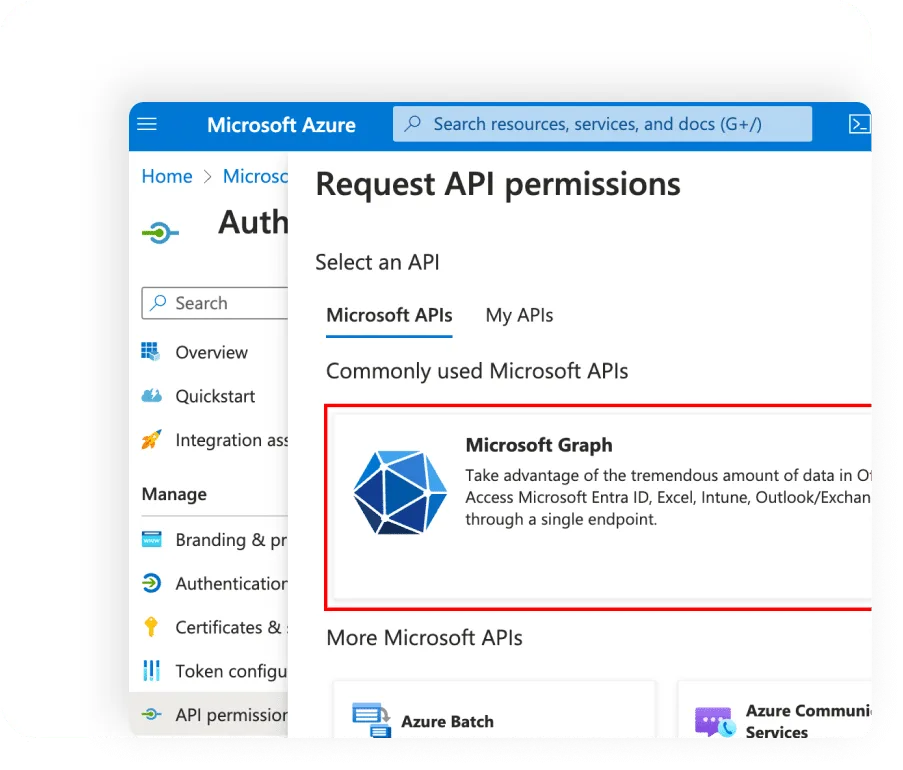
Effortlessly integrate Microsoft email services without the need for manual OAuth setup and maintenance.
IMAP API
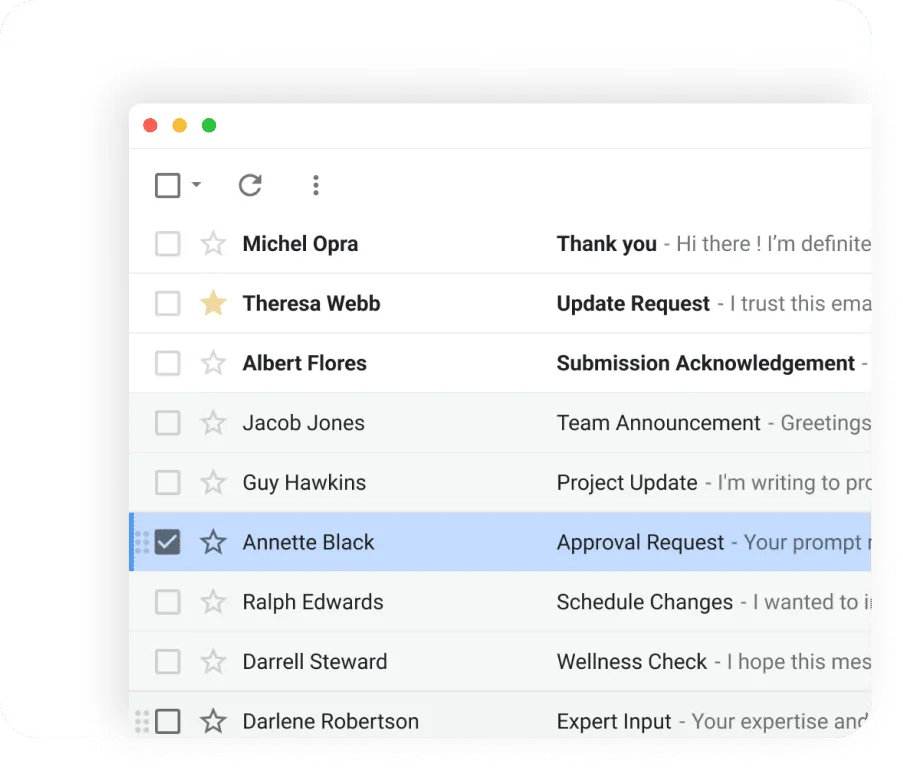
Seamlessly connect any IMAP provider using a straightforward, standardized process that avoids the usual complexities.
FAQs
What is the Gmail API, and how does it work?
The Gmail API is a RESTful service that allows developers to interact with Gmail accounts programmatically, enabling tasks like reading emails, sending messages, and managing labels.
Why should I connect Gmail to a Cloud API for my SaaS application?
Connecting Gmail to a Cloud API allows for automated communication, centralized email management, and streamlined workflows, improving the efficiency of CRM, ATS, and SaaS applications.
How do I authenticate users when integrating Gmail with Cloud API?
You can use OAuth 2.0 for secure authentication, which allows users to grant your application access to their Gmail data without sharing passwords.
What benefits does cloud integration provide for email management?
Cloud integration enables real-time synchronization, automated email handling, and scalable infrastructure, making email data more accessible and organized across different platforms.
How do rate limits affect Gmail API usage in cloud applications?
Gmail API enforces rate limits to ensure fair usage. You can monitor and manage these limits through Google Cloud Console and request quota increases if necessary.
Can I automate email tasks like sending and tracking emails with Gmail API?
Yes, Gmail API supports automated email sending, tracking opens and clicks, and setting up webhooks for real-time updates, making it ideal for marketing and communication tools.


