
 LinkedIn
 Instagram
 WhatsApp
 Telegram
 Gmail
Gmail Outlook
 Google Calendar
 Join Slack Community
Unlocking the Potential of LinkedIn’s Business Messaging
LinkedIn has long been a dominant force in B2B networking, recruitment, and sales engagement. Until recently, direct messaging on LinkedIn was limited to personal accounts, restricting companies from effectively managing customer inquiries, candidate outreach, and sales conversations.
However, with the LinkedIn API for Company, businesses now have a dedicated tool to interact with prospects and customers directly from their company page. This update presents huge opportunities for software providers, particularly those offering CRM, ATS, and outreach solutions, who can now integrate LinkedIn messaging into their platforms.
What is the LinkedIn Company Messaging API?
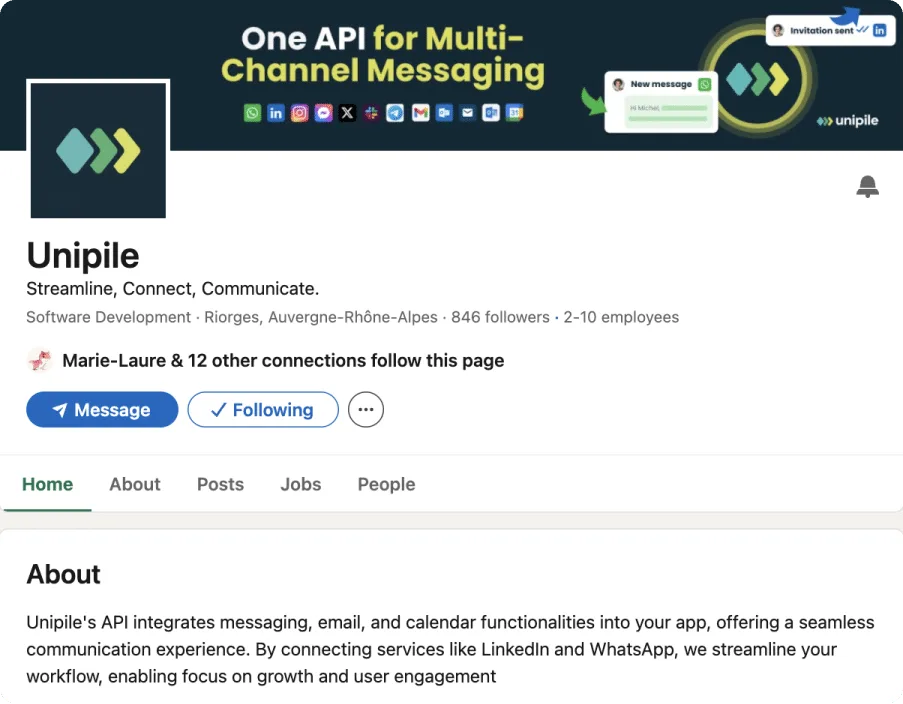
The LinkedIn Company Messaging API is an interface that allows businesses to:
- Send and receive messages directly from their LinkedIn company page.
- Automate responses to customer inquiries and job applicants.
- Integrate LinkedIn messaging with CRM, ATS, and outreach software for a unified communication experience.
Why is the LinkedIn Company Messaging API a Game Changer?
⭕ Limited scalability – Employees had to manage LinkedIn inboxes manually.
⭕ No centralized messaging – Conversations couldn’t be integrated into existing CRM or customer support systems.
⭕ Security and compliance risks – Sharing login credentials for business accounts was unsafe and against LinkedIn’s policies.
With the LinkedIn Company Messaging API, businesses gain structured, scalable, and secure communication channels directly within LinkedIn. Here’s why it’s a must-have for software providers:
Multi-Channel Integration & Unified Inbox
Software providers can integrate LinkedIn messaging with email, WhatsApp, Slack, and CRM tools to create a seamless multi-channel experience.
Users can send, receive, and manage LinkedIn messages alongside emails and other communication channels from a single dashboard.

Automated & AI-Powered Conversations
Enable automated responses to FAQs or pre-qualify leads with AI chatbots.
Route customer inquiries and sales requests to the right teams without manual intervention.
Data-Driven Messaging & Analytics
Access real-time insights on response times, customer interactions, and conversation history.
Optimize engagement strategies by integrating LinkedIn messaging analytics into existing CRM dashboards.
Effortless Management of LinkedIn Inboxes

Simplify the way your ursers handles LinkedIn conversations by integrating a unified inbox. The LinkedIn Messaging API enables direct access to all page-specific messages, ensuring that no customer inquiry or prospect communication is missed.
Streamlined Message Categorization for Efficient Responses

With the ability to categorize messages by topics like service requests, demo inquiries, or support, the LinkedIn Messaging API ensures faster routing and improved efficiency. Integrate this feature to allow businesses handling conversations professionally and reduce response times, ultimately boosting user satisfaction.
Key Use Cases: How Businesses Can Leverage LinkedIn Messaging API
The LinkedIn Company Messaging API is particularly valuable for:
CRM & Sales Engagement Software
Enable LinkedIn messaging inside CRM dashboards for sales reps.
Automate follow-ups and message sequences for lead nurturing.
Talent Acquisition & ATS Platforms
Manage candidate outreach and automate responses to job applicants.
Sync LinkedIn conversations with recruitment pipelines.
Customer Support & Helpdesk Integration
Centralize LinkedIn customer inquiries within a unified support inbox.
Route messages to chatbots or human agents based on customer intent.
Challenges & Limitations of LinkedIn Messaging API
While the LinkedIn Company Messaging API is a game changer, some challenges remain:
- Limited Accessibility: Only approved LinkedIn partners can access the API, making it difficult for many businesses to integrate.
- Strict Compliance Requirements: Adhering to LinkedIn’s data usage policies and privacy regulations adds to the development workload.
- Time-Intensive Development: Integrating and maintaining the official API often demands significant time and resources, including OAuth configuration and compliance testing.
How Can Software Providers Integrate LinkedIn Messaging API?
For CRM, ATS, and sales engagement software, integrating LinkedIn messaging is a game-changing feature. However, LinkedIn restricts API access to approved partners only, making integration a challenging process. Unipile provide a seamless LinkedIn messaging integration without needing direct LinkedIn partnership approval.
Why Choose Unipile?
🟢 One API for LinkedIn, WhatsApp, and Email – No need for multiple integrations.
🟢 Quick & Easy Implementation – Get started without LinkedIn’s lengthy approval process.
🟢 Secure & Compliant Authentication – Works without violating LinkedIn’s policies.
🟢 AI-Driven Automation & Message Tracking – Enhance engagement with intelligent messaging.
How to Integrate LinkedIn Messaging API into Your Platform
Integrating the LinkedIn Messaging API into your platform allows you to manage company messages seamlessly. While working with the official API requires significant effort due to authentication processes and API restrictions, tools like Unipile’s API simplify the integration process with a guided setup and ready-to-use endpoints.
Create a LinkedIn Developer Account

Code Example: Sending a LinkedIn Message
const axios = require('axios');

const sendLinkedInMessage = async () => {
  const url = 'https://api1.unipile.com/v1/chats';
  const token = 'your-access-token'; // Replace with your Unipile token

  try {
    const response = await axios.post(url, {
      recipientId: 'recipient-linkedin-id', // Replace with the recipient's LinkedIn ID
      message: 'Hello, thank you for connecting with us!',
    }, {
      headers: {
        'Authorization': `Bearer ${token}`,
        'Content-Type': 'application/json',
      },
    });
    console.log('Message sent:', response.data);
  } catch (error) {
    console.error('Error sending message:', error.response?.data || error.message);
  }
};

sendLinkedInMessage();
Maximizing the Value of LinkedIn Messaging API for Your Business
Automate Messaging for Enhanced Productivity
By leveraging the LinkedIn Messaging API, businesses can automate repetitive tasks such as:
- Auto-responding to FAQs from prospects or clients.
- Scheduling follow-ups based on user engagement or message triggers.
- Tracking message performance to optimize response strategies.
Integrate AI for Smarter Conversations
Combine the LinkedIn Messaging API with AI tools to create:
- Intelligent chatbots that qualify leads and escalate queries to sales teams.
- Sentiment analysis for gauging customer satisfaction.
- Predictive analytics to identify high-potential leads or candidates.
Increase Engagement with Personalization
Use data insights from LinkedIn interactions to:
- Craft personalized messaging sequences for prospects and candidates.
- Tailor outreach efforts based on their role, industry, or company size.
- Build stronger relationships by referencing previous interactions.
FAQs
What is the LinkedIn Company Messaging API?
The LinkedIn Company Messaging API allows businesses to send and receive messages directly from their LinkedIn company page, enabling automated interactions, CRM integrations, and AI-powered messaging for sales, recruitment, and customer support.
Who can use LinkedIn Company Messaging API?
Currently, LinkedIn restricts API access to selected partners. Companies looking to integrate LinkedIn messaging must either apply for API approval through the LinkedIn Partner Program or use an alternative API solution like Unipile.
How can I integrate LinkedIn messaging into my CRM or ATS?
Software providers can integrate LinkedIn messaging by either:
1️⃣ Using LinkedIn’s official API (requires approval).
2️⃣ Using third-party APIs like Unipile, which provide fast, scalable integration without the need for LinkedIn partnership approval.
What are the benefits of integrating LinkedIn messaging into a CRM or outreach platform?
Centralized messaging across multiple channels (LinkedIn, WhatsApp, Email).
Automated responses & chatbots for lead nurturing.
AI-driven message tracking and analytics for data-driven engagement.
Better workflow efficiency by managing LinkedIn conversations directly inside a CRM or ATS.
How can I access LinkedIn messaging if I’m not an approved partner?
If LinkedIn does not grant you API access, you can:
✔ Use Unipile’s API, which provides LinkedIn messaging integration without direct LinkedIn approval.


