
 LinkedIn
 Instagram
 WhatsApp
 Telegram
 Gmail
Gmail Outlook
 Google Calendar
 Join Slack Community
The Outlook Calendar API, developed by Microsoft, is a powerful tool that allows developers to integrate calendar features into their applications. It opens up opportunities to enhance scheduling efficiency, automate event reminders, and simplify calendar management by integrating various apps with the Outlook Calendar API. For software editors, publishers, and developers, leveraging this API can drastically improve productivity and user engagement.
By using Microsoft Graph APIs, developers can interact with a user’s default calendar, manage syncing calendar events, and create a new event dynamically. These features provide a seamless way to organize and optimize scheduling workflows while maintaining integration across different systems.

What is the Outlook Calendar API?
The Outlook Calendar API, part of Microsoft Graph, provides a wide array of features to interact with and manage calendar data by accessing and integrating functionalities related to Microsoft services. The Microsoft Graph API enables retrieving information from users’ primary and shared mailboxes, including calendar events, emails, and personal contacts. It enables the creation, modification, and deletion of calendar events, allowing seamless integration into productivity tools. It also includes advanced capabilities like recurring event management and time zone support, ensuring your users can keep track of important appointments globally. Developers can access structured data, ensuring compatibility across different Microsoft platforms. The following methods allow retrieving and modifying user data efficiently, optimizing interaction with different calendar properties.
Importance of Outlook Calendar API for Developers
Benefits for Software Publishers and Editors
Integrating the Outlook Calendar API benefits software publishers by adding valuable scheduling functionalities directly into their applications. This can enhance user experience and streamline operations, making it especially valuable for productivity and enterprise software.
Productivity Tools Integration and Automation
Using the API, developers can automate mundane calendar tasks—like setting recurring events or sending automated reminders. This allows users to stay organized without having to manually manage their schedules. With the ability to add a new attendee and specify a new location using the Microsoft Graph API, developers can ensure that meetings are properly structured and invitations are well-coordinated.
Key Features of Microsoft Outlook Calendar API

Creating, Updating, and Deleting Events
By using API endpoints, developers can programmatically add, modify, or remove calendar events, making the process seamless for users who rely on automated scheduling tools.
Recurring Events and Scheduling Flexibility
One powerful feature of the API is its support for recurring events. This allows users to set up regular meetings or reminders without the hassle of manual input every time.
Benefits of Integrating Outlook Calendar API
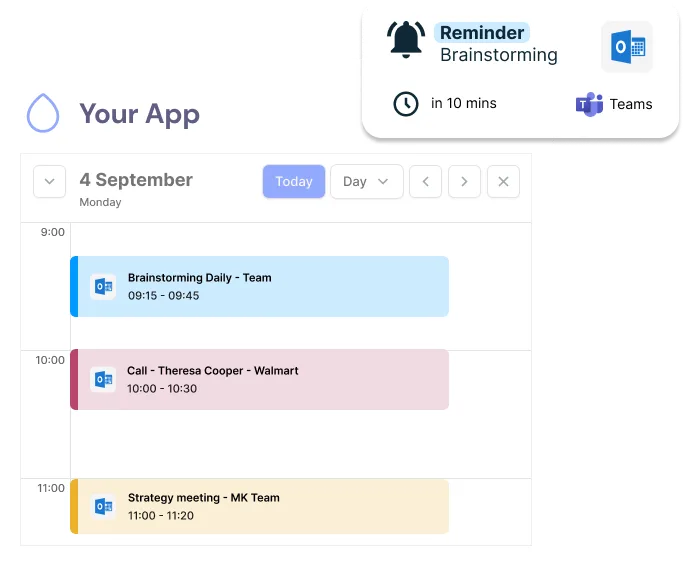
Enhancing Productivity and Event Management
Integrating the Outlook Calendar API into your application improves the user experience by automating reminders and simplifying event management. It allows you to provide features like smart notifications, easy rescheduling, and timely alerts, which help users stay on track and boost overall engagement.
Unified Microsoft Calendar Integration


Managing and Customizing Outlook Calendars with the API
Real-Time Event Synchronization
The Outlook Calendar API allows for real-time event synchronization, ensuring that any changes made to events are instantly reflected across all connected devices and applications. Syncing calendar events between different platforms like Google and Outlook is crucial for integrating calendar systems, automating workflows, and enhancing event management through seamless synchronization.
List Calendars
Retrieve all calendars associated with a user's account, including primary and secondary calendars
Get a Calendar
Fetch detailed information about a specific calendar by its ID
Retrieve all Events
Get a complete list of events from a calendar with support for filtering by date range and pagination
Create an Event
Create new calendar events with full support for attendees, reminders, location, and recurrence rules
Retrieve an Event
Get detailed information about a specific event including all metadata and attendee status
Edit an Event
Update existing events with new information, modify attendees, or change event details
Delete an Event
Remove events from calendars with optional notifications to attendees
Scheduler
Smart scheduling assistant to find optimal meeting times based on participant availability
Coming SoonWebhooks
Real-time notifications for calendar and event changes with automatic push updates

Powered by Microsoft Calendar API — All features are fully compatible with Outlook Calendar and Microsoft 365
Getting Started with Microsoft Outlook Calendar API
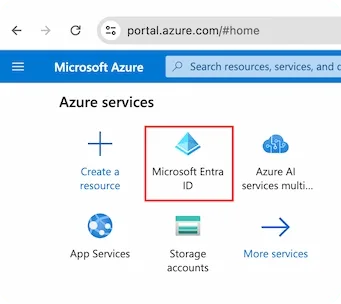
To get started, developers need to create an application within Azure, Microsoft’s cloud platform, to authenticate and use the Outlook Calendar API. This involves setting up the appropriate permissions and generating access tokens for secure communication.
Authentication and Authorization
OAuth 2.0 Overview
Outlook Calendar API uses OAuth 2.0 for secure authentication. OAuth ensures that only authenticated users can access specific calendar data, maintaining security across integrations.
Configuring Access Tokens
Access tokens are essential for interacting with the API. They must be configured correctly to ensure that API requests are authenticated and authorized.
Developer Tools and Resources
Outlook Calendar API Documentation
Microsoft provides extensive documentation that includes API reference, sample requests, and detailed guides for various functionalities.
Unipile’s Integration with Outlook API
Unipile makes integrating with the Outlook Calendar API even more efficient by providing enhanced tools and an easy setup process for software publishers.
This ensures smooth communication between different endpoints and structured data handling.
Unipile Outlook Calendar Integration Made Simple


Unipile vs Self-Integration: Save Time and Gain Support
Unipile simplifies the process of integrating the Outlook Calendar API into your software, allowing for efficient calendar management, automated reminders, and hassle-free scheduling—all through a streamlined authentication flow. Enhance productivity and provide a better user experience effortlessly.
One Link Hosted Auth vs. Full OAuth Flow

Using Unipile’s one-link hosted authentication simplifies the process significantly compared to the full OAuth flow. Users can authenticate in just a single click, removing the complexity of traditional multi-step OAuth procedures.
By incorporating https, the authentication process becomes secure and reliable, ensuring that user credentials and data remain protected. The response mechanism efficiently handles authentication codes, streamlining the process for both developers and users.
Unified Google and Outlook Calendar Integration with Unipile
In addition to Outlook, Unipile supports Google Calendar integration, allowing you to connect both platforms effortlessly. By integrating both APIs, you can provide your users with a seamless and versatile calendar management solution that works across different ecosystems, improving productivity and user experience.
With Unipile, organizers can streamline their event planning while ensuring smooth syncing calendar events across multiple devices. The system enables next steps planning, ensuring structured coordination of scheduled events.
Conclusion
Integrating Microsoft Graph APIs into calendar applications enhances scheduling, automation, and multi-platform synchronization. By leveraging the user’s calendar, developers can manage collections, configure timezone, and optimize datetime handling.
Microsoft’s API supports attendees, room booking, and globalization settings, ensuring seamless cross-timezone coordination. Using https graph.microsoft.com, developers can post, search, and import calendar data while managing properties and display settings efficiently.
Earning a Microsoft Office Specialist MOS Certification enhances expertise in Office API integrations, improving event workflows, mailbox handling, and structured project management. These capabilities ensure a robust, scalable, and future-proof solution for businesses.
Developer Advantages of Implementing the Calendar API


Technical Support and Integration Ease
Unipile provides comprehensive technical support to assist with any integration challenges, ensuring a smooth implementation process.
Developer Support
Dedicated development support is available to help developers effectively utilize the API, offering guidance and best practices for optimal integration.
Proactive Maintenance and Updates
Regular updates and maintenance services are provided to keep the API up-to-date and secure, ensuring continued functionality and compliance with the latest standards.
FAQs
How do I get started with Outlook Calendar API?
To get started, you need to register your application with Azure and set up the appropriate permissions. This will allow you to use OAuth 2.0 to authenticate and make API requests.
What permissions do I need to access the API?
Depending on your use case, you may need different permissions such as reading, writing, or managing calendar events. Azure Active Directory helps assign these permissions.
Can I automate recurring meetings?
Yes, the Outlook Calendar API allows you to automate recurring meetings by creating repeat event schedules, making it easier to set up ongoing meetings.
How do I manage access to shared calendars?
You can manage access by setting permissions through the Outlook Calendar API. This includes setting specific rights for each individual, such as viewing or editing capabilities.
What are some common use cases for integrating this API?
Common use cases include automated event scheduling, setting up notifications, creating meeting bots, and integrating calendars into productivity tools.


