
 LinkedIn
 Instagram
 WhatsApp
 Telegram
 Gmail
Gmail Outlook
 Google Calendar
 Join Slack Community
Introduction to LinkedIn Data Extraction
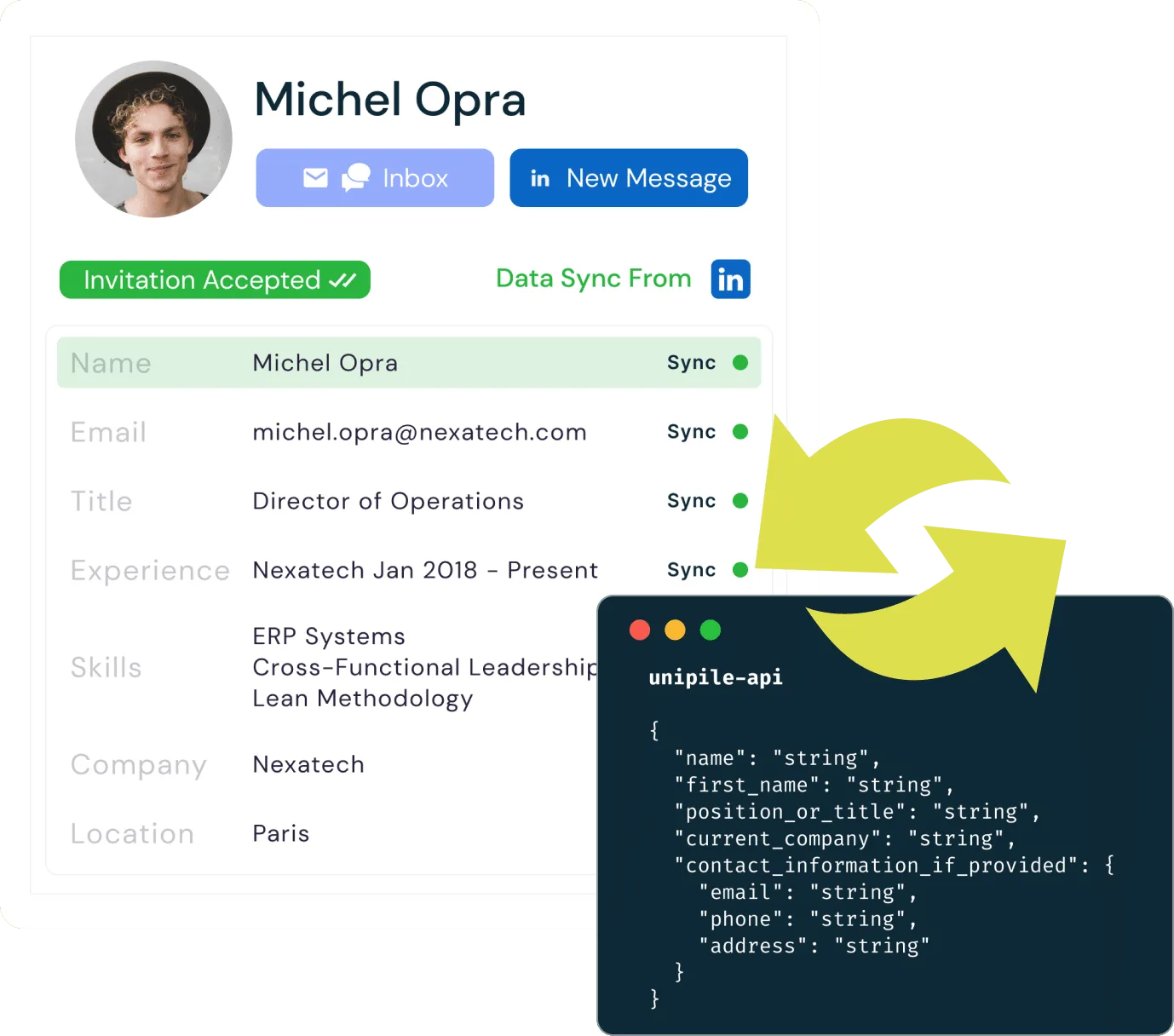
LinkedIn, the world’s largest professional networking platform, hosts vast amounts of valuable data. Through the Extract LinkedIn Data API by Unipile, businesses can tap into LinkedIn’s rich dataset, from detailed user profiles to corporate insights. This data serves as a critical resource for recruitment, sales, marketing, and analytics. By utilizing LinkedIn data via Unipile, businesses can enhance their decision-making processes, identify potential leads, and build stronger relationships with their audiences, all while streamlining access and integration through a single, powerful API.

What Data Can You Extract with Unipile’s LinkedIn API?
With Unipile’s LinkedIn API, you can extract inbox messages, individual profiles, company page details, search results, outreach actions like invitations, and LinkedIn posts to enhance your business processes.
Extract Data Inbox

Unipile’s Extract LinkedIn Data API allows you to extract and manage LinkedIn inbox data, including messages, InMails, conversations, and interactions. This data can be integrated into CRM and outreach platforms, enabling businesses to track communications, automate follow-ups, and analyze engagement patterns more effectively.
Extract Profile Data

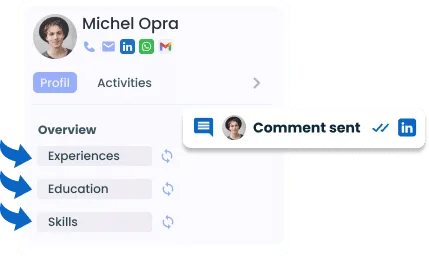
Access detailed LinkedIn profile data such as job titles, work experience, education, and skills through the Extract LinkedIn Data API by Unipile. This data is essential for ATS and CRM systems, allowing you to enhance candidate matching, lead segmentation, and customer insights.
Extract Company Page Data

Retrieve comprehensive data from LinkedIn company pages, including industry details, employee size, and company updates. Unipile’s API lets you incorporate this data into outreach tools and business intelligence platforms, providing deeper insights into target organizations.
Extract Search Data (Classic, Recruiter, Sales Navigator)
Unipile’s API enables you to extract search results from LinkedIn’s Classic Search, Recruiter, and Sales Navigator. This feature allows you to automate lead generation, candidate sourcing, and sales prospecting by integrating search data into your existing platforms.

Outreach Actions (Invitations)

Leverage LinkedIn outreach actions through the Extract LinkedIn Data API by Unipile by automating invitations, connection requests, and follow-ups. Unipile’s API goes further by allowing you to create outreach sequences, list pending invitations, detect accepted invitations, and even delete pending invitations. These features streamline your outreach process, enabling sales and recruitment teams to engage prospects and candidates more efficiently, while also providing control and flexibility over your LinkedIn engagement strategies, such as following new connections.
Extract Posts Data
Unipile’s API also provides access to LinkedIn post data, including content, engagement metrics, and publishing dates. By extracting posts, you can analyze content performance, track industry trends, and build social media strategies tailored to your business objectives.
How to integrate LinkedIn API into your software
Benefits of Extracting LinkedIn Data into Your App
Integrating LinkedIn data into your application using Unipile’s API offers numerous advantages, driving efficiency, personalization, and business growth.

Enhancing ATS Systems with LinkedIn Data
By integrating LinkedIn data, ATS platforms can automate candidate sourcing and improve job matching. This results in faster, more accurate recruitment processes.
-
- Automate candidate sourcing with LinkedIn profiles.
- Improve recruiter efficiency with targeted search data.
- Save time on manual recruitment tasks.
Powering CRM Systems with LinkedIn Insights

CRM systems benefit from LinkedIn data by enriching customer profiles and enabling smarter lead segmentation, ultimately improving relationship management and sales effectiveness.
-
- Enrich customer profiles with LinkedIn data.
- Segment leads effectively based on profile insights.
- Enhance relationship management through LinkedIn interactions.

Streamlining Outreach Tools with LinkedIn Automation
Outreach tools can leverage LinkedIn messaging and connection data to automate and personalize engagement campaigns, increasing response rates and strengthening prospect relationships.
- Automate personalized outreach campaigns efficiently.
- Increase response rates with LinkedIn messaging data.
- Strengthen relationships through connection insights.
Empowering iPaaS Platforms with LinkedIn Integrations

iPaaS solutions benefit from LinkedIn data by enabling seamless integration of LinkedIn insights across multiple applications, boosting workflow automation and connectivity.
-
- Seamlessly integrate LinkedIn data across apps.
- Enhance workflow automation with LinkedIn insights.
- Boost connectivity between systems through LinkedIn data.

Integrating LinkedIn Profile Data API for Developers


How to Integrate the LinkedIn Profile Data API
- Obtain API Access: Make sure you have the necessary permissions and access from LinkedIn to use their API.
- Set Up Your Environment: Install
curlor another preferred HTTP client in your development environment to interact with the API. - Make the API Call: Use the configured client to send a request and retrieve user profile data from LinkedIn.
- Parse the Response: Process the JSON response in your application to extract and utilize the relevant profile information.
Detailed Steps and Example
Here’s a more in-depth look at the integration process:
- Get Your API Key: Register your app on LinkedIn to obtain the API key needed for authentication.
- Set Up Your Project: Configure your project to make HTTP requests. For example, in a Node.js environment, you can use the
axioslibrary. - Test and Debug: Test your integration in a development environment, verify the responses, and address any potential errors.
- Implement Security Measures: Ensure that your API calls are secure, safeguarding any sensitive data from unauthorized access.
Why Unipile’s API is the Perfect Complement to Browser Extensions
Integrating Unipile’s Extract LinkedIn Data API alongside your browser extension provides a seamless and powerful solution for efficiently managing LinkedIn data. While your extension enables quick prospecting by adding leads in one click directly from LinkedIn, Unipile’s API takes it further by automating data enrichment and integration into your ATS or CRM.


Advanced Benefits of the API
- Comprehensive Data Extraction: Unlike extensions, the API provides access to a wider range of LinkedIn data, including inbox messages, search results, and detailed profile information.
- Automated and Scalable: The API enables automated data workflows at scale, allowing you to enrich and integrate profiles across multiple platforms without manual intervention.
- Seamless Integration: Directly connect LinkedIn data with your ATS, CRM, or outreach tools, ensuring that all information is consistently updated and synchronized across your systems.
Explore LinkedIn Capabilities with Unipile’s API Integration
| Features |
LinkedIn
|
|---|---|
| Account connection | |
| Hosted Auth: White label to connect your end users |  |
| Custom auth: connect user with credentials, cookies, your chrome extension | |
| Messages | |
| Send & Reply Messages | |
| Send an InMail | |
| List Messages, Chats & Attendees | |
| List Reactions | |
| Read Receipts | |
| Send Files attachments | |
| Receive Files attachments API | |
| Send Voice Notes | |
| Send Embed Video | |
| Users/Profiles | |
| Retrieve a Profile | |
| Retrieve & Edit own profile | |
| List all relations & Followers | |
| List all Invitations Sent & Received | |
| Handle & Cancel a received Invitation |
|
| Send an Invitation |
|
| Cancel an Invitation |
|
| List all posts, comments, reactions |
|
| Posts | |
| Retrieve & Create a post |
|
| List all comments from a post |
|
| List all posts, comments, reactions |
|
| Comment a post |
|
| List all reactions from a post |
|
| Add a reaction to a post, comment |
|
| Webhooks | |
| Account status | |
| New Message | |
| New Reaction / Read / Event | |
| Specific | |
| Retrieve Recruiter hiring projects | |
| Perform an action with a user profile | |
| Retrieve a company profile |
|
| Get raw data from any endpoint (Inbox Search, Following someone, Get own profile viewers, Social Selling Index, Retrieve posts from Feed) | |
| Get inmail credit balance | |
| Retrieve LinkedIn search parameters |
|
| Perform Linkedin search | |
| List all job postings | |
| Create a job posting |
|
| Get job posting | |
| Publish a job posting | |
| Solve a job publishing checkpoint | |
| Close a job posting | |
| List all applicants to a job posting |
|
| Get a specific applicant to a job posting |
|
| Download the resume of a job applicant |
|
| Endorse a user profile specific skill |
|
| Webhooks | |
| Account status | |
| New Message | |
| New Reaction / Read / Event | |
| Inboxes | |
| LinkedIn Classic Inbox | |
| Sales Navigator Inbox | |
| LinkedIn Recruiter Inbox | |
| LinkedIn Company Page | |

LinkedIn Features
| Features |
LinkedIn
|
|---|---|
| Account connection | |
| Hosted Auth: White label to connect your end users | |
| Custom auth: connect user with credentials, cookies, your chrome extension | |
| Messages | |
| Send & Reply Messages | |
| Send an InMail | |
| List Messages, Chats & Attendees | |
| List Reactions | |
| Read Receipts | |
| Send Files attachments | |
| Receive Files attachments API | |
| Send Voice Notes | |
| Send Embed Video | |
| Users/Profiles | |
| Retrieve a Profile | |
| Retrieve & Edit own profile | |
| List all relations & Followers | |
| List all Invitations Sent & Received | |
| Handle & Cancel a received Invitation |
|
| Send an Invitation |
|
| Cancel an Invitation |
|
| List all posts, comments, reactions |
|
| Posts | |
| Retrieve & Create a post |
|
| List all comments from a post |
|
| List all posts, comments, reactions |
|
| Comment a post |
|
| List all reactions from a post |
|
| Add a reaction to a post, comment |
|
| Webhooks | |
| Account status | |
| New Message | |
| New Reaction / Read / Event | |
| Specific | |
| Retrieve Recruiter hiring projects | |
| Perform an action with a user profile | |
| Retrieve a company profile |
|
| Get raw data from any endpoint (Inbox Search, Following someone, Get own profile viewers, Social Selling Index, Retrieve posts from Feed) | |
| Get inmail credit balance | |
| Retrieve LinkedIn search parameters |
|
| Perform Linkedin search | |
| List all job postings | |
| Create a job posting |
|
| Get job posting | |
| Publish a job posting | |
| Solve a job publishing checkpoint | |
| Close a job posting | |
| List all applicants to a job posting |
|
| Get a specific applicant to a job posting |
|
| Download the resume of a job applicant |
|
| Endorse a user profile specific skill |
|
| Webhooks | |
| Account status | |
| New Message | |
| New Reaction / Read / Event | |
| Inboxes | |
| LinkedIn Classic Inbox | |
| Sales Navigator Inbox | |
| LinkedIn Recruiter Inbox | |
| LinkedIn Company Page | |
Developer Advantages of the LinkedIn User Data Retrieval API


Dedicated Assistance During Integration
Our support team is with you every step of the way—before, during, and after integration—to ensure a seamless experience. We’re here to provide real-time assistance, helping you avoid any hiccups and extra costs.
Comprehensive Developer Resources
Our API comes with detailed documentation and sample code to simplify integration. These resources are designed to enhance your application’s capabilities, making the process of sending LinkedIn invitations smoother and more efficient.
Ongoing Updates and Maintenance
With proactive updates and regular maintenance, our API remains aligned with LinkedIn’s latest standards and improvements, ensuring consistent performance and minimizing any potential downtime.
FAQs
How do I connect with LinkedIn’s API using Unipile?
Connecting to LinkedIn’s Extract LinkedIn Data API via Unipile requires obtaining API access through LinkedIn, setting up your environment, making API calls, and securely handling the data responses.
What types of data can I extract with Unipile’s LinkedIn API?
With Unipile’s LinkedIn API, you can extract inbox messages, individual profiles, company page data, search results, outreach actions like invitations, and posts.
How can LinkedIn inbox data be filtered and managed with Unipile?
Unipile’s API allows you to filter and tag LinkedIn inbox data, including messages, InMails, and conversations, enabling easy organization and integration with CRM and outreach platforms.
How does Unipile’s LinkedIn API benefit ATS platforms?
ATS platforms can use LinkedIn search data to automate candidate sourcing, enrich profiles with detailed LinkedIn data, and improve job matching for faster, more efficient recruitment.
How can CRM systems leverage LinkedIn data extracted through Unipile’s API?
CRM systems can enrich customer profiles with LinkedIn data, enabling more accurate lead segmentation and improving relationship management through better insights into customer interactions.
How does Unipile’s API help automate outreach actions on LinkedIn?
Unipile’s API allows automation of LinkedIn outreach actions, including sending invitations, managing follow-ups, detecting accepted invitations, and creating outreach sequences, streamlining the entire engagement process.


