
 LinkedIn
 WhatsApp
 Telegram
 Gmail
Gmail Outlook
 Google Calendar
 Join Slack Community
DMA
Our solution is built in line with the Digital Markets Act (DMA). User profiles are never stored or scraped, and our API focuses exclusively on enabling messaging interoperability. Clients are expected to comply with the terms of each provider.
The Instagram API is a game-changer for CRM, ATS, and iPaaS software publishers. In a digital-first world where real-time conversations drive engagement, having reliable access to Instagram messaging is a massive value add. But here’s the twist: Instagram’s official API ecosystem is fragmented, rate-limited, and often incomplete. That’s where Unipile’s unified API steps in.
With a single integration, you get access not only to Instagram messaging but also to LinkedIn, WhatsApp, Gmail, Outlook, Google Calendar, and more. Think of it as one smart gateway for every conversation your users need to manage.
Please note: Unipile is not a Meta Partner, and all usage must respect Meta’s rules.
What Is the Instagram Profile API?

The Instagram Profile API is Meta’s official interface that allows developers to access and manage profile data from Business and Creator accounts. Through this API, applications can retrieve information such as username, profile picture, bio, website URL, business category, and follower count.
It is part of the Instagram Graph API ecosystem, designed to provide structured, permission-based access for professional use cases like analytics, publishing, and account management. This makes it the secure and compliant way to integrate Instagram profile data into software products.

Key Use Cases for Software Editors
-
CRM platforms: Auto-enrich leads with Instagram bios and social presence.
-
ATS software: Enhance candidate profiles with real-time Instagram data.
-
Outreach tools: Personalize messages based on public social signals.
Challenges of the Official Instagram API
Limitations of the Graph API
Meta’s Instagram Graph API is robust, but it comes with significant constraints that make it impractical for many software editors—especially those who want to move fast. While it enables access to profile and engagement data, the entry barriers are high and often discouraging.
To use the official Instagram Profile API, your application must:
-
Undergo Business Verification
Meta requires all apps to be linked to a verified business account. This step involves submitting documentation, waiting for validation, and potentially reapplying if anything is unclear. It can take days or even weeks. -
Use Facebook Login Integration
Access to Instagram profile data is only granted if the user has linked their Instagram Business or Creator account to a Facebook Page. This dependency on Facebook’s ecosystem introduces complexity and limits compatibility with personal or non-commercial accounts. -
Comply with Strict Rate Limits
Meta enforces tight usage thresholds. If your app makes too many requests too quickly, access can be throttled or temporarily suspended. This can severely limit the ability to sync or monitor profiles in real time, especially at scale. -
Pass Recurring Compliance Audits
Approved apps are still subject to periodic reviews. Meta checks for proper usage of data, adherence to privacy rules, and overall alignment with their platform policies. This creates ongoing uncertainty for developers who just want to ship features, not navigate red tape.
The result? A powerful API locked behind a fortress of requirements that aren’t designed for agility or modern growth needs.
Why Most SaaS Teams Struggle
Startups, fast-moving SaaS companies, and bootstrapped dev teams don’t have time for slow onboarding and endless compliance loops. They need to deliver features now—not after Meta gets back to them.
Here’s the reality many teams face:
-
Weeks of waiting: The approval process for API access can take several weeks, delaying development roadmaps.
-
No access to personal profiles: Most use cases require pulling data from both personal and professional accounts—but the Graph API is restricted to Business and Creator profiles only.
-
Limited control: Even after gaining access, apps are often constrained by what data they can pull, how often, and under which circumstances.
-
No fallback solutions: If anything breaks—rate limits, revoked access, user revocation—your app is left with no plan B.
This rigidity is why most devs turn to alternative APIs like Unipile’s unified integration, which delivers the same profile data without the administrative bottlenecks.
Integrate Instagram Messaging with Unipile

Sync Full Conversation History Across All Connected Accounts
Once an account is connected, Unipile automatically pulls historical and real-time messages from Instagram (DMs), LinkedIn, WhatsApp, Gmail, and more. You can:
-
Retrieve previous conversations
-
Display full message threads by contact
-
Filter by platform, account, or status
-
Enable instant replies across channels
Your users no longer need to jump between tabs. They get a 360° communication hub, fully synced and context-rich.
Turn Messages into Action with Instagram Sequences
Once your users sync their Instagram inbox with Unipile, they can move beyond simple messaging and build personalized, automated sequences directly inside your product.
Whether it’s sending a DM after a new connection, following up three days later with another message, or assigning a reply to a teammate, these workflows help create consistent and meaningful conversations on Instagram.
Automate Smarter with Multi-Channel Sequences
Why limit your users to a single platform when outreach today is multi-touch by nature? With Unipile, you can easily combine Instagram actions with other channels to build truly cross-platform engagement sequences.
For example, your users can:
-
Start with an Instagram like or DM
-
Follow up with a LinkedIn comment, message, or connection invite
-
Close the loop with a WhatsApp message or a hyper-personalized email
This seamless orchestration is powered by Unipile’s unified API, allowing you to control Instagram, LinkedIn, WhatsApp, and even email from a single logic layer inside your app.
The result? A more natural user journey, higher response rates, and significantly more value delivered through your platform.
Centralize Instagram Messaging in Your App with Unipile
Retrieving Instagram profile data is just the beginning. With Unipile’s unified API, you can go one step further: sync and manage Instagram conversations directly inside your platform.
Whether you’re building a CRM, an outreach system, or a candidate engagement tool, having a unified inbox with messages from all key channels, including Instagram, is a game-changer.
Build a Native Instagram Inbox in Your CRM or ATS
Thanks to Unipile’s API, it’s easy to integrate a messaging pane right into your existing UI. You can allow users to:
-
Read and reply to Instagram DMs directly from your software
-
Tag conversations or assign them to team members
-
Trigger automations (e.g., move to pipeline stage when replied)
-
View previous activity: LinkedIn comments, WhatsApp exchanges, email threads
This transforms your software into a true omnichannel engagement platform, reducing friction and boosting productivity.
Instagram Messaging API: Key Endpoints at a Glance
Unipile offers a clean, developer-friendly API to manage Instagram conversations and profiles in your app. Here are the essential routes:
Why Software Editors Choose Unipile Over Meta APIs
Speed, simplicity, and support — that’s what Unipile brings to your Instagram integration compared to Meta’s official APIs.
| Criteria | Meta APIs | Unipile |
|---|---|---|
| Time to integrate | Weeks or months | 2–3 days |
| Dev effort | High | Low (REST + SDKs) |
| Maintenance | Manual | Fully managed |
| Access to features | Partial (after approval) | Full, instantly |
| Support | Self-service only | Dedicated tech team |
| Criteria | Meta APIs | Unipile |
|---|---|---|
| Time to integrate | Weeks/months | 2–3 days |
| Dev effort | High | Low (REST + SDKs) |
| Maintenance | Manual | Fully managed |
| Access to features | Partial (after approval) | Full, now |
| Support | Self-service only | Dedicated tech team |
Integrate Instagram Messaging into Your Application with Unipile API
- Create your Unipile account
- Connect the Instagram account via hosted flow
- Use the /chats and /messages endpoints to send/receive DMs
Sign Up to Unipile

Log to Dashboard
Access your workspace and manage your connected accounts.
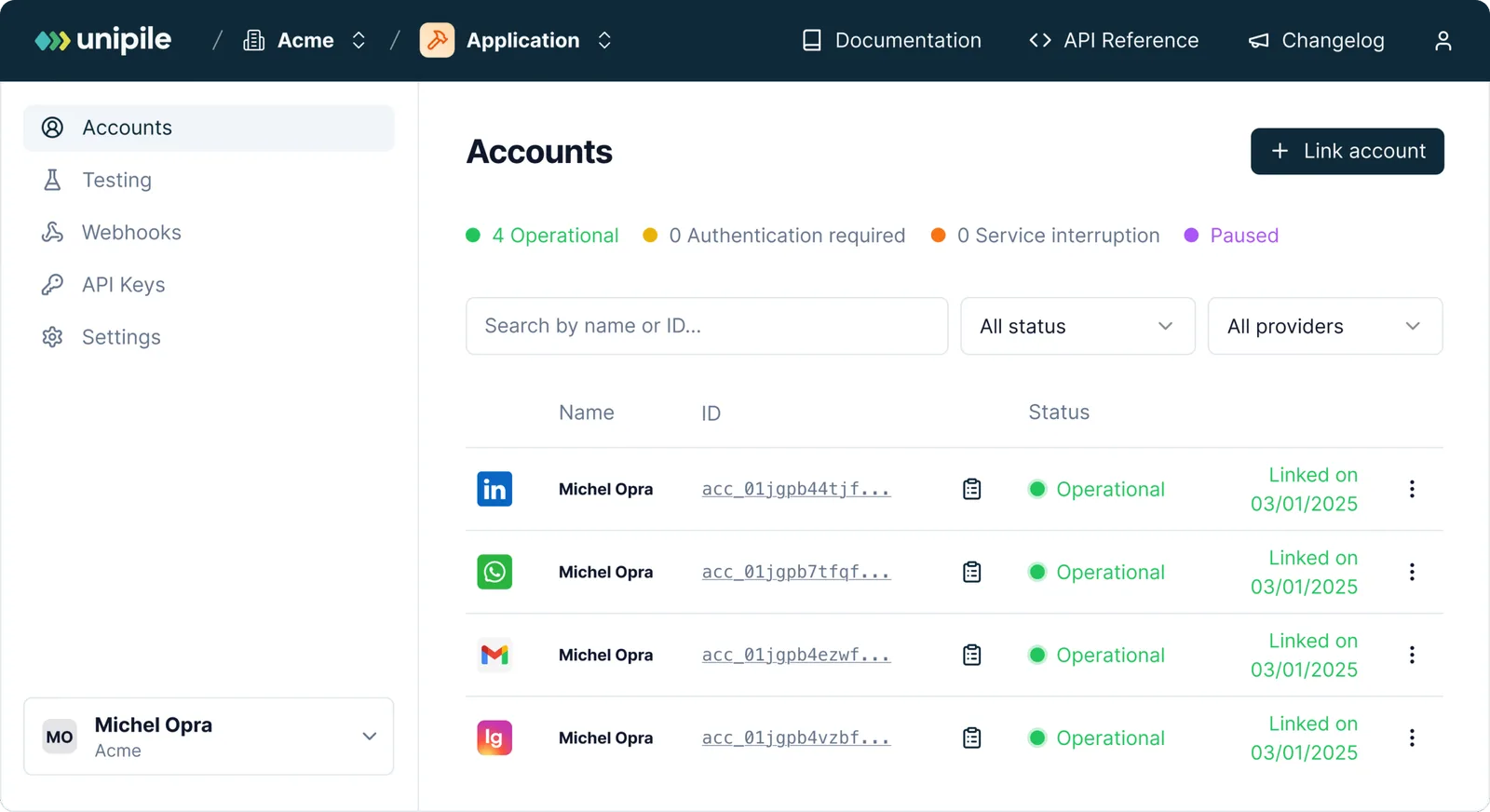
Connect an Instagram Account Using Unipile
To authenticate an Instagram account, users need to provide their Instagram username and password directly. Currently, login through Facebook credentials is not supported for this flow.
How to Authenticate
Use a POST request to Unipile’s API to connect the account. This can also be done via one of the available SDK methods.
curl --request POST
     --url https://{YOUR_DSN}/api/v1/accounts
     --header 'X-API-KEY: {YOUR_ACCESS_TOKEN}'
     --header 'accept: application/json'
     --header 'content-type: application/json'
     --data '
{
  "provider": "INSTAGRAM",
  "username": "unipile",
  "password": "********"
}
'
Managing 2FA Checkpoints
When two-factor authentication is enabled on an Instagram account, Unipile will return a 202 Accepted status with a checkpoint object.
{
  "object": "Checkpoint",
  "account_id": "098dez89d",
  "checkpoint": {
    "type": "2FA"
  }
}
In this case, a new Authentication Intent starts. This intent last 5 minutes and checkpoints must be solved in this time frame.
Completing 2FA Verification
To resolve a two-factor authentication (2FA) challenge, send a POST request to Unipile’s dedicated checkpoint endpoint. Use the account_id received from the initial connection attempt and provide the code sent by Instagram.
curl --request POST
     --url https://{YOUR_DSN}/api/v1/accounts/checkpoint
     --header 'X-API-KEY: {YOUR_ACCESS_TOKEN}'
     --header 'accept: application/json'
     --header 'content-type: application/json'
     --data '
{
  "provider": "INSTAGRAM",
  "account_id": "098dez89d",
  "code": "******"
}
'
Don’t Miss the Timeout Window
Be aware that you only have 5 minutes to complete the 2FA validation process. If this time limit is exceeded, your first attempt will return a 408 Request Timeout, and any further retries will result in a 400 Bad Request, meaning the session has expired and must be restarted from the beginning.
Instagram Features for Your App
curl --request POST
     --url https://{YOUR_DSN}/api/v1/chats/9f9uio56sopa456s/messages
     --header 'X-API-KEY: {YOUR_ACCESS_TOKEN}'
     --header 'accept: application/json'
     --header 'content-type: multipart/form-data'
     --form 'text=Hello world !'
Use the POST /messages route to send text, image, or voice messages via Instagram — directly from your CRM or outreach tool.
Send messages >
curl --request GET
     --url https://api1.unipile.com:13111/api/v1/chats/chat_id/sync
     --header 'accept: application/json'
Pull the entire chat history from any connected Instagram account, keeping your platform always up to date.
Sync History >
Instagram Features


Account connection
Hosted Auth: White label to connect your end users
Custom auth: connect user with credentials, cookies, your chrome extension
Messages
Send & Reply Messages
List Messages, Chats & Attendees
Sync History
List Reactions
Read Receipts
Send Files attachments
Receive Files attachments
Webhooks
Account status
New Message
New Reaction / Read / Event
Integration Support and Resources for Instagram API


Dedicated Assistance During Integration
Our support team is with you every step of the way, before, during, and after integration, to ensure a seamless experience. We’re here to provide real-time assistance, helping you avoid any hiccups and extra costs.
Comprehensive Developer Resources
Our API comes with detailed documentation and sample code to simplify integration. These resources are designed to enhance your application’s capabilities, making the process of sending messages and others smoother and more efficient.
Ongoing Updates and Maintenance
With proactive updates and regular maintenance, our API remains aligned with Instagram’s latest standards and improvements, ensuring consistent performance and minimizing any potential downtime.
FAQs
What data can I access with the Instagram Profile API?
With the Meta Official API, you can retrieve a user’s public bio, profile image, follower count, username, and linked URL. With Unipile, you can sync messaging history, list all chats and send new message.
Is Unipile’s Instagram API DMA compliant?
Yes. Our API is designed in line with the Digital Markets Act (DMA). We only provide interoperability for messaging and do not store or scrape user profiles. Please note that Unipile is not a Meta Partner, and our solution focuses exclusively on secure and compliant messaging use cases.
Are there limits or conditions when using Unipile with Meta platforms?
Yes. Clients must always respect Meta’s Terms of Service. This means avoiding spam, mass automation, or unauthorized scraping. The API should only be used for legitimate messaging scenarios such as customer support, team communication, or user interactions, while acting responsibly and within Meta’s rules.
Can I use this with personal Instagram accounts?
Yes. Unlike the Graph API, Unipile works with both personal and business profiles.
How do I authenticate users securely?
Unipile offers OAuth, hosted login flows, or white-labeled forms with encrypted credentials.
Can I combine Instagram with LinkedIn or Email data?
Absolutely. Unipile is built for multi-channel sync—Instagram, LinkedIn, Gmail, Outlook, WhatsApp, and more.
How fast can I go live with Instagram integration?
Typically in 2 days. Full documentation and SDKs are available on developer.unipile.com.


