
 LinkedIn
 Instagram
 WhatsApp
 Telegram
 Gmail
Gmail Outlook
 Google Calendar
 Join Slack Community
The Outlook REST API provides powerful tools for developers to manage emails into your app. By interacting with various Microsoft services through other APIs, such as Microsoft Graph APIs and OfficeJs, you can access Outlook Mail features and enhance your application’s functionality. Integrating and retrieving emails from the Outlook REST API can automate email handling, improve user interaction, and streamline communication workflows. This guide will walk you through the process, from setting up your API credentials to implementing advanced features like event notifications and API calls.
What is Microsoft Graph API for Outlook
The Outlook API provides developers with access to various features of Outlook, including emails, calendars, contacts, and more. The API is based on REST APIs, making it accessible via standard HTTP requests. It supports a range of operations, from basic CRUD (Create, Read, Update, Delete) actions to complex filtering and searching capabilities. Developers can also integrate Outlook Add-ins to extend the functionality of Outlook, providing enhanced features and tools. When using these APIs, it is recommended to follow best practices to ensure efficiency and security.

What is Microsoft Graph API for Outlook
The Outlook API provides developers with access to various features of Outlook, including emails, calendars, contacts, and more. The API is based on REST, making it accessible via standard HTTP requests. It supports a range of operations, from basic CRUD (Create, Read, Update, Delete) actions to complex filtering and searching capabilities.
Getting Started with Microsoft Graph API
To get started with Microsoft Graph APIs, you need to register your application in the Azure portal. This will provide you with a client ID and client secret, which are required to authenticate your API requests. You can then use the client ID and client secret to obtain an access token, which grants you access to the Microsoft Graph API.
Here are the steps to register your application:
- Go to the Azure portal and sign in with your Azure account.
- Click on “Azure Active Directory” and then click on “App registrations”.
- Click on “New application” and enter a name for your app.
- Select the account types that your app will support.
- Leave the “Redirect URI (optional)” field blank.
- Click on “Register”.
Once you have registered your application, you can use the client ID and client secret to obtain an access token. You can do this by making a POST request to the Microsoft Identity Platform token endpoint. This access token will allow your app to interact with the Microsoft Graph APIs, enabling you to manage emails, access user data, and more.
Retrieve Emails with the Outlook API
Retrieving emails is one of the most common operations when working with the Outlook API. You can fetch all emails or apply filters to get specific ones.
curl --request GET
     --url https://{YOUR_DSN}/api/v1/email
     --header 'X-API-KEY: {YOUR_ACCESS_TOKEN}'
     --header 'accept: application/json'
     --data '
{
  "limit": 10
}'
const response = await client.email.getAllEmails({
  limit: "10"
});
import requests

def get_inbox_emails(access_token):
    headers = {
        'Authorization': f'Bearer {access_token}'
    }
    response = requests.get('https://graph.microsoft.com/v1.0/me/mailFolders/inbox/messages', headers=headers)
    emails = response.json()
    print(emails)

get_inbox_emails('YOUR_ACCESS_TOKEN')
"
});
Top Advantages of Using Microsoft Graph API for Outlook
Send and retrieve emails with the Outlook API to enhance your application’s email management capabilities. This integration offers powerful analytics, seamless synchronization with contact records, and automated email handling to boost productivity.

Outlook Email Analytics
Gain deep insights into your email performance with advanced analytics. Track open rates, click-through rates, and overall engagement to refine your email strategies and enhance communication effectiveness.
Outlook Email Campaign Management
Streamline and optimize your email campaigns for better results. Manage multiple campaigns efficiently, ensuring targeted and timely communication with your audience.
Boost Outlook Email Deliverability
Ensure high deliverability rates across multiple email platforms. With robust deliverability checks, maintain consistent and successful email delivery with Gmail API, Outlook API, and IMAP API.
Outlook Automated Email Handling
Develop automated email handling with the Outlook API to streamline workflows. Features like filtering, categorizing, and auto-responding to mail reduce manual effort and ensure timely responses. This automation boosts productivity and efficiency, allowing your team to focus on more strategic tasks.
Contact Record Synchronization
Our API seamlessly integrates email retrieval with contact records, allowing users to effortlessly access relevant communications associated with specific customers. This streamlined approach enhances user efficiency by providing a consolidated view of interactions directly within the app. By using these features, you can accommodate different scenarios, ensuring that certain keywords within emails are properly categorized and responded to.

Cost Savings with Microsoft Graph API Solutions

Cost-Effective Email Management: Utilize the Microsoft Graph API for efficient and affordable email management, reducing the need for expensive third-party email solutions.
Flexible and Scalable Pricing Models: Benefit from a flexible and scalable pricing model that grows with your business needs, ensuring you only pay for what you use while maintaining optimal performance.
How to List All Folders and Retrieve an Attachment Using Outlook API
Enable your users to manage their emails efficiently by leveraging the powerful features of the Outlook API. This guide will show you how to integrate the functionality to list all folders and retrieve attachments, allowing your users to organize and access their emails seamlessly.
Retrieve a Folder with Outlook API
curl --request GET \
     --url https://api1.unipile.com:13111
     /api/v1/folders/folders_id \
     --header 'accept: application/json'
Enable your users to efficiently organize their emails by using the Outlook API to list all folders. This feature helps developers streamline email management within their applications, providing a structured and easy-to-navigate folder hierarchy.
Retrieve an Attachment with Outlook API
curl --request GET \
     --url https://api1.unipile.com:13111
     /api/v1/emails/email_id/attachments \
     --header 'accept: application/json'
Allow your users to access email attachments seamlessly with the Outlook API. This capability enhances the user experience by enabling quick and reliable retrieval of important documents and files directly from their emails.
Discover All Email API Features
Discover all the potential features available with the Unipile API for comprehensive email synchronization solutions.
Email Features

Account Connection

Hosted Auth: White label email auth
Custom auth: Connect user with credentials
Gmail or Microsoft OAuth: Use your App Oauth screen
Send/Recieve
Send an Email
Reply to an Email
List Emails
Organize
Delete Email
Move Email
List Folders
Get Folder
Webhooks
New Email
Open and Click tracking
Start API Requests with Outlook API
Retrieve Emails from all Providers
Some of the top Email Sync API providers include Google Gmail API: robust features and widespread use, and Microsoft Graph API: integrates with Office 365 and Outlook. The integration of multiple providers is also possible, see our article on how to integrate multiple providers.
Best Practices for Using Microsoft Graph API
Here are some best practices for using Microsoft Graph APIs to ensure your application is secure, efficient, and scalable:
- Use the correct API permissions: Make sure you have the appropriate permissions to access the data you need. You can do this by selecting the correct API permissions when registering your application. This ensures that your app has the necessary access without over-permissioning.
- Use a secure redirect URI: When registering your application, make sure to use a secure redirect URI. This helps prevent unauthorized access to your application and protects user data.
- Handle errors correctly: Make sure to handle errors correctly when making API requests. Implement robust error handling to prevent your application from crashing or becoming unresponsive.
- Use caching: Use caching to reduce the number of API requests you make. This will help improve the performance of your application by minimizing latency and reducing server load.
- Monitor your API usage: Regularly monitor your API usage to ensure you are not exceeding the limits set by Microsoft. This helps maintain optimal performance and prevents service interruptions.
Additionally, it is important to avoid excessive API calls that might lead to throttling. Understanding the requirements and privacy policies of Microsoft ensures compliance and prevents unexpected changes in service availability.
Troubleshooting Common Issues
Here are some common issues you may encounter when using Microsoft Graph APIs and how to resolve them:
- Authentication errors: Ensure you have the correct client ID and client secret. Verify that you are using the correct authentication method and that your credentials are valid.
- API permission errors: Double-check that you have the appropriate API permissions to access the data you need. Adjust your permissions in the Azure portal if necessary.
- Rate limiting errors: Make sure you are not exceeding the rate limits set by Microsoft. Implement rate limiting in your application to handle these errors gracefully and retry requests as needed.
- Data errors: Handle data errors correctly by validating the data you receive and implementing error handling mechanisms. This will help prevent your application from crashing or becoming unresponsive.
Learn about IMAP API
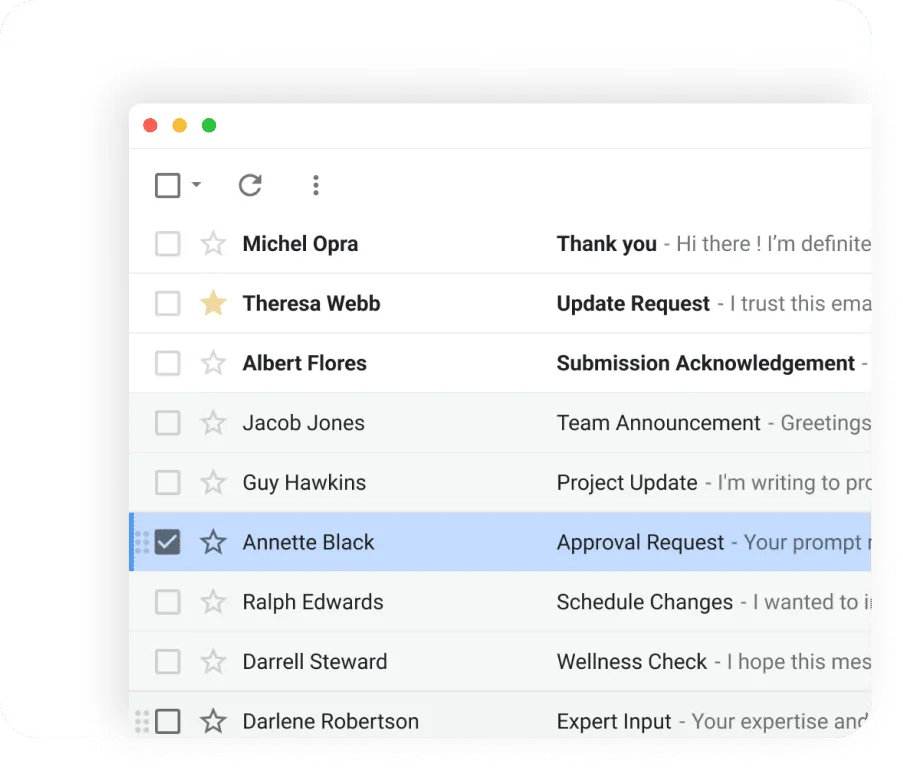
Enable your users to efficiently manage their emails by leveraging the IMAP API. This protocol allows for comprehensive folder management and seamless attachment retrieval, enhancing email organization and access within your application.
Discover Gmail API

Empower your users with advanced email features by integrating the Gmail API. This API provides capabilities to list all folders and retrieve attachments effortlessly, ensuring a smooth and efficient email management experience for your users.
Integrate Outlook Emails into Your App Quickly and Easily


Assistance
Our support team is with you throughout the API integration process—before, during, and after. We guarantee a smooth integration without additional charges, streamlining your setup for optimal efficiency.
Live Technical Support
Access our live technical support at any stage of integration. Our experts are here to help you overcome any challenges, ensuring a smooth transition without hidden costs.
Maintenance and Updates
Keep your systems up-to-date with regular updates and proactive maintenance. Our Email Sync API is continuously improved to ensure flawless performance and minimal downtime.
Conclusion
When developing with APIs, understanding the details of authentication, permissions, and data handling is crucial. Developers must write clean and efficient code to interact with various objects within Outlook, ensuring smooth integration. It is essential to refer to official documentation to avoid unnecessary errors and complications. Additionally, the ability to manipulate data securely is critical when dealing with sensitive information. As features evolve, staying updated on the latest watch notices and deprecated functionalities can prevent disruptions. Every person involved in development should understand the requirements and the specific type of API calls needed for optimal performance over time.
FAQs
What are the steps to set up API credentials for Outlook?
To set up API credentials for Outlook, you need to:
- Log in to the Microsoft Azure portal.
- Register a new application in the Microsoft Entra ID (previously Azure Active Directory) service.
- Specify the Redirect URI and API permissions.
- Create OAuth credentials.
- Configure your application to use these credentials.
- Optionally, become a verified publisher and verify your domain.
How do I list all folders and retrieve an attachment using the Outlook API?
To list all folders, make a GET request to the folder listing endpoint. To retrieve an attachment, make a GET request to the attachment retrieval endpoint. These features help users organize their emails efficiently and access important documents directly from their emails.
Can I integrate the Outlook API with other email providers like Gmail and IMAP?
Yes, you can integrate the Outlook API with other email providers such as Gmail and IMAP. This allows for comprehensive email synchronization solutions, enabling you to manage emails from multiple providers within a single application.
How can I use Outlook Email Analytics to enhance my email strategies?
Outlook Email Analytics provides insights into email performance metrics such as open rates, click-through rates, and overall engagement. These analytics help you refine your email strategies, tailor content to your audience, and improve communication effectiveness.
What features does the Outlook API offer for email campaign management?
The Outlook API allows you to streamline and optimize your email campaigns. You can manage multiple campaigns efficiently, ensuring targeted and timely communication with your audience. Features include sending emails, tracking performance, and managing recipient lists.
How does the Outlook API improve email deliverability?
The Outlook API includes robust deliverability checks to ensure high deliverability rates across multiple email platforms like Gmail, Outlook, and IMAP. This ensures consistent and successful email delivery, improving overall email performance.


