
 LinkedIn
 WhatsApp
 Telegram
 Gmail
Gmail Outlook
 Google Calendar
 Join Slack Community
DMA
Our solution is built in line with the Digital Markets Act (DMA). User profiles are never stored or scraped, and our API focuses exclusively on enabling messaging interoperability. Clients are expected to comply with the terms of each provider.
Introduction
What is Instagram Inbox API?
Overview and Limitations
Unipile Unified API
Instagram API Integration
Unipile vs Meta APIs
Integrate Instagram API with Unipile
Instagram API Endpoints
Instagram API Features
Uses Cases For Software Editors
Integration Support and Resources
FAQs
Understanding Instagram Inbox API
Looking to add Instagram messaging directly into your software? Here’s a practical guide that shows how software editors can unlock Instagram’s inbox through Unipile’s Instagram API, with real-time sync, fast setup, and zero hassle.
Please note that Unipile is not a Meta Partner, and all usage must respect Meta’s rules.
What is Instagram Inbox API?

The Instagram Inbox API lets your application send and receive DMs, giving your users seamless access to real-time conversations inside your software. While Meta offers limited access, Unipile makes full inbox integration easy and secure, even without official partnership?

A Quick Overview of the API Capabilities
The Instagram Inbox API (part of the Instagram Graph API) allows software to:
-
-
Retrieve and send direct messages
-
Manage message threads
-
Handle media (images, videos, audio)
-
Listen to message-related webhooks
-
Official Limitations and Access Constraints from Meta
Meta restricts access to:
-
Only Instagram Business accounts
-
Pages with 1K+ followers (as of latest policy)
-
Pre-approved apps in their partner program
How Unipile Bridges the Gaps with Its Unified API
Unipile replicates user interactions via secure headless automation. This enables full inbox access without requiring public API credentials or official Meta partnership. And it works across Instagram, LinkedIn, WhatsApp, Telegram, Email, Calendar, and more.
Why Native Access to Instagram Messaging Is Difficult
Meta’s Partner Gatekeeping and Feature Restrictions
Instagram messaging is not part of the public Graph API. Accessing inbox features requires applying for special permissions through the Messenger API for Instagram.
This involves:
- Justifying your business use case
- Going through app reviews
- Handling OAuth + permissions
The Complexity of OAuth, Rate Limits, and Permissions
Even approved apps face:
- OAuth token expiration
- Strict rate limits (especially for message sends)
- App-scoped IDs that change per session
The Tradeoffs of DIY or Reverse Engineered Solutions
Reverse engineering is:
- Time-consuming
- Fragile (breaks with UI updates)
- Risky in production
With Unipile, these risks are removed: no scraping, no brittle hacks.
How Unipile Simplifies Instagram Inbox Integration

Hosted Auth, Secure Login, and Account Linking
Unipile allows white-label hosted login flows. Your users authenticate their Instagram accounts through a secure link. No credentials are stored on your end.
Real-time Sync of Messages, Threads, Attachments
Once connected, Unipile syncs:
- Complete chat history
- Ongoing message threads
- Attachments (images, videos, stickers)
Everything is accessible through a clean RESTful API.
Developer-Ready: SDKs, Webhooks, and Docs
Unipile’s developer experience is top-tier:
- Node.js and PHP SDKs
- Interactive documentation
- Webhooks for new messages, reactions, and status changes
Integration takes hours, not weeks.
Comparing Solutions: Why Unipile Stands Out
When considering Instagram messaging integration, developers often face a choice between navigating Meta’s complex ecosystem or opting for a more streamlined alternative. Below is a detailed comparison that highlights the practical tradeoffs between Meta’s official APIs and Unipile’s unified solution. From integration speed to support, this breakdown helps you understand why more and more software editors are choosing Unipile as their go-to API provider.
| Criteria | Meta APIs | Unipile |
|---|---|---|
| Time to integrate | Weeks or months | 2–3 days |
| Dev effort | High | Low (REST + SDKs) |
| Maintenance | Manual | Fully managed |
| Access to features | Partial (after approval) | Full, instantly |
| Support | Self-service only | Dedicated tech team |
This table shows how Unipile reduces complexity and accelerates go-to-market. You keep your team focused on your core product, not integrations.
| Criteria | Meta APIs | Unipile |
|---|---|---|
| Time to integrate | Weeks/months | 2–3 days |
| Dev effort | High | Low (REST + SDKs) |
| Maintenance | Manual | Fully managed |
| Access to features | Partial (after approval) | Full, now |
| Support | Self-service only | Dedicated tech team |
Instant Deployment: From Zero to Integration in Few Days
No need to spend weeks building or navigating endless approval loops. With Unipile, most software editors can go from sandbox to production in under 48 hours, thanks to simple account linking, guided documentation, and dedicated developer support.
Sign Up to Unipile

Log to Dashboard
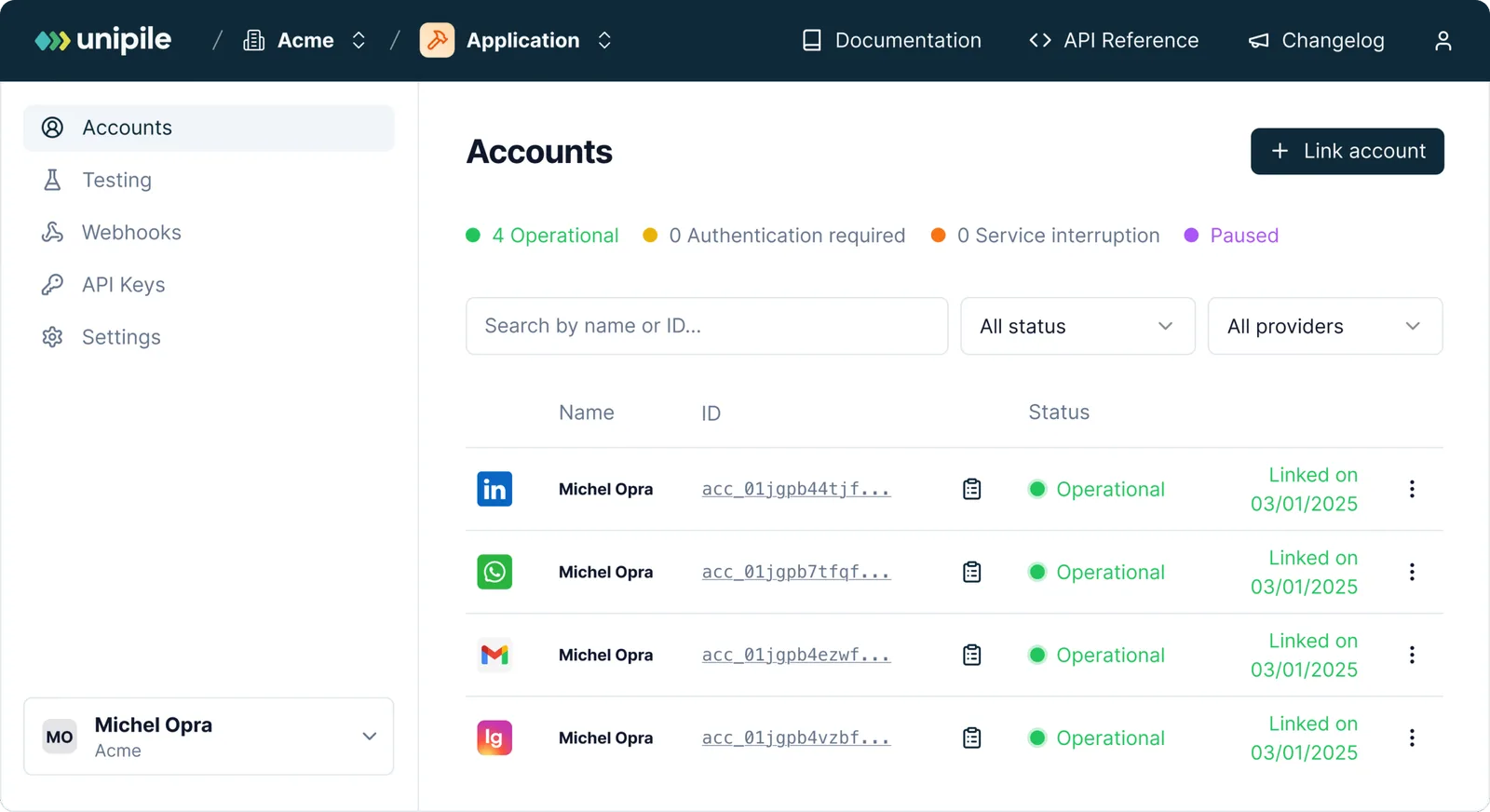
Access your workspace and manage your connected accounts.
Retrieving your Instagram credentials
To perform an authentication for Instagram, a user need its INSTAGRAM username and password. Authentication via Facebook credentials is not supported at the moment.
Authentication
Make a POST request to this Unipile API endpoint or use the appropriate SDK Method.
curl --request POST
     --url https://{YOUR_DSN}/api/v1/accounts
     --header 'X-API-KEY: {YOUR_ACCESS_TOKEN}'
     --header 'accept: application/json'
     --header 'content-type: application/json'
     --data '
{
  "provider": "INSTAGRAM",
  "username": "unipile",
  "password": "********"
}
'
Handle 2FA checkpoint
If an Instagram account has the two-factor authentication activated, you will encounter a checkpoint through a 202 status. Here’s an example of a checkpoint response.
{
  "object": "Checkpoint",
  "account_id": "098dez89d",
  "checkpoint": {
    "type": "2FA"
  }
}
In this case, a new Authentication Intent starts. This intent last 5 minutes and checkpoints must be solved in this time frame.
Solve 2FA checkpoint
To solve the 2FA checkpoint, make a POST request to the Unipile API using the Solve checkpoint endpoint or use an SDK Method by giving the account_id returned by the first request.
curl --request POST
     --url https://{YOUR_DSN}/api/v1/accounts/checkpoint
     --header 'X-API-KEY: {YOUR_ACCESS_TOKEN}'
     --header 'accept: application/json'
     --header 'content-type: application/json'
     --data '
{
  "provider": "INSTAGRAM",
  "account_id": "098dez89d",
  "code": "******"
}
'
Handle Intent Timeout
If the user takes more than 5 minutes to solve the checkpoint, the account will not be connected. Any subsequent request to solve a checkpoint outside a 5 minutes time frame will first respond a 408 – Request Timeout, then a 400 – Bad Request as the Authentication Intent will self destroy.
Using API Endpoints for Messaging and Profile Management
Example actions available via API:
🟢 Send a direct message: /api/v1/messages
🟢 List recent conversations
Full reference available in the Unipile developer docs
Instagram Inbox API and More Endpoints
Instagram Features


Account connection
Hosted Auth: White label to connect your end users
Custom auth: connect user with credentials, cookies, your chrome extension
Messages
Send & Reply Messages
List Messages, Chats & Attendees
Sync History
List Reactions
Read Receipts
Send Files attachments
Receive Files attachments
Webhooks
Account status
New Message
New Reaction / Read / Event
Multi-Channel Messaging and Email Synergy
Unipile doesn’t just offer Instagram API integration, it brings your users a complete communication hub. By connecting Instagram messaging with other essential channels like email and calendar, Unipile helps you deliver truly unified workflows.
Whether your users are recruiters managing candidate outreach or sales teams handling lead follow-ups, syncing Instagram DMs with email threads and calendar events creates fluid, context-rich interactions across the customer journey.
This cross-channel synergy means fewer missed messages, smarter automations, and more personalized engagements—without ever switching apps.

Key Features of Unipile’s Instagram Inbox API

curl --request GET
     --url https://api1.unipile.com:13111/api/v1/chats
     --header 'accept: application/json'
List All Chats via API
Need a quick snapshot of all conversations happening on Instagram? This endpoint lets you retrieve a full list of chat threads associated with your connected Instagram accounts. Whether you’re building a CRM timeline or supporting outreach analytics, this route helps centralize communication data effortlessly.
Build Automated Sequences Powered by the Instagram Inbox API
Instagram messaging can go beyond one-off replies when integrated into your product. By using the Messaging API, you can create tailored sequences that guide conversations step by step. A first message might confirm interest, a second could share more details, and a third can escalate the thread to the right teammate.
These scenarios give your users the ability to plan their outreach or support workflows in advance, while keeping every exchange inside your CRM or ATS. The result is a more predictable communication process that saves time, reduces missed opportunities, and ensures a smoother experience for both teams and end users.
Use Cases for Software Editors
CRM: Centralized DMs, Prospect Tagging, Message Templates
Enable agents to reply to leads via IG DMs directly in the CRM
Add labels or tags to contacts based on DM content
Trigger follow-ups with message templates
ATS: Candidate Engagement with IG Messaging History
Display candidate interactions via Instagram in the candidate record
Sync replies and initiate messages in-app
Useful for industries where talent outreach happens on social
Outreach Tools: Sequence Automation via DM Triggers
Build multi-step campaigns with Instagram DMs as one of the steps
Trigger sequences based on replies, reactions, or opens
Monitor inboxes for unread messages across accounts
Conclusion: The Fast Lane to Instagram Messaging Integration
The demand for integrated, multi-channel communication is higher than ever, especially in sales, recruiting, and customer engagement tools. Instagram DMs are a vital part of that ecosystem. But integrating them shouldn’t be a struggle.
With Unipile’s Instagram Inbox API, software editors gain immediate access to real-time messaging features without dealing with Meta’s limitations or API bottlenecks. Whether you’re launching a CRM, building an outreach tool, or enhancing an ATS, Unipile’s unified API gives you the flexibility to go to market faster, with less dev effort and more impact.
From syncing inboxes to powering sequences, Unipile isn’t just an integration layer—it’s your backend messaging infrastructure.
Ready to start? Build now with Unipile and unlock the full power of Instagram, LinkedIn, Email, and more!
Integration Support and Resources for Instagram Inbox API


Dedicated Assistance During Integration
Our support team is with you every step of the way—before, during, and after integration—to ensure a seamless experience. We’re here to provide real-time assistance, helping you avoid any hiccups and extra costs.
Comprehensive Developer Resources
Our API comes with detailed documentation and sample code to simplify integration. These resources are designed to enhance your application’s capabilities, making the process of sending Messages and other smoother and more efficient.
Ongoing Updates and Maintenance
With proactive updates and regular maintenance, our API remains aligned with Instagram’s latest standards and improvements, ensuring consistent performance and minimizing any potential downtime.
FAQs
What is the Instagram Inbox API?
It’s a way for applications to send, receive, and manage Instagram direct messages via API.
Can I send and receive messages from Instagram via API?
Yes, with Unipile’s unified API, you can send, receive, and sync entire message histories.
How do I authenticate Instagram accounts?
Unipile provides a secure hosted login URL for users to authenticate without storing credentials.
Is Unipile’s Instagram API DMA compliant?
Yes. Our API is designed in line with the Digital Markets Act (DMA). We only provide interoperability for messaging and do not store or scrape user profiles. Please note that Unipile is not a Meta Partner, and our solution focuses exclusively on secure and compliant messaging use cases.
Are there limits or conditions when using Unipile with Meta platforms?
Yes. Clients must always respect Meta’s Terms of Service. This means avoiding spam, mass automation, or unauthorized scraping. The API should only be used for legitimate messaging scenarios such as customer support, team communication, or user interactions, while acting responsibly and within Meta’s rules.
Can I connect multiple Instagram accounts with one API?
Yes. Unipile supports unlimited account connections per user, all linked via tokenized access.
How long does it take to integrate Unipile’s Instagram Inbox API?
Most software editors go live within 2 business days.


