
 LinkedIn
 Instagram
 WhatsApp
 Telegram
 Gmail
Gmail Outlook
 Google Calendar
 Join Slack Community
Introduction to Gmail Data Extraction API

The Gmail Data Extraction API is a part of Google’s extensive API offerings, allowing developers to programmatically access and manage Gmail messages, attachments, metadata, and more. This API plays a critical role in building robust applications across various domains, including ATS, CRM platforms, iPaaS solutions, and outreach tools.
What You Can Extract with the Gmail Data Extraction API
The Gmail Data Extraction API provides developers with a comprehensive toolset to access and manage various types of email data, essential for enhancing software functionality.

List Email and Metadata
The API enables the extraction of email content and metadata, such as sender information, subject lines, and timestamps. These features are key for processing specific emails or analyzing communication trends.

List All Gmail Labels
Developers can use the API to create, delete, and manage Gmail labels, helping to organize and prioritize emails based on custom criteria.

Extracting Attachments
You can also extract attachments from emails, allowing applications to automatically download and handle files like documents, images, and other important assets.
Top Benefits of Using Unipile’s Gmail Data Extraction API
The Gmail Data Extraction API provides developers with a comprehensive toolset to access and manage various types of email data, essential for enhancing software functionality.

Track Performance with In-Depth Analytics
Unipile’s Gmail API offers comprehensive analytics, allowing you to track email request performance in real-time. With detailed metrics such as total requests and growth rates, you can monitor your Gmail data extraction activity and optimize your processes based on data-driven insights.
Extract Data into Contact Profiles
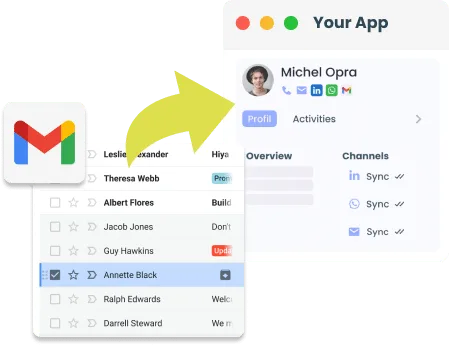
Unipile’s Gmail API enables direct data extraction into your software’s contact profiles. Automatically sync emails, labels, and other essential data with your contact management system, ensuring that all relevant information is up-to-date and easily accessible for your team.

Development with Cost-Efficient Flexibility
Leverage Unipile’s flexible and scalable Gmail API to speed up development while keeping costs low. The API’s adaptability allows for quick integration into various applications, enabling you to launch new features faster without overextending your budget.
Gmail’s API Structure for Data Extraction
To effectively utilize the Gmail Data Extraction API, it’s essential to understand its underlying structure and how it interacts with Gmail’s core services.
curl --request GET
     --url https://{YOUR_DSN}/api/v1/email
     --header 'X-API-KEY: {YOUR_ACCESS_TOKEN}'
     --header 'accept: application/json'
     --data '
{
  "limit": 10
}'
const response = await client.email.getAllEmails({
  limit: "10"
});
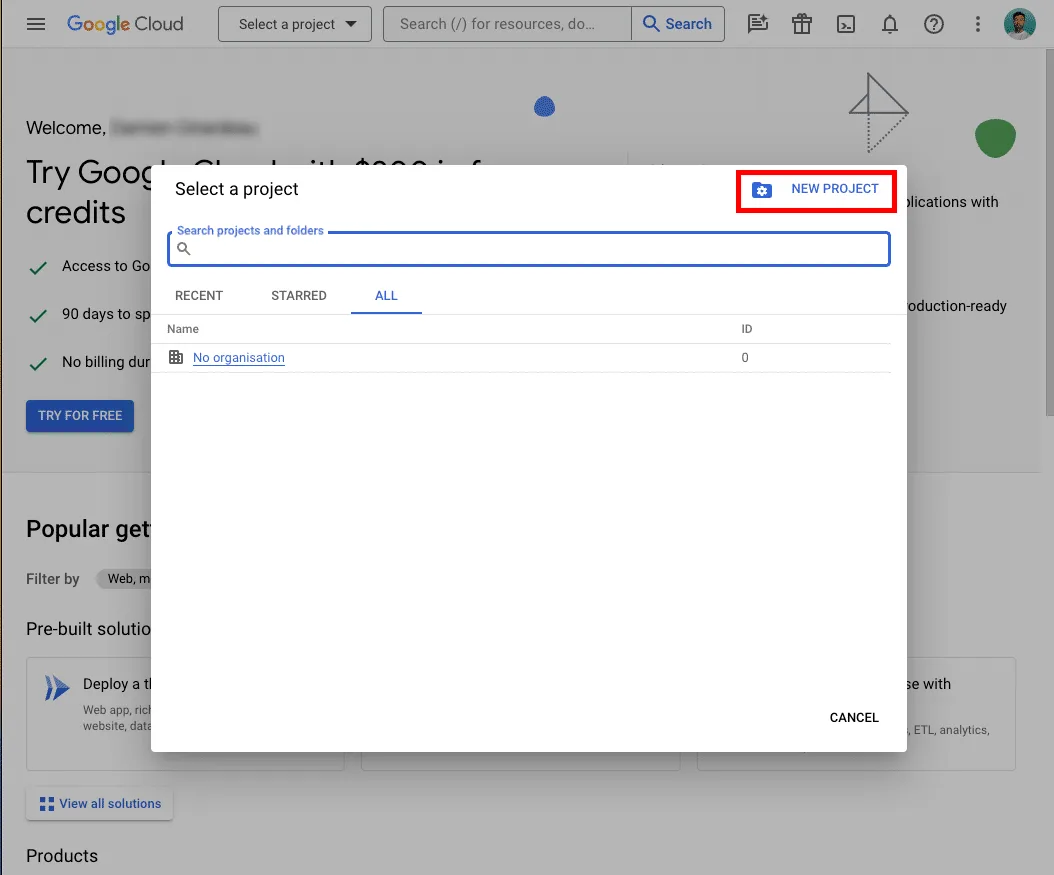
1. Create a New Google Cloud Project
To use the Gmail API, you need to set up a Google Cloud project:
Go to the Google Cloud Console.
Create a new project.
Enable the Gmail API for your project.
2. Create OAuth 2.0 Credentials
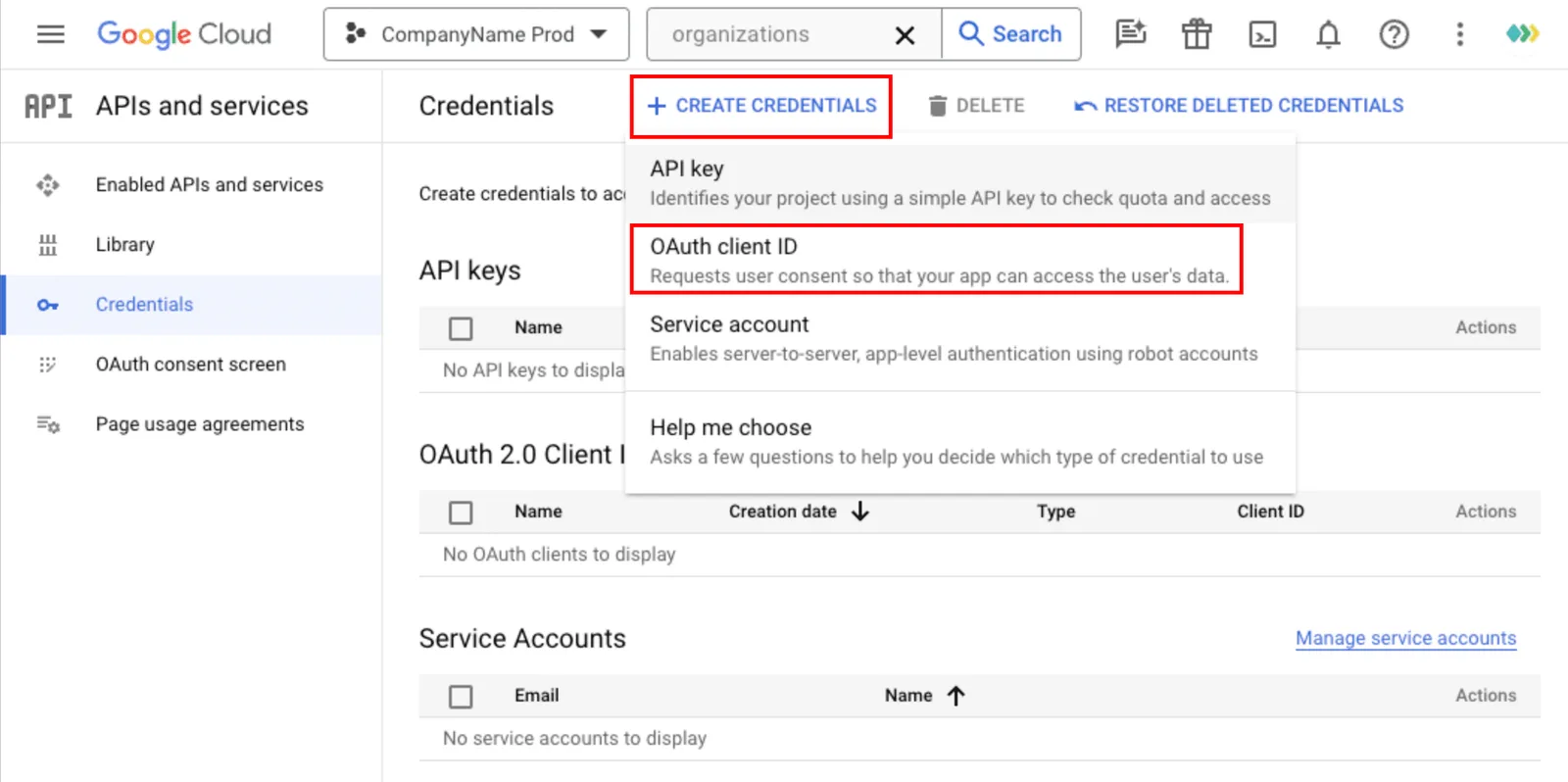
With the Gmail API enabled, the next step is to create the necessary OAuth 2.0 credentials to authenticate and authorize your application. Go to the “APIs & Services” section of your Google Cloud Console and select “Credentials” from the left-hand menu. Click on “CREATE CREDENTIALS” and choose “OAuth client ID” from the dropdown menu, as shown in the image. This will prompt you to configure your OAuth consent screen and specify the application type, which is crucial for securing access to user data.
3. Enable the Gmail API
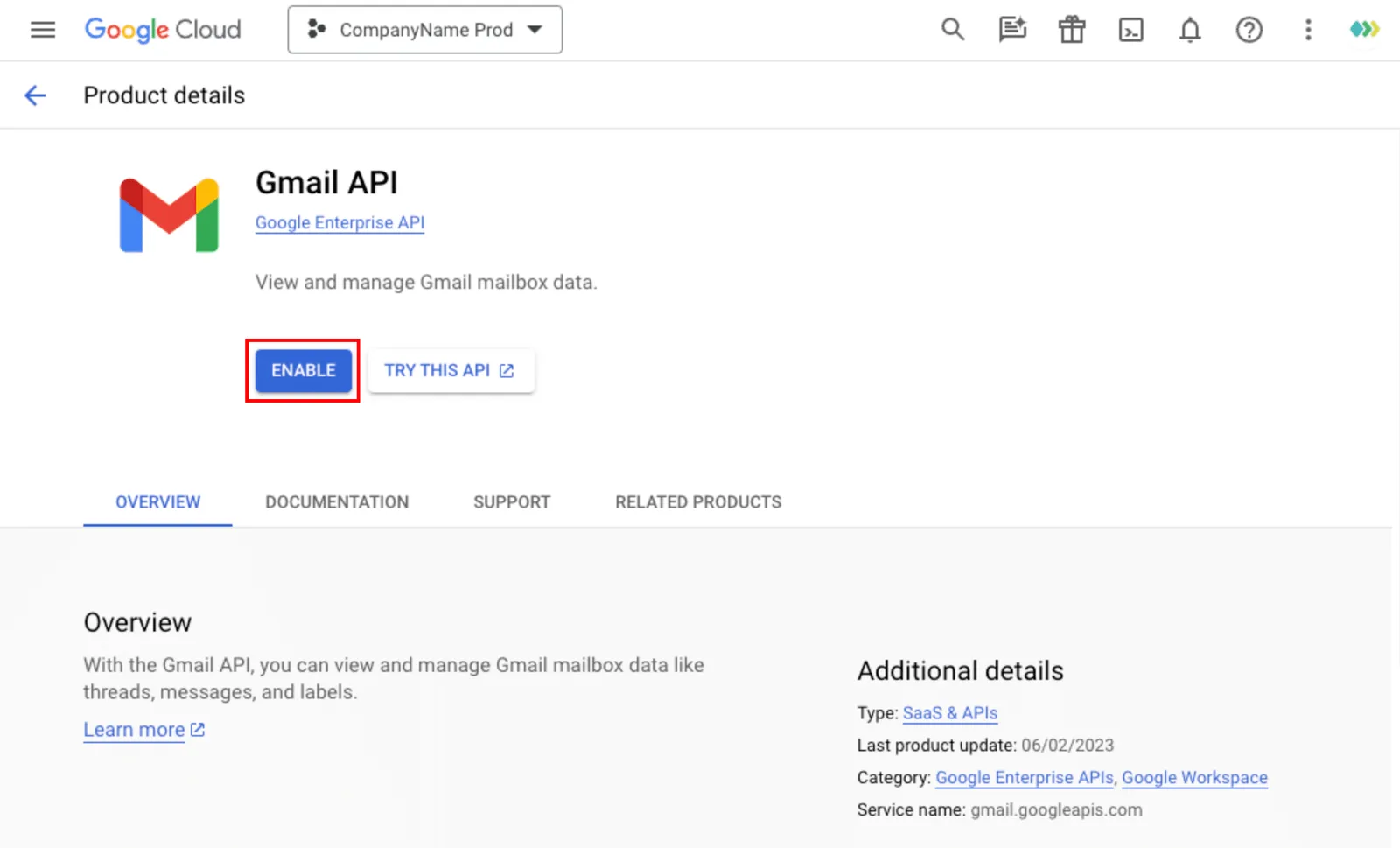
Once your new project is created, you need to enable the Gmail API for this project. Navigate to the API Library within the Google Cloud Console, and search for “Gmail API.” Click on it to open the API details page. As depicted in the image, click the “ENABLE” button to activate the Gmail API for your project. This step is essential to allow your application to access Gmail data.
4. Authenticate via Unipile
Connect the Gmail API to your application using Unipile by completing the OAuth 2.0 authentication process. Set up the OAuth consent screen, get your client ID and secret, and integrate them into Unipile. Once users grant access, Unipile will securely manage Gmail data extraction for your application.
Discover All Email API Features
Discover all the potential features available with the Unipile API for comprehensive email synchronization solutions.
Email Features
|
|
|
|
|
|---|---|---|---|
| Account connection | |||
| Hosted Auth: White label email auth |  |
|
|
| Custom auth: Connect user with credentials | |
||
| Gmail or Microsoft OAuth: Use your App Oauth screen | |
|
|
| Send/Receive | |||
| Send & Reply Email | |
|
|
| List Emails | |
|
|
| Organize | |||
| Delete Email | |
|
|
| Move Email | |
|
|
| List Folders | |
|
|
| Get Folder | |
|
|
| Webhooks | |||
| New Email | |
|
|
| Open and Click tracking | |
|
|

Gmail
| Features |
Gmail
|
|---|---|
| Account connection | |
| Hosted Auth: White label email auth | |
| Custom auth: Connect user with credentials | |
| OAuth: Use your App Oauth screen | |
| Send/Receive | |
| Send & Reply Email | |
| List Emails | |
| Organize | |
| Delete Email | |
| Move Email | |
| List Folder | |
| Get Folder | |
| Webhooks | |
| New Email | |
| Open and click tracking | |
Outlook
| Features |
Outlook
|
|---|---|
| Account connection | |
| Hosted Auth: White label email auth | |
| Custom auth: Connect user with credentials | |
| OAuth: Use your App Oauth screen | |
| Send/Receive | |
| Send & Reply Email | |
| List Emails | |
| Organize | |
| Delete Email | |
| Move Email | |
| List Folder | |
| Get Folder | |
| Webhooks | |
| New Email | |
| Open and click tracking | |
IMAP
| Features |
IMAP
|
|---|---|
| Account connection | |
| Hosted Auth: White label email auth | |
| Custom auth: Connect user with credentials |  |
| Credentials | |
| Send/Receive | |
| Send & Reply Email | |
| List Emails | |
| Organize | |
| Delete Email | |
| Move Email | |
| List Folder | |
| Get Folder | |
| Webhooks | |
| New Email | |
| Open and click tracking | |
Outlook and IMAP API Solutions
Enhance your software’s functionality by integrating Unipile’s Outlook and IMAP APIs, enabling seamless access, management, and synchronization of emails across different platforms and providers.
Outlook API Integration
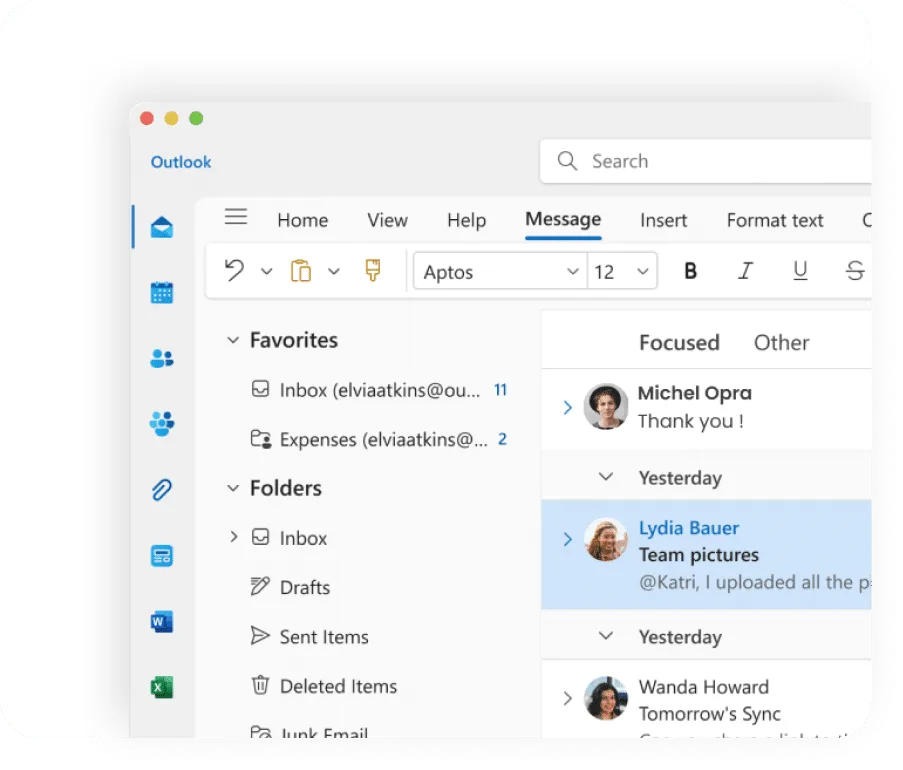
Unipile’s Outlook API allows you to easily access and manage Outlook emails, calendars, and contacts, enhancing your software’s data handling capabilities.
IMAP API Integration
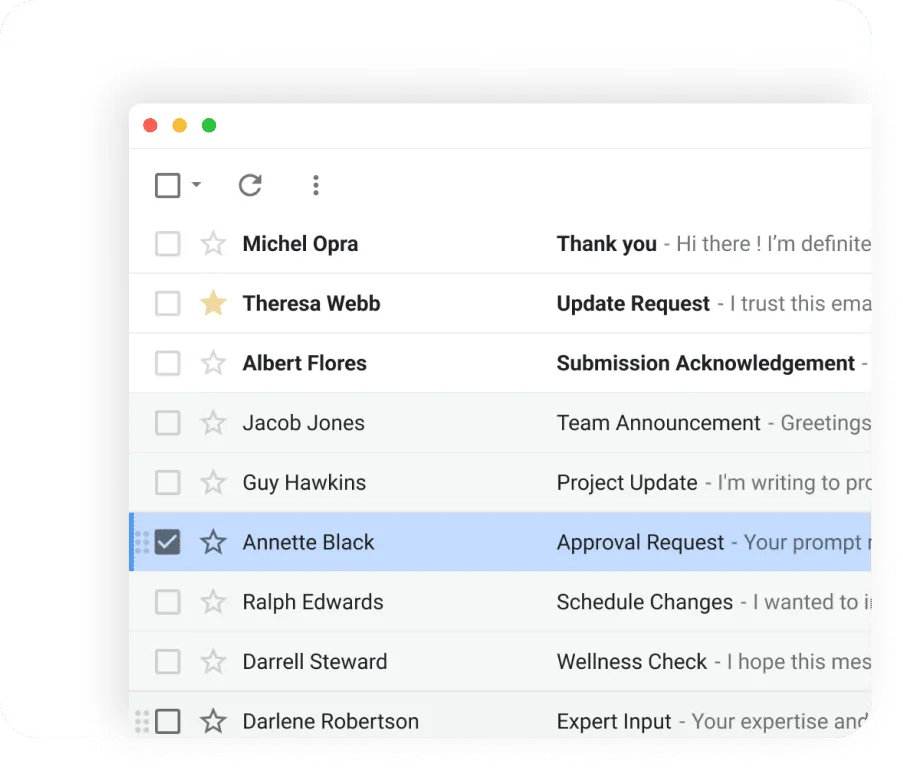
With the IMAP API, you can access, retrieve, and organize emails from multiple providers, offering versatile email management for your application.
Integrate Emails into Your App with Comprehensive Support


Assistance
Our support team is with you throughout the entire API integration journey—before, during, and after deployment. We ensure a seamless setup without extra charges, optimizing your process for maximum efficiency.
Live Technical Support
Get access to our real-time technical support at any integration stage. Our experts are ready to resolve challenges swiftly, guaranteeing a smooth transition without unexpected fees.
Maintenance and Updates
Keep your system current with regular updates and proactive maintenance. Our Email Sync API is continuously enhanced to ensure top performance and minimize downtime.
FAQs
What is the Gmail Data Extraction API?
The Gmail Data Extraction API allows developers to programmatically access and manage Gmail data, such as messages, attachments, and metadata, to enhance their software applications.
How can I use the Gmail Data Extraction API to improve my ATS or CRM platform?
You can integrate the API to automate email parsing, extract attachments, and sync emails with candidate or customer profiles, improving data accuracy and efficiency in ATS and CRM systems.
What types of data can I extract using the Gmail API?
The Gmail API enables you to extract various data types, including email content, metadata (like sender information and timestamps), labels, and attachments, providing a comprehensive view of email communications.
How do I authenticate my application to use the Gmail Data Extraction API?
To authenticate, you must create OAuth 2.0 credentials in your Google Cloud project, set up the OAuth consent screen, and integrate the credentials into your application, allowing secure access to Gmail data.
What are the benefits of using Unipile's Gmail Data Extraction API?
Unipile’s API offers real-time analytics, easy data integration into contact profiles, and a flexible, cost-effective solution that speeds up development and scales with your software needs.
Can I also integrate Outlook and IMAP with Unipile's API?
Yes, Unipile’s API supports integration with both Outlook and IMAP, allowing you to manage emails across multiple platforms and synchronize data seamlessly within your application.


