
 LinkedIn
 Instagram
 Telegram
 Gmail
Gmail Outlook
 Google Calendar
 Join Slack Community
DMA
Our solution is built in line with the Digital Markets Act (DMA). User profiles are never stored or scraped, and our API focuses exclusively on enabling messaging interoperability. Clients are expected to comply with the terms of each provider.
When you explore the WhatsApp API documentation, it quickly becomes clear that integrating WhatsApp messaging is more than connecting a chat channel. For CRM, ATS, or outreach software, WhatsApp is a direct path to user engagement, conversions, and real-time communication.
However, Meta’s official documentation can be complex. Between approval steps, rate limits, and message templates, developers often spend weeks just reaching production. This guide breaks down how WhatsApp API works and how Unipile makes the process radically simpler through a unified, ready-to-use API layer.
What the WhatsApp API Documentation Really Covers
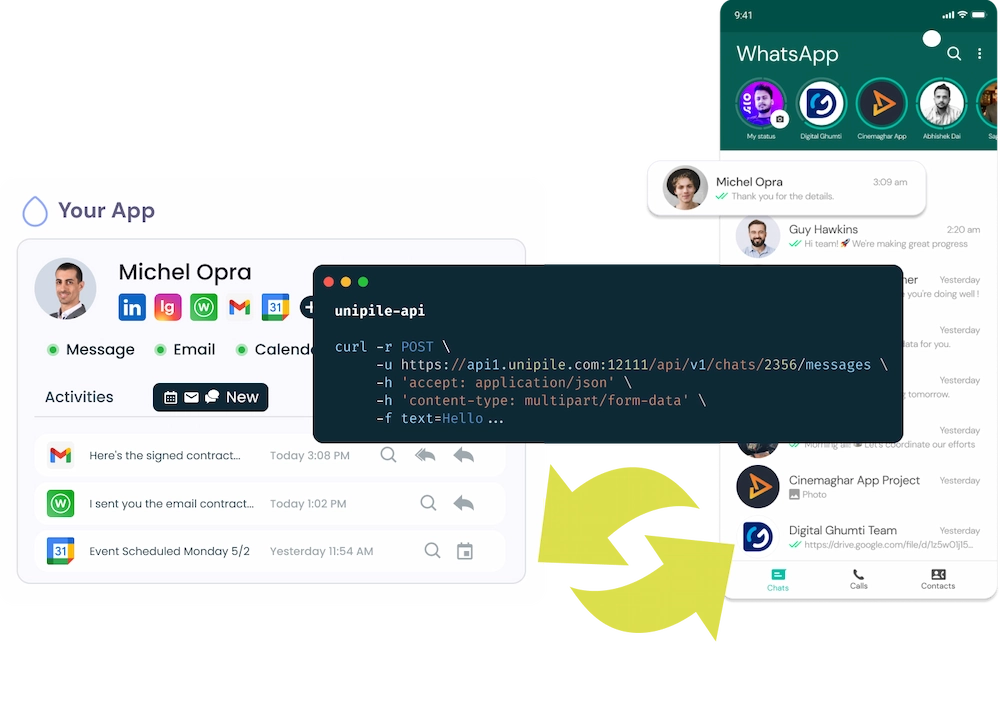
The WhatsApp API documentation is the official technical guide provided by Meta for developers who want to integrate WhatsApp messaging into their software.
It explains how to authenticate users, send and receive messages, manage webhooks, and automate communication with customers. However, this documentation mainly targets approved partners and large companies. It requires compliance with Meta’s rules, message template approval, and infrastructure setup, making it complex for SaaS editors who want a fast, scalable, and flexible integration.
What the WhatsApp API Documentation Really Covers
The official WhatsApp API documentation from Meta provides two main implementation paths—each with its own limitations and requirements:
WhatsApp Business API (Self-Hosted)
Installed on your own servers or via a Business Solution Provider (BSP). It gives full data control but requires infrastructure setup, hosting, and maintenance.
WhatsApp Cloud API
A Meta-hosted version that simplifies the setup. It removes server hosting but still imposes onboarding rules, message template approvals, and rate limits.
Both options are designed for large companies and approved partners, not fast-moving SaaS editors.
The Main Challenges in WhatsApp API Integration
Reading the documentation, you’ll notice recurring friction points for developers and product teams:
-
Onboarding complexity: Business verification, message template review, and waiting periods before activation.
-
Limited access: Only approved accounts can send automated messages.
-
24-hour window rule: Conversations must follow strict timing guidelines.
-
Lack of flexibility: Integration with other channels (email, LinkedIn, Telegram) requires additional systems and tokens.
For software vendors building CRMs, ATS, or automation tools, these constraints can slow down deployment and increase maintenance costs.
Unipile’s Alternative to Meta’s WhatsApp API Documentation
Unipile reimagines the WhatsApp integration experience. Instead of following Meta’s heavy onboarding flow, our API connects WhatsApp App and WhatsApp Business App directly through a secure QR code authentication.
This means:
-
No Meta approval.
-
No message template restrictions.
-
No infrastructure management.
Your users link their accounts in seconds, and your software gains full access to messaging, attachments, voice notes, and groups—all synced in real time.
Connect WhatsApp in Seconds with Unipile
Forget complex onboarding or Meta approvals, with Unipile, integrating WhatsApp into your software takes just a few clicks. Your users simply scan a QR code to connect either WhatsApp Classic or WhatsApp Business, and messages start syncing instantly inside your app. One unified API, zero infrastructure, and real-time communication ready to go.
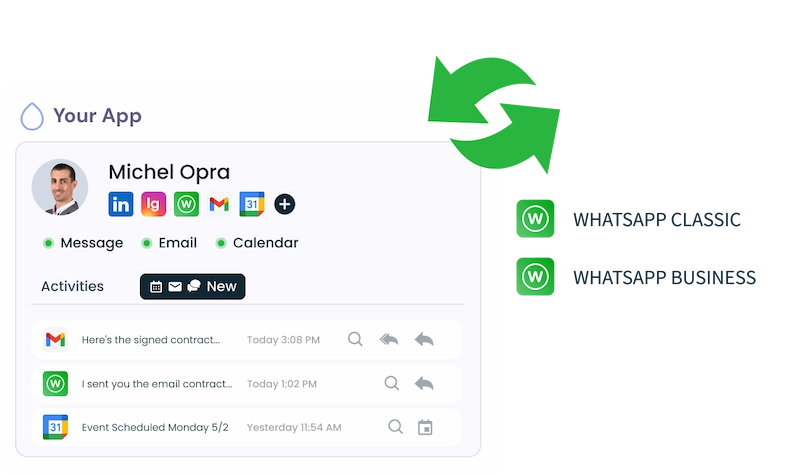
WhatsApp API Documentation for Developers
Integrate WhatsApp messaging into your CRM, ATS, or outreach platform with Unipile’s developer-friendly WhatsApp API.
Our documentation provides everything you need to authenticate accounts, send and receive messages, manage groups, and sync chat history, all through a single unified endpoint.
Connect both WhatsApp Classic and WhatsApp Business instantly with a simple QR-code flow, no Meta approval required.
Start building real-time, scalable messaging features inside your product with just a few API calls.
WhatsApp API Features for Seamless Integration
Unipile’s WhatsApp API enables software publishers to deliver a complete, real-time messaging experience directly inside their applications.
From 1-to-1 conversations to team groups, every message, attachment, and reaction is synchronized in one unified inbox. Developers can connect both WhatsApp Classic and Business accounts in seconds, unlocking advanced communication features without Meta’s restrictions.
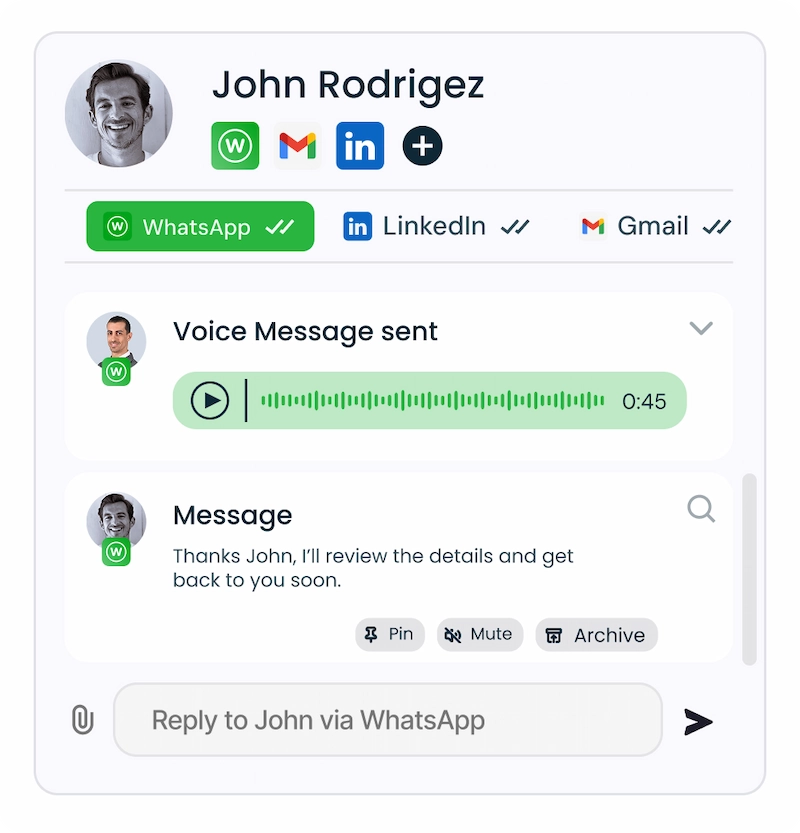
Send Messages, Texts & Voice Notes
Enable your users to send and receive WhatsApp messages instantly, text, emojis, media, or voice notes, all within your platform. Every conversation stays synchronized in real time, including delivery receipts, reactions, and read status updates for a native, fluid experience.
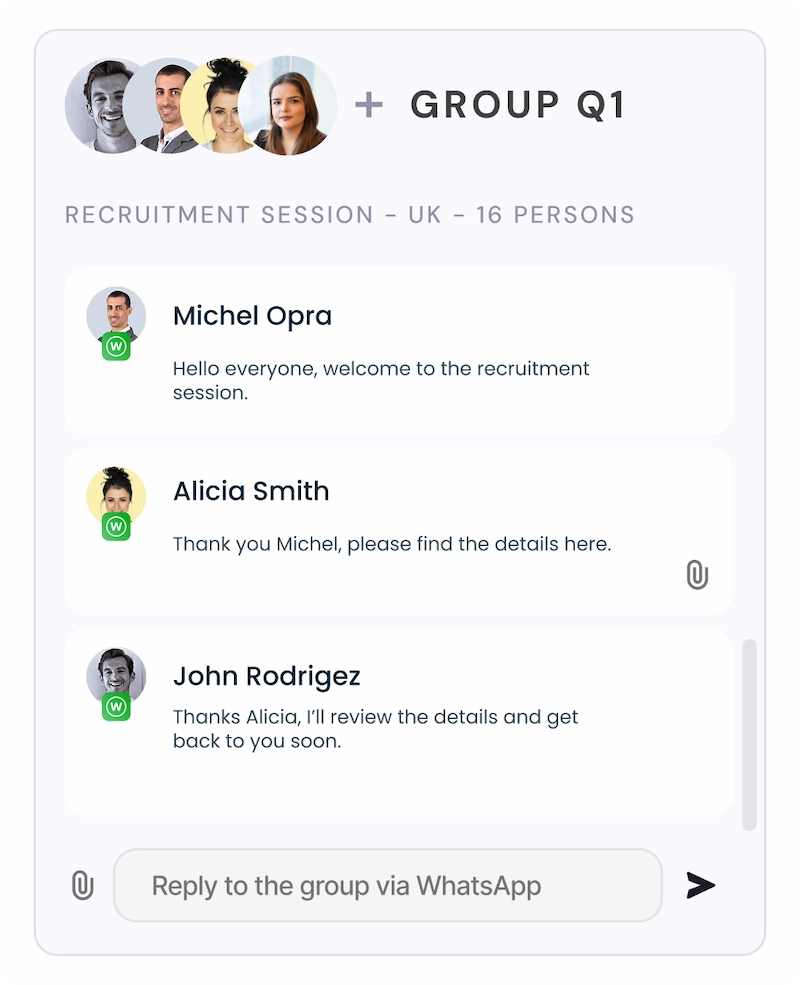
Manage WhatsApp Groups
Let your users create, list, and manage WhatsApp groups directly from your app.
Perfect for collaboration or client management, this feature allows multi-participant threads with instant updates and full context sharing.

WhatsApp API Documentation: Key Features for Developers
WhatApp Features
xplore the core capabilities of the WhatsApp API documentation to build powerful, real-time messaging experiences. From sending messages and managing groups to retrieving full chat histories, Unipile gives developers everything they need to integrate WhatsApp seamlessly into their applications.

Account Connection

Hosted Auth: White label to connect your end users
Custom auth: connect user with credentials, cookies, your chrome extension
Messages
Send & Reply Messages
List Messages, Chats & Attendees
Sync History
List Reactions
Read Receipts
Attachments
Send Files attachments
Receive Files attachments
Webhooks
Account status
New Message
New Reaction / Read / Event
Why Choose Unipile Instead of Building from Meta’s WhatsApp API Documentation
Following Meta’s official WhatsApp API documentation often means long approval processes, message template restrictions, and complex infrastructure setup. Unipile removes those barriers. With our unified API, you can integrate WhatsApp, along with LinkedIn, Gmail, and other channels, in just a few days instead of weeks. No hosting, no rate limits, no compliance delays. Your users simply scan a QR code and start messaging instantly. For developers, it means faster delivery, unlimited scalability, and a smoother experience for every connected account.
| Capability | Meta Official Path | Unipile for WhatsApp App and Business App |
|---|---|---|
| API availability | No API for App or Business App | Unified API to connect accounts |
| Onboarding | Not supported | QR flow in your product |
| Message templates | Not applicable | No template approval |
| 24-hour window | Not applicable | Continuous chat from device |
| Groups | Not available | Create and manage groups |
| Media and voice | Not available | Files and voice notes |
| Multi-agent use | Not available | Shared inbox, permissions |
| Time to integrate | No path | Days with one API |
| Cross-channel | Separate builds | Same model for WA, LinkedIn, Email |
| Hosting and upkeep | N/A | Managed with webhooks |
Faster Integration and Time-to-Market
Unipile’s API lets you connect WhatsApp accounts in minutes using a simple QR authentication flow.
No Meta verification, no server setup, just a plug-and-play integration that accelerates your product roadmap and reduces development workload.
Unlimited API Calls and Scalable Messaging
Unlike Meta’s per-message billing model, Unipile offers unlimited API usage across all connected accounts. Your software can handle any volume of messages, from 10 to 10,000 users, with consistent performance and predictable costs.
Integrate WhatsApp Effortlessly with the Unipile Dashboard
Unipile makes it easy to launch WhatsApp messaging and content features, without the hassle of Meta’s developer flow.
Sign Up to Unipile
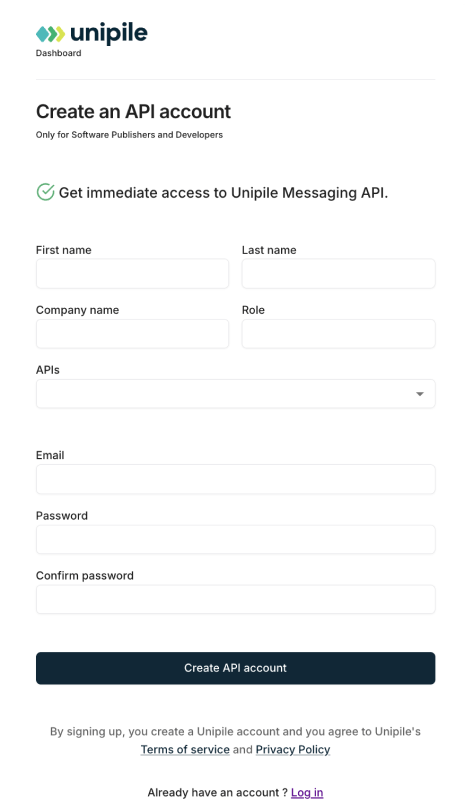
Log to Dashboard
Access your workspace and manage your connected accounts.

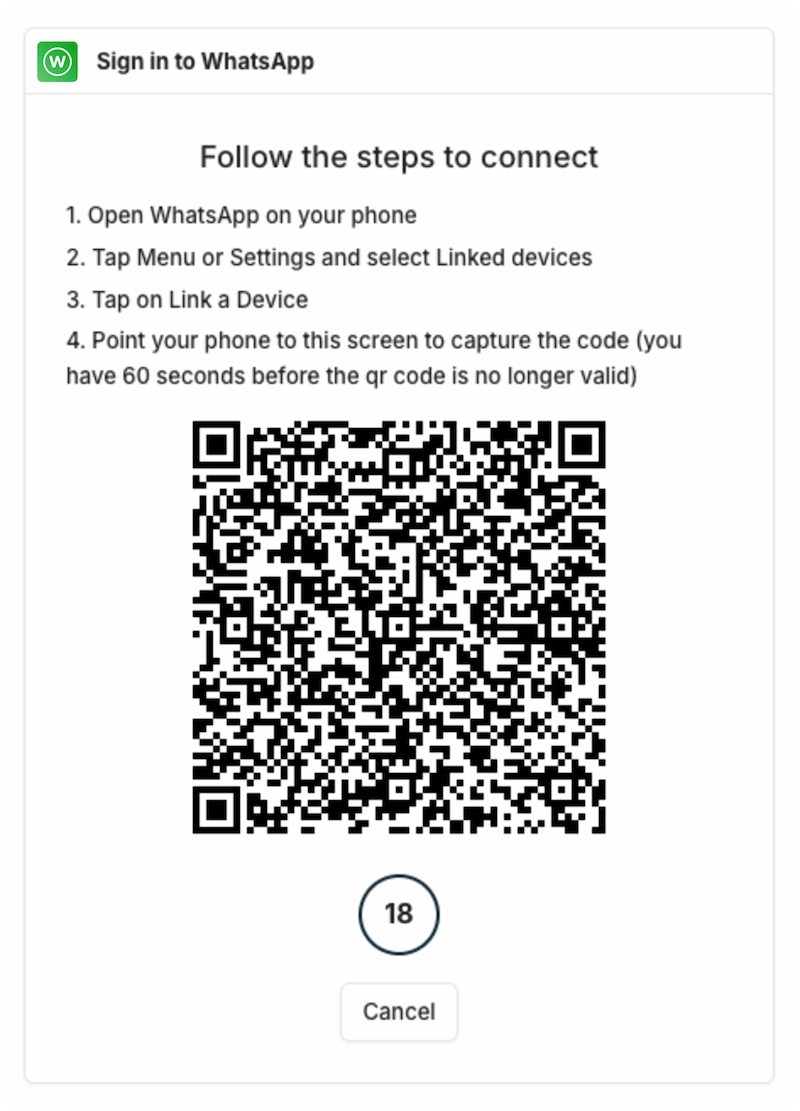
Quick WhatsApp API integration with QR-code authentication
With Unipile, connecting a WhatsApp account takes just a few minutes. The flow is simple, secure, and avoids Meta’s long business approval process. Here’s how it works:
1. Request a QR Code
Your application generates a unique QR-code via the Unipile API. Users simply scan it with WhatsApp to start authentication.
2. Display the QR Code
The QR-code can be displayed directly in your app using standard libraries (PHP or JS). Users scan it with their phone to link their account.
3. Confirm authentication
Once the code is scanned, the account status changes to connected. You can listen to this event either by polling the account status or by setting up a webhook for real-time confirmation.
4. Start messaging
As soon as the account is active, you can send and receive text messages, share images, videos, documents, and voice notes. Real-time webhooks also notify you about new messages, reactions, and read receipts.
Explore more with
our Messaging API
Unipile doesn’t stop at WhatsApp. Our unified API also connects with LinkedIn, Instagram, Messenger, X (Twitter), and Telegram. By centralizing all these channels in one place, your users can manage every conversation seamlessly. From DMs to comments and group chats, everything is accessible in a single inbox, helping teams reply faster, track engagement, and deliver a consistent user experience across platforms.
Integration Support and Resources for WhatsApp API Documentation


Simple Integration, Zero Complexity
Connecting WhatsApp with Unipile takes only a few minutes. Our unified API manages authentication, synchronization, and data normalization automatically, allowing you to move from setup to production fast, without worrying about servers or compliance steps.
Expert Support from Start to Launch
Our technical team works closely with your developers to ensure a flawless rollout. From sandbox testing to production, we provide hands-on guidance and resources to help you deploy WhatsApp messaging smoothly and deliver a reliable in-app experience.
Always Synced and Future-Proof
Unipile evolves alongside every provider update. Our connectors stay continuously aligned with WhatsApp, LinkedIn, Gmail, and other platforms, keeping your software stable, compliant, and instantly compatible with new features as they roll out.
Conclusion: Simplify WhatsApp API Integration with Unipile
Building WhatsApp connectivity shouldn’t be a challenge. While Meta’s WhatsApp API documentation can feel complex and restrictive, Unipile makes integration fast, secure, and scalable.
With one unified API, your software can connect WhatsApp Classic and WhatsApp Business, synchronize messages in real time, and offer a truly native experience inside your app, without Meta’s approval or infrastructure setup.
For SaaS editors and developers, it’s the easiest path to deliver messaging, email, and calendar automation in one seamless experience.
Start integrating smarter, not harder, build your WhatsApp experience with Unipile today.
FAQs
What is the WhatsApp API documentation used for?
It’s Meta’s official technical guide for developers who want to integrate WhatsApp messaging, covering authentication, message templates, and webhook setup.
How does Unipile simplify WhatsApp integration?
Unipile replaces the long Meta onboarding process with a simple QR authentication flow that connects both personal and business WhatsApp accounts instantly.
Can I send voice notes and media files through Unipile’s WhatsApp API?
Yes. You can send and receive text, audio, images, documents, and voice messages directly within your software.
Do I need Meta’s approval to use Unipile’s WhatsApp API?
No. Unipile allows you to integrate WhatsApp without going through Meta’s partner or verification process.
Is Unipile’s WhatsApp API secure and compliant?
Absolutely. Unipile is GDPR-compliant and SOC 2 certified, ensuring all user data and messages are handled securely.
Can I test the WhatsApp API before subscribing?
Yes. You can try Unipile’s API for free with a 7-day trial, giving you full access to all WhatsApp features before committing.
You may also like

LinkedIn Search API: Amplifying User Value for Editors
LinkedIn, the world’s largest professional networking platform, offers various tools and services to help users connect, engage, and grow their networks. Among these is the LinkedIn API Search feature, which allows seamless integration of LinkedIn's search capabilities into applications. What is...
LinkedIn API Guide 2026: Complete Integration Tutorial & Best Practices
What is LinkedIn API? The LinkedIn API (Application Programming Interface) is the essential bridge between your application and LinkedIn, acting on behalf of your authenticated users. Whether you're building recruitment software, CRM systems, or workflow automation tools, understanding LinkedIn...
 EN
EN  FR
FR  ES
ES  DE
DE  IT
IT  BR
BR  NL
NL  PL
PL  TR
TR