How to Get an Email from a LinkedIn Profile via API (2026 Guide)

LinkedIn API Guide

Get an Email from a LinkedIn Profile via API (2026 Guide)

Sarah M.
Head of Partnerships at Acme Corp • 1st
sarah.m@acmecorp.com
Visible because Sarah chose to share her email with connections

Learn how to access contact emails that LinkedIn members have chosen to share, using Unipile's API acting on behalf of your authenticated user. The compliant, developer-ready approach for CRM, ATS, and sales tools.

GET /users/profile response
{
  "provider_id": "urn:li:member:123456",
  "first_name": "Sarah",
  "last_name": "M.",
  "headline": "Head of Partnerships",
  "contact_info": {
    "email": "sarah.m@acmecorp.com"
  },
  /* only present if member shared it */
}
The honest answer

Can you get an email from a LinkedIn profile via API?

Direct answer

Yes - but only the email a LinkedIn member has chosen to make visible in their Contact Info section. When that member is a connection of your authenticated user, LinkedIn exposes that email field through its platform. Unipile's API, acting on behalf of the authenticated user, retrieves exactly that field - nothing more. This is not guessing and not pattern-matching. If the member has not shared their email, the field is simply absent from the response.

How it works in 3 steps
1 Your user links their LinkedIn account to your app via Unipile's hosted auth flow - no credentials stored on your side.
2 Unipile calls GET /users/profile on behalf of that authenticated user, within their own LinkedIn session.
3 If the profile owner shared their email with connections, it appears in the contact_info.email field of the response.
Honest limitation - this is a trust signal, not a weakness Not every LinkedIn member shares their email. The Unipile API will only return an email when it is genuinely available to the authenticated user within their own session. There is no independent database, no archive, and no guessing. That transparency is precisely what makes this approach compliant and sustainable.
Data Handling Note
No independent archive. No parallel storage.
Live retrieval only: the contact email is fetched in real time via the authenticated user's own LinkedIn session - it is not cached, indexed, or stored in any independent Unipile database.
Scoped to the session: Unipile only surfaces contact data that the authenticated user can already see within their own LinkedIn session - nothing beyond their existing access level.
No independent archive: Unipile maintains no archive, index, or database of LinkedIn contact data. There is no independent database of contact emails built or sold by Unipile.
Use Cases

Why developers build with the LinkedIn contact info API

When a LinkedIn member shares their email with their network, that contact detail becomes a valuable enrichment signal for downstream software. Here are the core use cases for LinkedIn profile enrichment via the Unipile API.

CRM Enrichment

When a user's first-degree connection has shared their email on LinkedIn, your CRM can automatically populate or update the contact record with a verified email - no manual copy-paste, no third-party data vendor required.

CRM use case
ATS - Candidate Contact

Recruiters using your ATS can access the contact email a candidate has chosen to share, adding it directly to the applicant record. Reduces time-to-contact and keeps data fresh without manual sourcing.

ATS use case
Sales Engagement Tools

Sales tools can surface a prospect's shared email to enable multi-channel communication - following up by email after a LinkedIn interaction, all within the authenticated user's own workflow. No cold data lists, no bought databases.

Sales tool use case

Building one of these? Unipile gives you a single unified API for LinkedIn profile data, messages, invitations, and email - acting on behalf of each of your authenticated users.

Start building
How it works

The authenticated-user model: compliant by design

Unipile operates as an independent technical intermediary, acting on behalf of each authenticated user. Your application never touches LinkedIn credentials directly - the entire flow runs through Unipile's hosted session, scoped to what that user can already see.

LinkedIn
Profile owner chose
to share their email
Unipile API
Acts on behalf of
the authenticated user
on behalf of
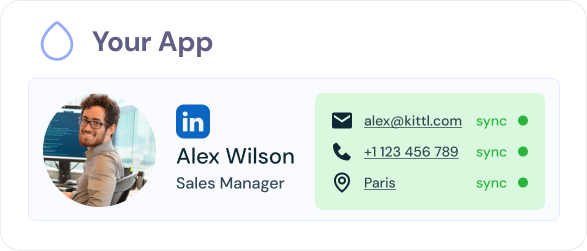
Your App
Receives contact_info.email
for CRM / ATS enrichment
1
User links their LinkedIn account via hosted authNo credentials stored

Your user completes the Unipile hosted auth flow - a secure wizard that handles the LinkedIn session entirely within Unipile's infrastructure. Your application receives an account ID, never a password or cookie. This is the right way to handle third-party authentication: credentials are managed by the flow itself, not stored on your servers.

2
Your app calls the profile endpoint with the account ID

Using the account ID returned at step 1, your app calls GET /users/profile with the target profile identifier as a query parameter. Unipile forwards the request through the authenticated user's LinkedIn session - exactly as if that user had opened the profile themselves. See the full breakdown of what LinkedIn data can be pulled this way.

3
The response includes contact_info.email - if the member shared it

If the profile owner has made their email visible to connections, it appears in the contact_info.email field. If not, the field is absent - there is no fallback, no guessing, no data from external sources. What you receive is precisely what LinkedIn shows to that user in their own session. This is the compliant, transparent approach to accessing LinkedIn contact data.

Setup Guide

Step-by-step: connect a LinkedIn account and retrieve contact emails

The entire setup takes under 10 minutes. No credentials stored on your side - everything runs through Unipile's hosted authentication flow.

1
Create your Unipile account and get API credentials

Sign up at dashboard.unipile.com. You will receive a DSN (base URL) and an API key - these are the only credentials your application needs to store. No LinkedIn passwords, no cookies, no tokens.

2
Generate a hosted auth link for your user

Call POST /hosted/accounts/link with providers: ["LINKEDIN"] to generate a secure hosted auth URL. Send that URL to your user - they complete the LinkedIn sign-in within Unipile's hosted wizard. No credentials ever reach your servers.

3
Receive the account ID and confirm status: Operational

Once the user completes auth, Unipile returns an account_id. Check the account status via GET /accounts/{account_id} - the status should read OPERATIONAL. The linked account is now ready to make profile lookups on behalf of your user.

4
Call GET /users/profile with the target identifier

Pass the account_id as a header and the LinkedIn profile identifier as a query parameter. Unipile returns the full profile object - including contact_info.email if and only if the profile owner has chosen to share it with their connections.

Unipile Dashboard - Accounts
GET /users/profile?identifier=…
GET /users/relations
POST /hosted/accounts/link
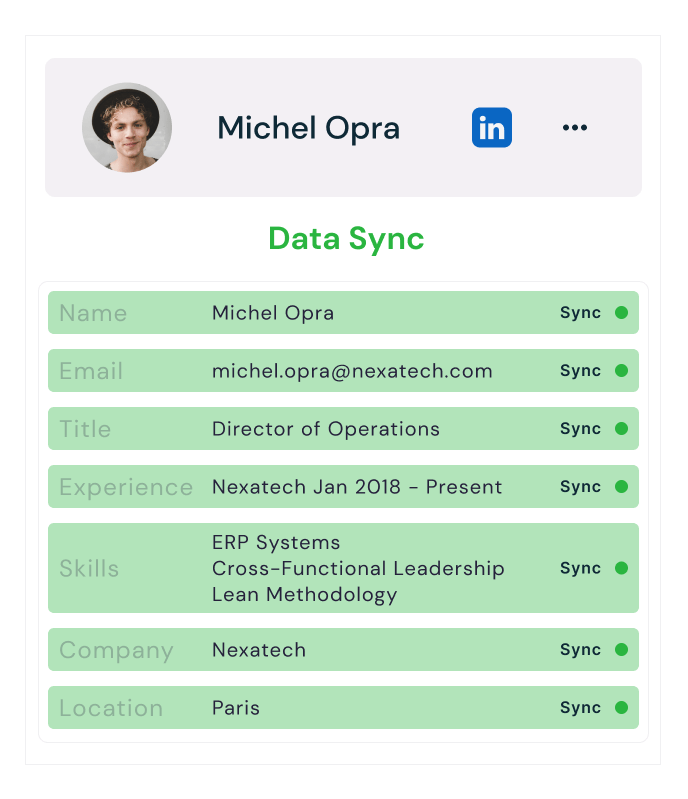
contact_info.email Present only when the LinkedIn member has chosen to share their email with connections
LinkedIn profile retrieved via Unipile API
Sarah Mitchell
Marketing Director at Acme Inc.
Email
sarah.mitchell@acme.com
Visible because the member chose to share it with connections
Phone
+1 (415) 555-0198
Company
Acme Inc.
Industry
Software & Technology
Location
San Francisco, CA
Connections
500+ on LinkedIn
Profile Retrieval

Retrieve a LinkedIn Profile, Email Included

Retrieve a profile
GET
curl --request GET \
  --url https://api1.unipile.com:13111/api/v1/users/{user_id} \
  --header 'X-API-KEY: {your_api_key}'

A single profile lookup returns everything the member has chosen to make visible, with the email front and center. When the person has shared their address in their Contact Info, it comes back in the same response, alongside job title, company, location, and more, retrieved on behalf of the authenticated user.

Why it matters: consolidate every field a member has shared, the email first, directly inside your own software, ready for CRM enrichment, in-depth analysis, or other strategic initiatives.
Code Examples

Retrieve a LinkedIn profile email via API: Node.js, Python, cURL

All three examples follow the same compliant pattern: hosted auth to link the user's account, then a profile lookup that returns contact_info.email when the member has chosen to share it. See the Python LinkedIn API guide for deeper coverage of the Python SDK.

Node.js SDK
Python requests
cURL REST
get-linkedin-email.mjs
import { UnipileClient } from 'unipile-node-sdk'; // Step 1: initialise the client with your DSN and API key const client = new UnipileClient( process.env.UNIPILE_DSN, process.env.UNIPILE_API_KEY ); // Step 2: generate a hosted auth link so the user can link // their LinkedIn account - no credentials on your side const hostedLink = await client.account.createHostedAuthLink({ type: 'create', providers_filters: ['LINKEDIN'], success_redirect_url: 'https://yourapp.com/callback', }); // Send hostedLink.url to your user - they complete auth there // Step 3: once the user completes auth, retrieve their profile // acting on behalf of the authenticated user const accountId = 'acc_received_from_webhook'; const profile = await client.users.getProfile({ account_id: accountId, identifier: 'urn:li:member:TARGET_PROFILE_ID', }); // Step 4: read contact_info.email - only present if the member // chose to share it (no guessing, no fallback) const email = profile?.contact_info?.email ?? null; console.log('Shared email:', email);
contact_info.email present only when member shared it - null otherwise
get_linkedin_email.py
import os, requests DSN = os.environ["UNIPILE_DSN"] API_KEY = os.environ["UNIPILE_API_KEY"] HEADERS = {"X-API-KEY": API_KEY} # Step 1 - generate a hosted auth link (no credentials stored) resp = requests.post( f"{DSN}/hosted/accounts/link", headers=HEADERS, json={ "type": "create", "providers_filters": ["LINKEDIN"], "success_redirect_url": "https://yourapp.com/callback", } ) print("Send this URL to your user:", resp.json()["url"]) # Step 2 - after the user completes auth, retrieve their profile # on behalf of the authenticated user ACCOUNT_ID = "acc_received_from_webhook" PROFILE_ID = "urn:li:member:TARGET_PROFILE_ID" profile_resp = requests.get( f"{DSN}/users/profile", headers={**HEADERS, "account-id": ACCOUNT_ID}, params={"identifier": PROFILE_ID} ) data = profile_resp.json() # Step 3 - read contact_info.email - absent if not shared email = data.get("contact_info", {}).get("email") print("Shared email:", email or "not shared by this member")
No regex scanning, no pattern-matching - reads the field LinkedIn exposes directly
get-linkedin-email.sh
# Step 1 - generate hosted auth link curl -s -X POST "${UNIPILE_DSN}/hosted/accounts/link" \ -H "X-API-KEY: ${UNIPILE_API_KEY}" \ -H "Content-Type: application/json" \ -d '{ "type": "create", "providers_filters": ["LINKEDIN"], "success_redirect_url": "https://yourapp.com/callback" }' # Returns { "url": "https://auth.unipile.com/..." } # Send that URL to your user - they complete LinkedIn auth there # Step 2 - retrieve the profile on behalf of the authenticated user # (replace ACCOUNT_ID and PROFILE_ID with real values) curl -s -X GET \ "${UNIPILE_DSN}/users/profile?identifier=urn:li:member:TARGET_ID" \ -H "X-API-KEY: ${UNIPILE_API_KEY}" \ -H "account-id: ACCOUNT_ID" # Example response (email present only if member shared it): # { # "first_name": "Sarah", # "last_name": "M.", # "contact_info": { # "email": "sarah.m@acmecorp.com" # } # }
Authenticated user session - Unipile acts as independent technical intermediary
Note on removed patterns: earlier implementations sometimes scanned message threads with a regex to find email addresses mentioned in conversations. That approach is fragile, non-compliant with LinkedIn's data policies, and unnecessary. The contact_info.email field on the profile endpoint is the correct, official way to access an email that a member has chosen to share.
Honest Scope

What you can and cannot access via the LinkedIn profile API

Understanding the real scope is essential before building. See also the full breakdown of what LinkedIn data can be pulled and LinkedIn compliance API guidelines.

What you can access
Email shared with connections - when a 1st-degree connection has set their email to visible, it appears in contact_info.email
Public profile fields - full name, headline, current role, company, location, profile picture, skills, experience
Other shared contact info - LinkedIn URL, website, phone number - again only if the member explicitly shared these
Connection degree - whether the target profile is a 1st, 2nd, or 3rd+ connection of the authenticated user
List of relations - the authenticated user's 1st-degree connections via GET /users/relations, enrichable with profile data on a per-user basis
What you cannot access
Email not shared by the member - if the profile owner did not set their email to visible, it is simply not in the response. No workaround, by design. (This is the correct behaviour.)
Emails of 2nd or 3rd+ connections - LinkedIn does not expose contact info for profiles outside the authenticated user's direct network
Email guessing or pattern generation - Unipile does not generate, infer, or pattern-match email addresses. There is no firstname.lastname@company.com guessing
Private messages scanning - scanning conversation threads for email mentions is a removed pattern: fragile, non-compliant, and unnecessary given the official contact_info field
Bulk export without per-user auth - every profile lookup requires an active linked account. There is no anonymous or platform-wide query mode
How Unipile Operates
Independent technical intermediary - not a data broker
Independent technical intermediary: Unipile is not a LinkedIn partner, not a data broker, and not a vendor of email databases. It is an independent technical intermediary acting on behalf of each authenticated user within their own session.
No shared credentials: each linked account uses its own isolated session. No credentials are shared across users or stored in a way accessible to other customers.
Surfaces only what the user can already see: the API returns contact info that the authenticated user already has access to in their own LinkedIn session - no elevation of privilege, no data from sources outside LinkedIn.
Not affiliated with LinkedIn: Unipile is not affiliated with, endorsed by, or sponsored by LinkedIn. LinkedIn is a trademark of LinkedIn Corporation.
Platform Limits & Responsible Use
Unipile relays LinkedIn's limits - volume is a customer-side decision
Rate limits relayed transparently: Unipile passes through LinkedIn's native rate limits and visibility rules. If LinkedIn throttles a request, that throttle is surfaced to your application.
Member privacy respected at source: if a LinkedIn member has not shared their email, it is not accessible - no matter how many requests are made. The platform's own privacy controls are the authoritative gate.
Cadence and volume are a customer-side decision: Unipile provides the technical infrastructure. The frequency, volume, and purpose of profile lookups is determined by your application and your users - and should be consistent with LinkedIn's Terms of Service and applicable data protection regulations (GDPR, etc.).
Platform limits

Working within LinkedIn's API limits

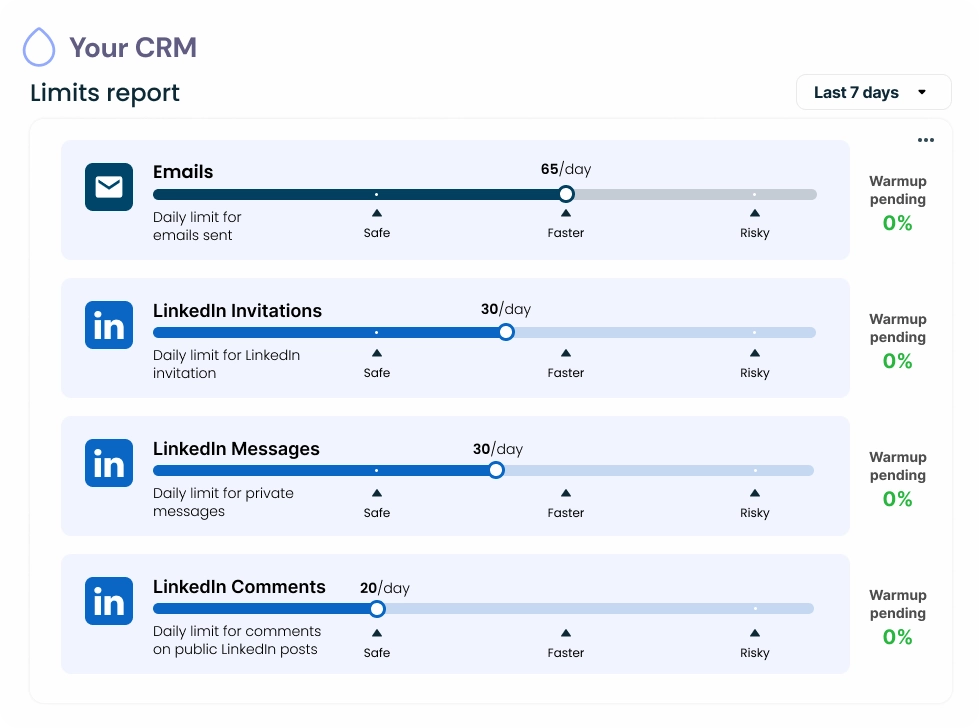
LinkedIn enforces its own daily limits on actions like invitations, messages, and profile views. Unipile relays those native limits transparently and never lifts them. How fast and how much you run stays a customer-side decision, with safe, faster, and risky thresholds surfaced per connected account, plus automatic warmup for new accounts.

Your CRM

Limits report

Last 7 days
Emails
Daily limit for emails sent
65/day
Safe
Faster
Risky
Warmup
pending
0%
LinkedIn Invitations
Daily limit for LinkedIn invitations
30/day
Safe
Faster
Risky
Warmup
pending
0%
LinkedIn Messages
Daily limit for private messages
30/day
Safe
Faster
Risky
Warmup
pending
0%
LinkedIn Comments
Daily limit for comments on public LinkedIn posts
20/day
Safe
Faster
Risky
Warmup
pending
0%
Comparison

Unipile API vs manual export vs third-party data brokers

There are several ways developers attempt to get email addresses from LinkedIn profiles. This table compares them honestly so you can pick the approach that fits your compliance posture.

Criteria Unipile API (on-behalf)Recommended Manual LinkedIn export Third-party data brokers
Compliance with LinkedIn ToS Yes - per-user authenticated session Manual only, not scalable Generally violates ToS
Automatable at scale Yes - API-driven, on a per-user basis No - manual process Yes, but fragile and risky
Email data source Member's own Contact Info fieldOnly what they chose to share LinkedIn CSV exportLimited to your own connections Guessed / third-party databaseOften stale, unverified
Credentials stored on your server No - hosted auth flow User handles manually Often yes - high risk
Real-time freshness Live from LinkedIn session Point-in-time export Often stale database
GDPR / data protection alignment Member chose to share - lawful basis Depends on use Typically no consent basis
CRM / ATS integration API-native, webhook-ready Manual CSV import Varies by vendor
Unipile API (on-behalf) - Recommended
LinkedIn ToSCompliant
AutomatableYes - per user
Email sourceMember's Contact Info field
Credentials storedNo - hosted auth
FreshnessLive from session
Manual LinkedIn export
LinkedIn ToSManual only
AutomatableNo
Email sourceLinkedIn CSV export
Credentials storedUser handles manually
FreshnessPoint-in-time only
Third-party data brokers
LinkedIn ToSGenerally violates ToS
AutomatableYes but fragile
Email sourceGuessed / third-party DB
Credentials storedOften yes - high risk
FreshnessOften stale
Unipile - Get Started (LinkedIn enrichment)
Get Started

Build your LinkedIn contact
enrichment integration today

Unipile gives you one unified API to access the contact details LinkedIn members have chosen to share, acting on behalf of each of your authenticated users. No credentials stored on your side, no separate database to maintain, no guesswork.

Live in minutes
Free developer account, no credit card needed
Acts on behalf of your authenticated users
One endpoint for LinkedIn contact data
Free to start · First call in minutes
FAQ

LinkedIn Email from Profile API - FAQ

Answers to the most common questions about retrieving LinkedIn contact emails via the Unipile API - scope, compliance, and technical implementation.

Only what the authenticated user can already see in their own LinkedIn session. If a member has shared their email with connections, it appears in contact_info.email. If not, the field is absent. There is no independent database, no guessing, and no data from external sources. This is the honest scope - and it is why the approach is compliant.

Accessing an email that a LinkedIn member has explicitly chosen to share with their connections, via an authenticated session acting on behalf of that user, is consistent with how LinkedIn exposes that data. The member made a deliberate choice to share it. That said, legality also depends on your intended use: GDPR, CCPA, and similar regulations require a lawful basis for processing personal data. Ensure your use case is clearly purposeful and your users are informed.

No. LinkedIn does not expose contact info for profiles outside the authenticated user's direct network. The contact_info.email field is only available for 1st-degree connections who chose to share it. Second and third-degree profiles do not expose this data. This is a platform-level restriction, not a Unipile limitation.

Unipile relays LinkedIn's native rate limits and visibility rules transparently. The frequency, volume, and purpose of profile lookups is a customer-side decision. Your application and your users are responsible for ensuring usage is consistent with LinkedIn's Terms of Service and applicable data protection regulations. Unipile is the technical intermediary - responsible use is defined by the customer.

No. Unipile is not affiliated with, endorsed by, or sponsored by LinkedIn. Unipile is an independent technical intermediary that acts on behalf of authenticated users to surface data they already have access to within their own LinkedIn session. LinkedIn is a trademark of LinkedIn Corporation.

Sales Navigator is a LinkedIn product for individual users working inside LinkedIn's own interface. Unipile is a developer API for software builders embedding LinkedIn data access into their own product - CRM, ATS, sales tools. The two serve different audiences. Unipile programmatically surfaces the same contact info a user can see in their session; it does not grant access to data beyond what LinkedIn already exposes to that user.

No. Unipile maintains no independent archive, index, or database of LinkedIn contact emails. Every email returned by the API is fetched live from LinkedIn via the authenticated user's own session at the time of the request. There is no email database built or sold by Unipile.

When a member has not shared their email, contact_info.email is simply absent from the response. Use optional chaining in JavaScript (profile?.contact_info?.email ?? null) or .get() in Python (data.get("contact_info", {}).get("email")) and treat null as "not shared by this member". Do not attempt fallbacks like regex-scanning message threads - that pattern is non-compliant and produces unreliable results.

Unipile offers a free trial to get started - no credit card required. Paid plans scale with the number of linked accounts and API usage volume. For a broader overview of LinkedIn API pricing options, see the guide on whether the LinkedIn API is free. To start building today, visit dashboard.unipile.com.

Still have questions about the LinkedIn email API? Our team is here to help.

Talk to an expert
en_USEN