
 LinkedIn
 Instagram
 WhatsApp
 Telegram
 Gmail
Gmail Outlook
 Google Calendar
 Join Slack Community
DMA
Our solution is built in line with the Digital Markets Act (DMA). User profiles are never stored or scraped, and our API focuses exclusively on enabling messaging interoperability. Clients are expected to comply with the terms of each provider.
Instagram API is now a strategic messaging tool. With the right API, you can automate DMs, sync conversations, and trigger sequences inside your CRM or ATS.
This guide shows how to do it with Unipile’s unified API, offering a single gateway to Instagram, LinkedIn, WhatsApp, and more. Please note that Unipile is not a Meta Partner, and all usage must respect Meta’s rules.
Instagram API Automation: What Developers Need to Know

APIs (Application Programming Interfaces) let your app communicate with external services. Endpoints are specific functions you can call to perform actions like sending a message, receiving replies, or listing conversations.

Instagram API Basics: What Developers Need to Know
Business account and permissions
Instagram automation is only possible for business accounts connected to a Facebook Page. You’ll need:
– An Instagram Business Account
– A linked Facebook Page
– Approved app permissions from Meta for pages_messaging, instagram_basic, and instagram_manage_mess
Token-based access
You authenticate via access tokens (short or long-lived), which allow your software to:
– Retrieve messages
– Send replies
– Monitor message status (delivered, seen)
However, Meta limits message automation significantly—you cannot initiate DMs without user interaction. This is where Unipile’s API opens up new doors.
CRM Automation
-
Log every Instagram DM to the lead’s contact card
-
Auto-reply when a message is received
-
Launch a pre-built drip sequence after message #1
ATS Integration
-
Monitor inbound Instagram messages from candidates
-
Trigger follow-up tasks or emails based on IG replies
-
Sync all messages to the hiring pipeline
Outreach Software
-
Launch personalized Instagram DM campaigns
-
Trigger messages via automation sequences
-
Track message views, replies, and conversions
How Unipile Simplifies Instagram Automation
Unipile offers a unified API to connect Instagram, LinkedIn, WhatsApp, Email (IMAP, Gmail, Outlook), and Calendar in one platform. For Instagram:
✅ Real-time message sync
✅ Hosted and custom OAuth login
✅ Multi-account management
✅ Pre-built endpoints to automate messaging sequences
API Endpoints for Instagram Automation
Here are key endpoints to power Instagram automation:
API Token & DSN Setup
Every request needs a valid token and your DSN (data source name). These are easily managed from Unipile’s developer dashboard.
Use the SDKs
Available in Node.js, PHP, and via cURL/REST. You can:
- Test endpoints instantly
- Skip OAuth complexity
-
Rely on secure hosted flows
Live Testing in the Docs
Unipile provides interactive documentation where you can test any endpoint without code. Just paste your DSN + Token.
Unified Inbox: Centralize Instagram Conversations in Real-Time

One of the biggest pain points in integrating Instagram into CRMs or ATS platforms is message fragmentation. Unipile solves this with its unified inbox, allowing you to:
- Sync Instagram DMs in real-time across multiple user accounts
- View message history from Instagram alongside LinkedIn, Gmail, WhatsApp, and others
- Reply to messages directly within your app, without switching context
This creates a seamless experience for recruiters, sales reps, or support agents who no longer need to juggle multiple tabs or tools.
With Unipile, Instagram becomes part of a broader engagement strategy where every channel is tracked and accessible in one place, enabling better follow-ups, team collaboration, and user satisfaction.
Why Unipile Outperforms Meta’s Native APIs
Integrating Instagram messaging into your product shouldn’t mean navigating Meta’s limitations. Unipile’s unified API offers a faster, simpler, and more scalable alternative, designed for developers who want to launch messaging features without hitting roadblocks. Here’s how Unipile gives you the edge.
| Criteria | Meta APIs | Unipile |
|---|---|---|
| Time to integrate | Weeks or months | 2–3 days |
| Dev effort | High | Low (REST + SDKs) |
| Maintenance | Manual | Fully managed |
| Access to features | Partial (after approval) | Full, instantly |
| Support | Self-service only | Dedicated tech team |
| Criteria | Meta APIs | Unipile |
|---|---|---|
| Time to integrate | Weeks/months | 2–3 days |
| Dev effort | High | Low (REST + SDKs) |
| Maintenance | Manual | Fully managed |
| Access to features | Partial (after approval) | Full, now |
| Support | Self-service only | Dedicated tech team |
Build Instagram Automation for Your Application with Unipile API
- Create your Unipile account
- Connect the Instagram account via hosted flow
- Use the /chats and /messages endpoints to send/receive DMs
Sign Up to Unipile

Log to Dashboard
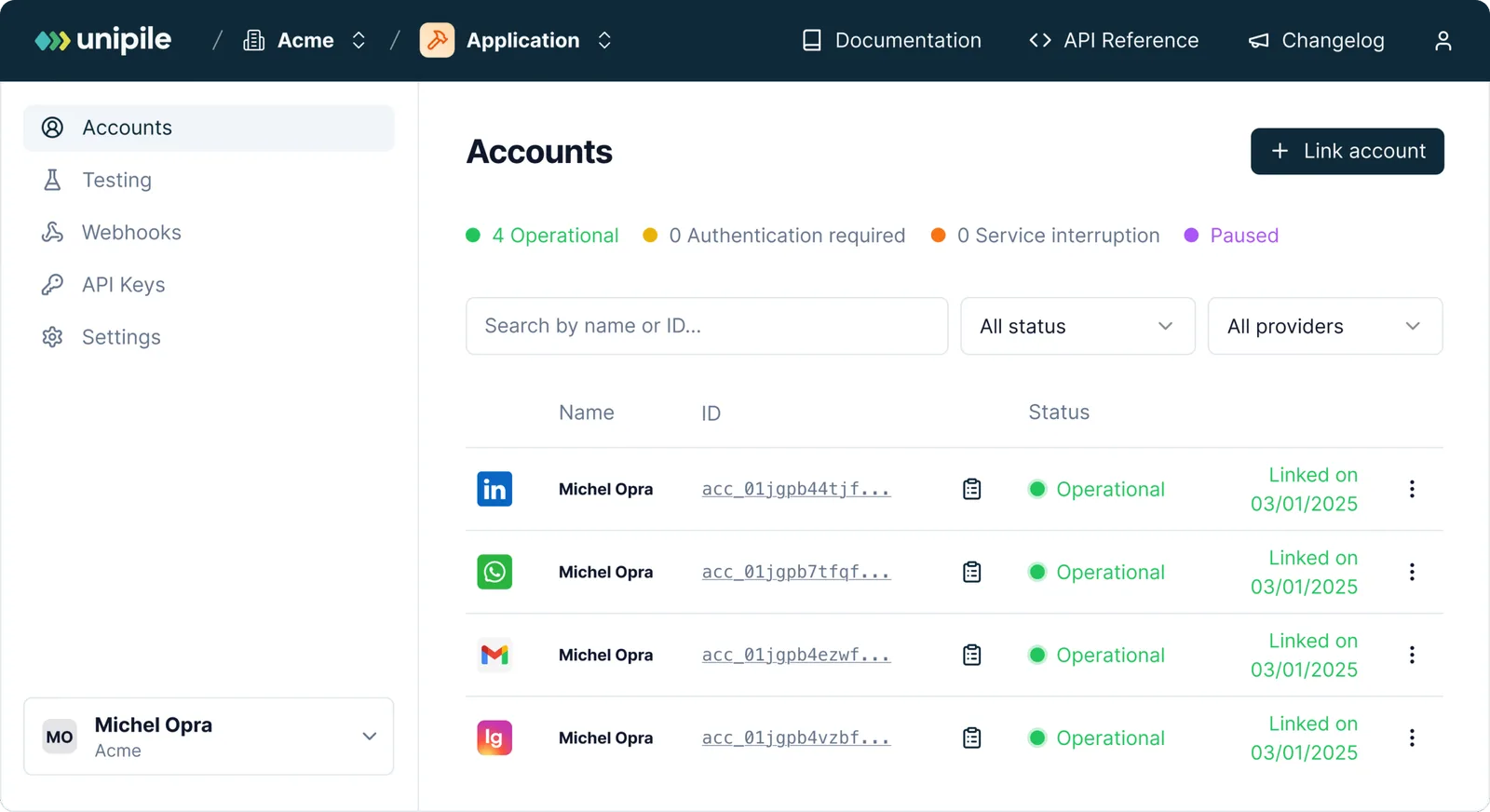
Access your workspace and manage your connected accounts.
Connect an Instagram Account Using Unipile
To authenticate an Instagram account, users need to provide their Instagram username and password directly. Currently, login through Facebook credentials is not supported for this flow.
How to Authenticate
Use a POST request to Unipile’s API to connect the account. This can also be done via one of the available SDK methods.
curl --request POST
     --url https://{YOUR_DSN}/api/v1/accounts
     --header 'X-API-KEY: {YOUR_ACCESS_TOKEN}'
     --header 'accept: application/json'
     --header 'content-type: application/json'
     --data '
{
  "provider": "INSTAGRAM",
  "username": "unipile",
  "password": "********"
}
'
Managing 2FA Checkpoints
When two-factor authentication is enabled on an Instagram account, Unipile will return a 202 Accepted status with a checkpoint object.
{
  "object": "Checkpoint",
  "account_id": "098dez89d",
  "checkpoint": {
    "type": "2FA"
  }
}
In this case, a new Authentication Intent starts. This intent last 5 minutes and checkpoints must be solved in this time frame.
Completing 2FA Verification
To resolve a two-factor authentication (2FA) challenge, send a POST request to Unipile’s dedicated checkpoint endpoint. Use the account_id received from the initial connection attempt and provide the code sent by Instagram.
curl --request POST
     --url https://{YOUR_DSN}/api/v1/accounts/checkpoint
     --header 'X-API-KEY: {YOUR_ACCESS_TOKEN}'
     --header 'accept: application/json'
     --header 'content-type: application/json'
     --data '
{
  "provider": "INSTAGRAM",
  "account_id": "098dez89d",
  "code": "******"
}
'
Don’t Miss the Timeout Window
Be aware that you only have 5 minutes to complete the 2FA validation process. If this time limit is exceeded, your first attempt will return a 408 Request Timeout, and any further retries will result in a 400 Bad Request, meaning the session has expired and must be restarted from the beginning.
Core Endpoints to Operate Instagram Messaging via Unipile
Unipile’s unified API gives you all the essential tools to build rich Instagram messaging experiences. Whether you’re pulling complete conversation history, fetching user profile details, or sending a message, these endpoints form the foundation of your automation logic. They are designed to be lightweight, fast, and fully integrable with CRM, ATS, or outreach systems.
curl --request GET
     --url https://api1.unipile.com:13111/api/v1/chats
     --header 'accept: application/json'
curl --request GET
     --url https://api1.unipile.com:13111/api/v1/chats/chat_id/sync
     --header 'accept: application/json'
curl --request POST
     --url https://{YOUR_DSN}/api/v1/chats/9f9uio56sopa456s/messages
     --header 'X-API-KEY: {YOUR_ACCESS_TOKEN}'
     --header 'accept: application/json'
     --header 'content-type: multipart/form-data'
     --form 'text=Hello world !'
Integration Support and Resources for Instagram API Automation


Dedicated Assistance During Integration
Our support team is with you every step of the way, before, during, and after integration, to ensure a seamless experience. We’re here to provide real-time assistance, helping you avoid any hiccups and extra costs.
Comprehensive Developer Resources
Our API comes with detailed documentation and sample code to simplify integration. These resources are designed to enhance your application’s capabilities, making the process of sending messages and others smoother and more efficient.
Ongoing Updates and Maintenance
With proactive updates and regular maintenance, our API remains aligned with Instagram’s latest standards and improvements, ensuring consistent performance and minimizing any potential downtime.
FAQs
What is Instagram API automation?
Instagram API automation lets your app automatically handle messages—send replies, run message sequences, and sync data—using API logic, usually for CRM, ATS, or outreach purposes.
Can I automate Instagram DMs using an API?
Yes, but only with a business account and through approved APIs. The official Graph API limits outbound messaging. Unipile’s API allows message automation and sequences in a compliant and reliable way.
What types of software benefit from this?
- CRM platforms
-
ATS and recruiting tools
-
Outreach tools
-
Customer support platforms
-
Social media management apps
Are there limits or conditions when using Unipile with Meta platforms?
Yes. Clients must always respect Meta’s Terms of Service. This means avoiding spam, mass automation, or unauthorized scraping. The API should only be used for legitimate messaging scenarios such as customer support, team communication, or user interactions, while acting responsibly and within Meta’s rules.
Is Unipile’s Instagram API DMA compliant?
Yes. Our API is designed in line with the Digital Markets Act (DMA). We only provide interoperability for messaging and do not store or scrape user profiles. Please note that Unipile is not a Meta Partner, and our solution focuses exclusively on secure and compliant messaging use cases.
What endpoints are available for automation?
Key endpoints in Unipile’s unified API include:
-
-
POST /messages: Send Instagram messages -
GET /chats: List Instagram conversations -
GET /users/:id: Retrieve user profiles -
POST /webhooks: Subscribe to new message events
-
What’s the cost of using Unipile’s Instagram API?
Unipile offers a pay-as-you-go model:
-
€5/account/month (for 11–50 accounts) and adaptable with the volume
-
Free 7-day trial with no credit card required See full pricing here: Unipile Pricing


